

v0.3.0
cloudpayments
A Flutter plugin for integrating Cloudpaymanets in Android and iOS applications.
27Likes 5830-day downloads140Pub points
AndroidiOS
shushper/cloudpayments open-source repository details.

English project snapshot. Visit GitHub for the latest content.
A Flutter plugin for integrating Cloudpaymanets in Android and iOS applications.
Disclaimer: It is not an official plugin. It uses SDK-Android on Android and SDK-IOS on iOS. Also this plugin doesn't send any requests to Cloudpayments API. In order to make purchases you have to implment some logic on your server.
Steps to make purchase:
See the official documentation:
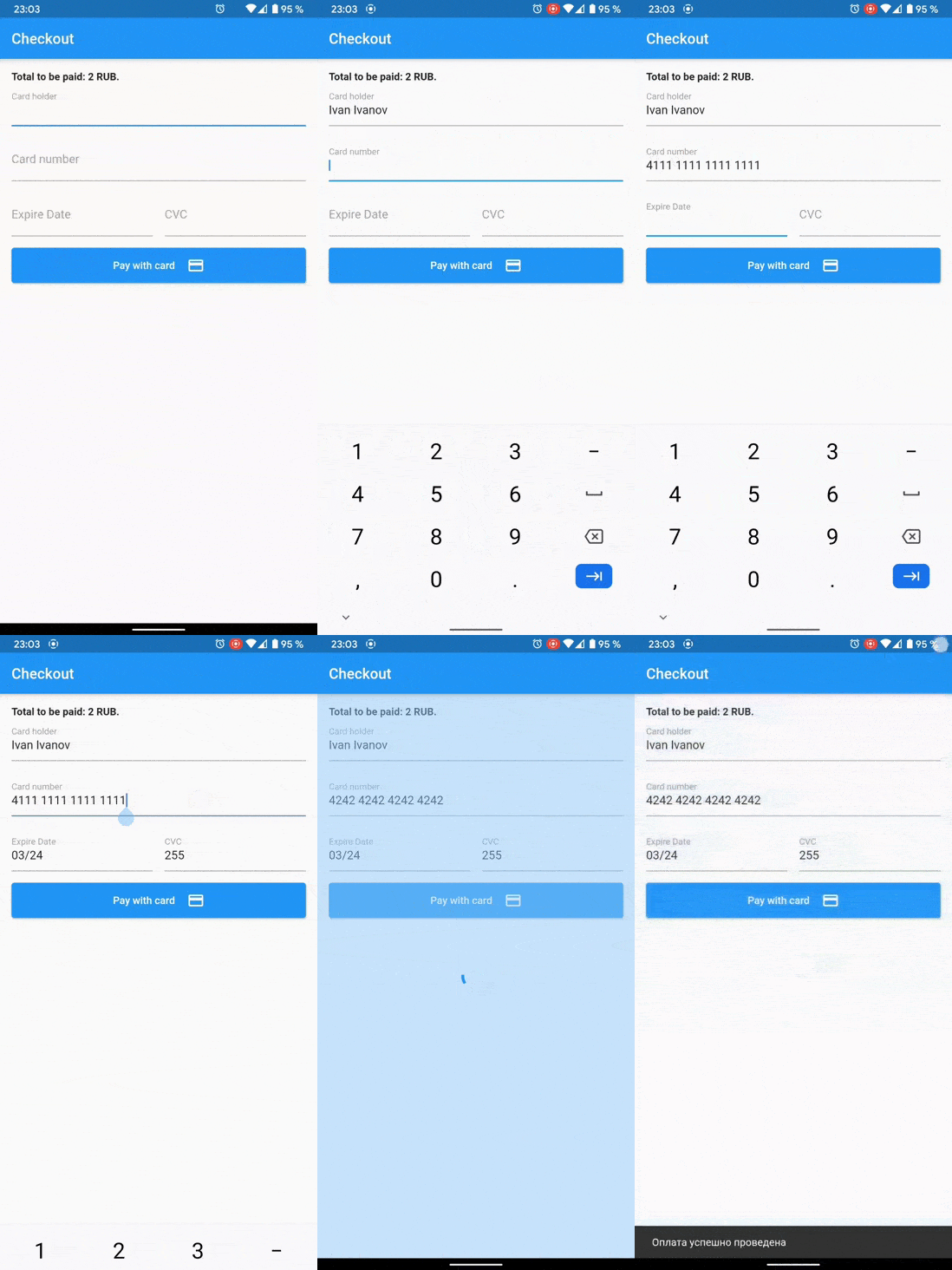
If you want to show 3ds dialog on Android, make MainActivity implements FlutterFragmentActivity instead of FlutterActivity
android/app/src/main/.../MainActivity.kt:
import io.flutter.embedding.android.FlutterFragmentActivity

class MainActivity: FlutterFragmentActivity() {}
bool isValid = await Cloudpayments.isValidNumber(cardNumber);
bool isValid = await Cloudpayments.isValidExpireDate(cardNumber); // MM/yy
final cryptogram = await Cloudpayments.cardCryptogram(cardNumber, expireDate, cvcCode, publicId);
final result = await Cloudpayments.show3ds(acsUrl, transactionId, paReq);
final applePay = CloudpaymentsApplePay();
final isApplePayAvailable = await applePay.isApplePayAvailable();
final paymentToken = await applePay.requestApplePayPayment(
    merchantId: 'merchant.com.YOURDOMAIN',
    currencyCode: 'RUB',
    countryCode: 'RU',
    products: [
        {"name": "Red apple", "price": "170"},
        {"name": "Mango", "price": "250.50"},
        {"name": "Delivery", "price": "100"},
        {"name": "Discount", "price": "-89.90"},
        {"name": "Total", "price": "430.60"},
    ],
);
Now you can use paymentToken for payment by a cryptogram.
final googlePay = CloudpaymentsGooglePay(GooglePayEnvironment.production);
final isGooglePayAvailable = await googlePay.isGooglePayAvailable();
 final result = await googlePay.requestGooglePayPayment(
    price: '430.6',
    currencyCode: 'RUB',
    countryCode: 'RU',
    merchantName: 'Example Merchant',
    publicId: 'test_api_00000000000000000000002',
);

if (result != null) {
    if (result.isSuccess) {
      final paymentToken = result.token;
    }
}
Now you can use paymentToken for payment by a cryptogram.
Dependency list 2 items
{"sdk":"flutter"}{"sdk":"flutter"}Start with your use case, compare repository activity, and check the original project before adopting it.
“A repository is the most basic element of GitHub.”
GitHub Docs — About repositories ↗