

 v2.9.0
mask_text_input_formatter
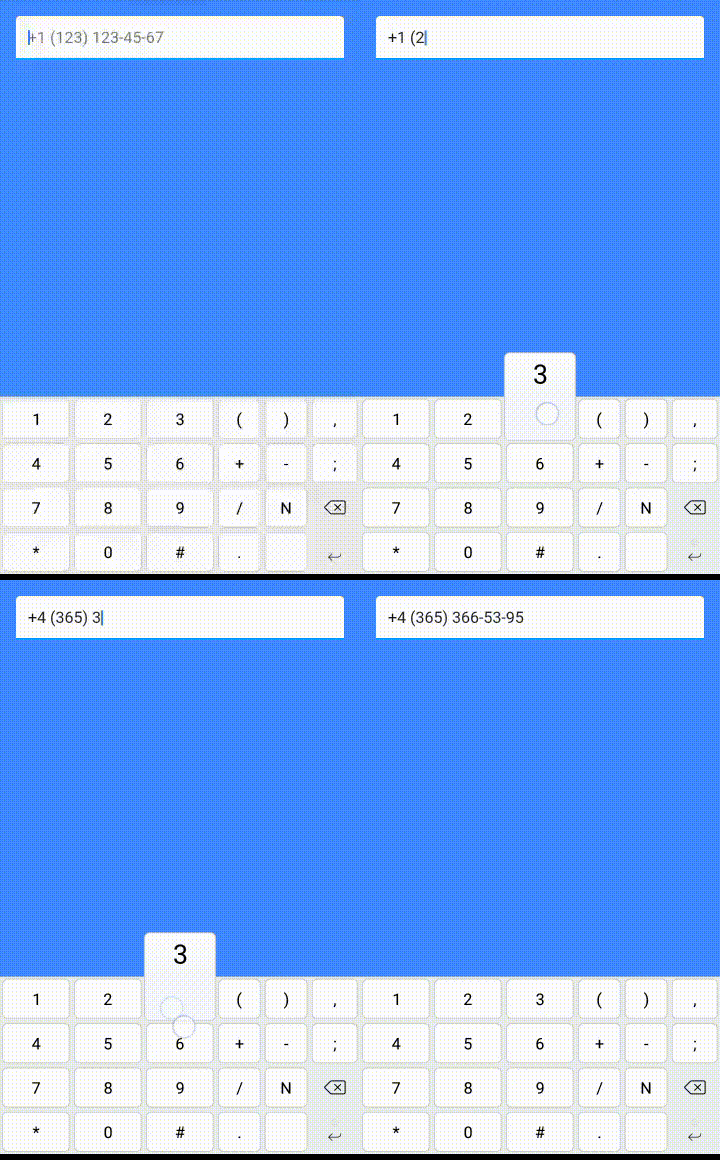
The package provides TextInputFormatter for TextField and TextFormField which format the input by a given mask.
1.3KLikes 590K30-day downloads160Pub points
AndroidiOSWebmacOSWindowsLinux
Masked text input formatter for flutter.

English project snapshot. Visit GitHub for the latest content.


The package provides TextInputFormatter for TextField and TextFormField which format the input by a given mask.

Check 'example' folder for code sample

Follow the install guide
Import the library:
import 'package:mask_text_input_formatter/mask_text_input_formatter.dart';
var maskFormatter = new MaskTextInputFormatter(
  mask: '+# (###) ###-##-##',
  filter: { "#": RegExp(r'[0-9]') },
  type: MaskAutoCompletionType.lazy
);
TextField(inputFormatters: [maskFormatter])
Get masked text:
print(maskFormatter.getMaskedText()); // -> "+0 (123) 456-78-90"
Get unmasked text:
print(maskFormatter.getUnmaskedText()); // -> 01234567890
You can use the updateMask method to change the mask after the formatter was created:
var textEditingController = TextEditingController(text: "12345678");
var maskFormatter = new MaskTextInputFormatter(mask: '####-####', filter: { "#": RegExp(r'[0-9]') });

TextField(controller: textEditingController, inputFormatters: [maskFormatter])  // -> "1234-5678"

textEditingController.value = maskFormatter.updateMask(mask: "##-##-##-##"); // -> "12-34-56-78"
Dependency list 2 items
{"sdk":"flutter"}{"sdk":"flutter"}Start with your use case, compare repository activity, and check the original project before adopting it.
“A repository is the most basic element of GitHub.”
GitHub Docs — About repositories ↗