

 v0.3.1
flutter_stories
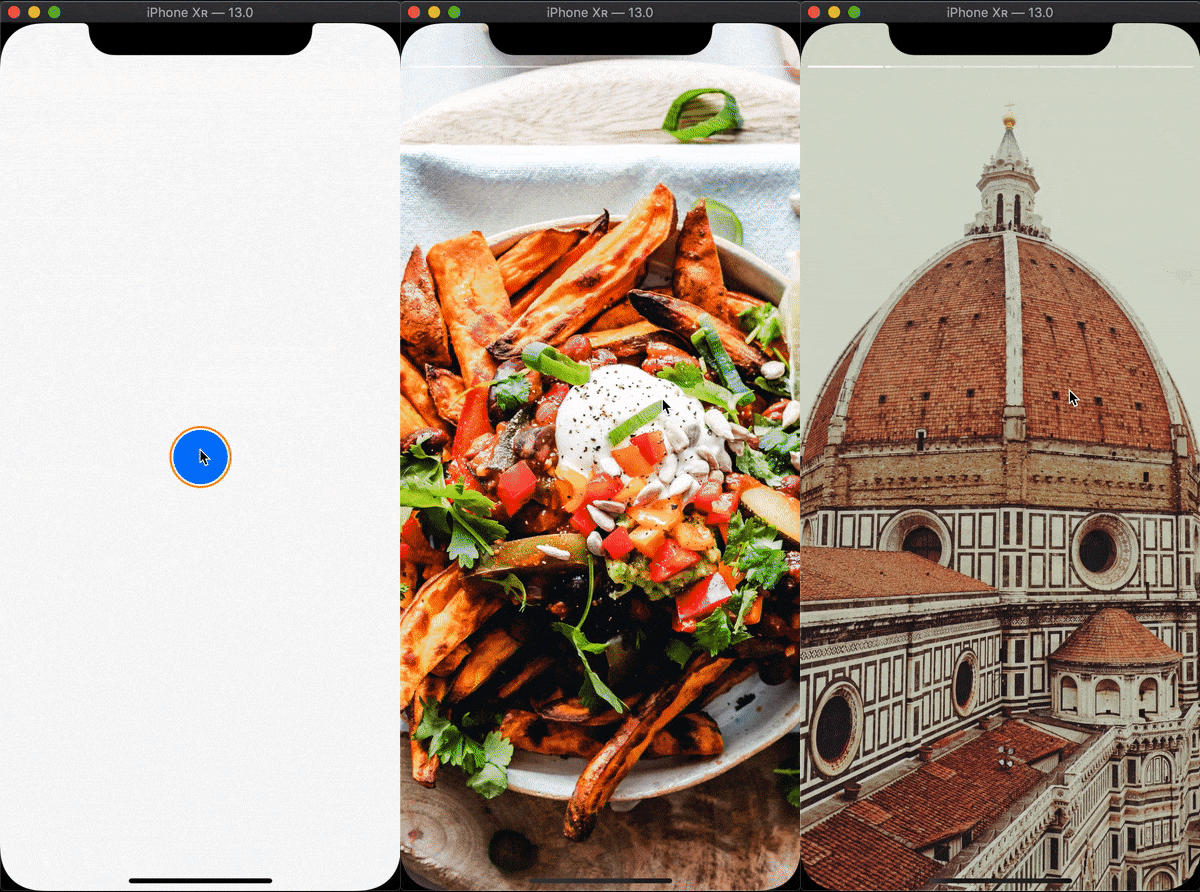
Widget that brings stories mechanism to your apps
69Likes 19730-day downloads140Pub points
AndroidiOSWebmacOSWindowsLinux
Flutter widget that brings stories mechanism to your apps

English project snapshot. Visit GitHub for the latest content.

Widget that brings stories mechanism to your apps
Add flutter_stories to your pubspec.yaml
Full version can be found in example dir

onFlashForward callback to control app behavior in this case or when story finishesonFlashBack| property | type | required | description |
|---|---|---|---|
momentCount |
int |
true | Sets the number of moments in story |
momentDurationGetter |
(int index) => Duration |
true | Function that must return Duration for each moment |
momentBuilder |
(BuildContext context, int index) => Widget |
true | Builder that gets executed for each moment |
onFlashForward |
() => void |
false | Gets executed when user taps the right portion of the screen on the last moment in story or when story finishes playing |
onFlashBack |
() => void |
false | Gets executed when user taps the left portion of the screen on the first moment in story |
startAt |
int |
false | Defaults to 0. Sets the index of the first moment that will be displayed |
momentSwitcherFraction |
double |
false | Defaults to 0.33. `sets the ratio of left and right tappable portions of the screen: left for switching back, right for switching forward |
progressSegmentBuilder |
(BuildContext context, double progress, double gap) => Widget |
false | Defaults to Story.instagramProgressSegmentBuilder - Instagram-like minimalistic segment builder. Builder for each progress segment |
progressSegmentGap |
double |
false | Defaults to 2.0. Sets the gap between each progress segment |
progressOpacityDuration |
Duration |
false | Defaults to Duration(milliseconds: 300). Sets the duration for the progress bar show/hide animation |
topOffset |
double |
false | Defaults to MediaQuery.of(context).padding.top. Sets the top offset of progress container |
fullscreen |
bool |
false | Defaults to true. If true hides the status bar via SystemChrome service |
Dependency list 2 items
{"sdk":"flutter"}{"sdk":"flutter"}Start with your use case, compare repository activity, and check the original project before adopting it.
“A repository is the most basic element of GitHub.”
GitHub Docs — About repositories ↗