
 v1.0.0
progress_indicators
A handful collection of some cool progress indicators and text animators.
198Likes 5.6K30-day downloads130Pub points
AndroidiOSWebmacOSWindowsLinux
wal33d006/progress_indicators open-source repository details.

{"sdk":"flutter"}{"sdk":"flutter"}English project snapshot. Visit GitHub for the latest content.
With this project, we are aiming to provide some cool, animated progress indicators to Flutter developers.
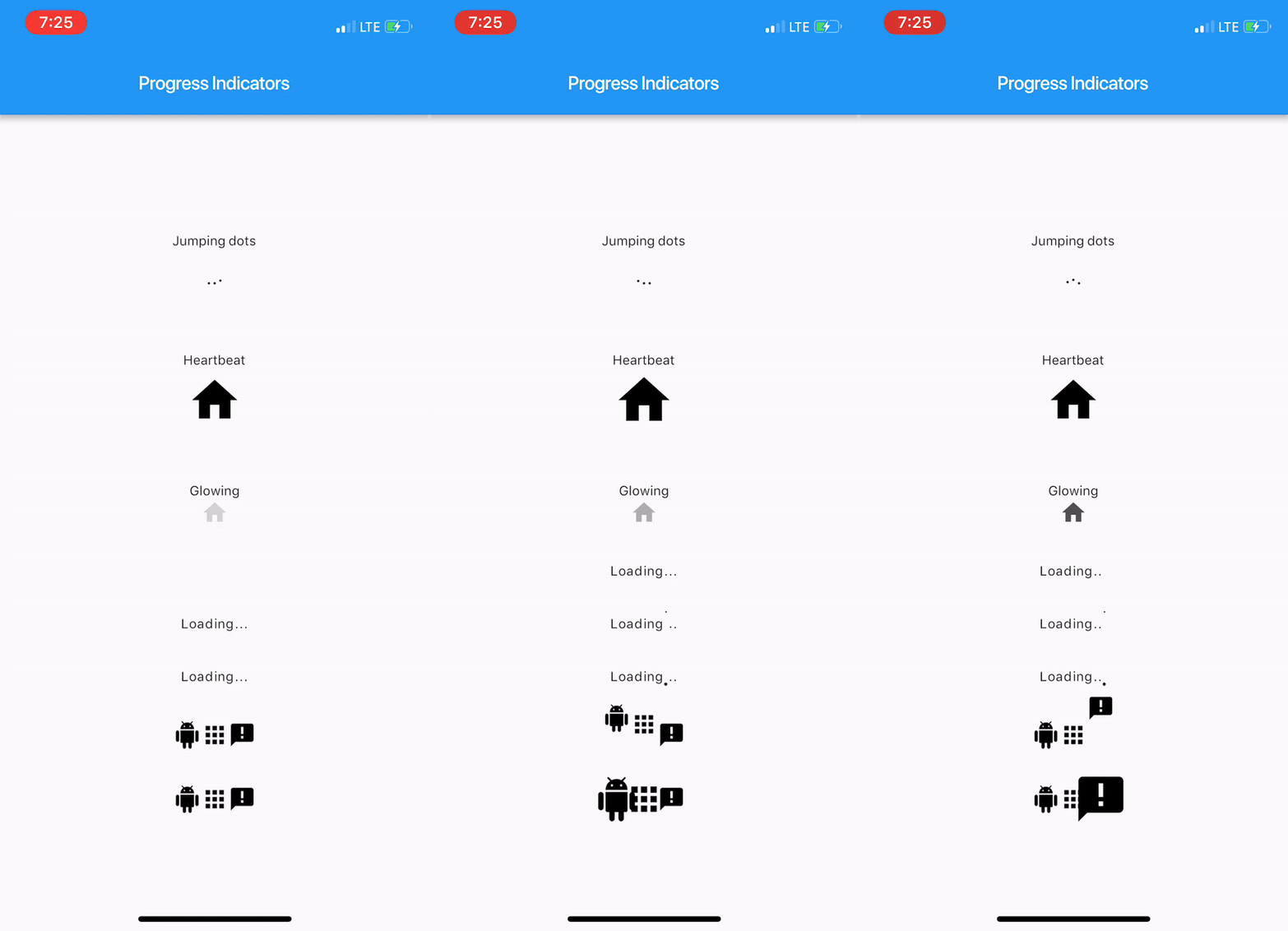
Here's how it looks like.
https://raw.githubusercontent.com/wal33d006/progress_indicators/HEAD/imgs/sample.gif
Import package:progress_indicators/progress_indicators.dart and use these avaiable widgets:
FadingTextJumpingTextScalingTextJumpingDotsHeartbeatProgressIndicatorGlowingProgressIndicatorCollectionSlideTranstionCollectionScaleTransitionWidget build(BuildContext context) {
print(Offset(0.0, -1.0).distanceSquared - Offset(0.0, 0.0).distanceSquared);
return new Scaffold(
appBar: new AppBar(
title: new Text(widget.title),
),
body: new Center(
child: new Column(
mainAxisAlignment: MainAxisAlignment.center,
children: <Widget>[
new Text('Jumping dots'),
JumpingDotsProgressIndicator(
fontSize: 20.0,
),
SizedBox(height: 60.0),
new Text('Heartbeat'),
SizedBox(height: 16.0),
HeartbeatProgressIndicator(
child: Icon(Icons.home),
),
SizedBox(height: 60.0),
new Text('Glowing'),
GlowingProgressIndicator(
child: Icon(Icons.home),
),
SizedBox(height: 32.0),
FadingText('Loading...'),
SizedBox(height: 32.0),
JumpingText('Loading...'),
SizedBox(height: 32.0),
ScalingText('Loading...'),
SizedBox(height: 32.0),
CollectionSlideTransition(
children: <Widget>[
Icon(Icons.android),
Icon(Icons.apps),
Icon(Icons.announcement),
],
),
SizedBox(height: 32.0),
CollectionScaleTransition(
children: <Widget>[
Icon(Icons.android),
Icon(Icons.apps),
Icon(Icons.announcement),
],
),
],
),
),
);
}
For complete sample, see the this example app.