
FlutterCityPicker
:fire::fire::fire::+1: 城市选择,地址选择,实时请求数据,多项自定义配置,仿京东样式

- Stars
- 35
- Forks
- 15
- Last push (UTC)
- Nov 13, 2025
- Project status
- Active
Original README
English project snapshot. Visit GitHub for the latest content.
地址选择器


由于地址选择的数据来源会更新,为了统一,在后台配置一份城市数据,前端获取,否则各个平台都配置一份数据,维护会很麻烦,而且有可能每个平台城市的数据结构都不一样。 本库就是由此而来,数据从后台实时获取,只要解析成固定的数据结构就可以
新版本 2.2.0 支持读取本地文件,但是不建议,因为会增加包体积,而且还要维护,因为有人提的多,所以在此给个 demo
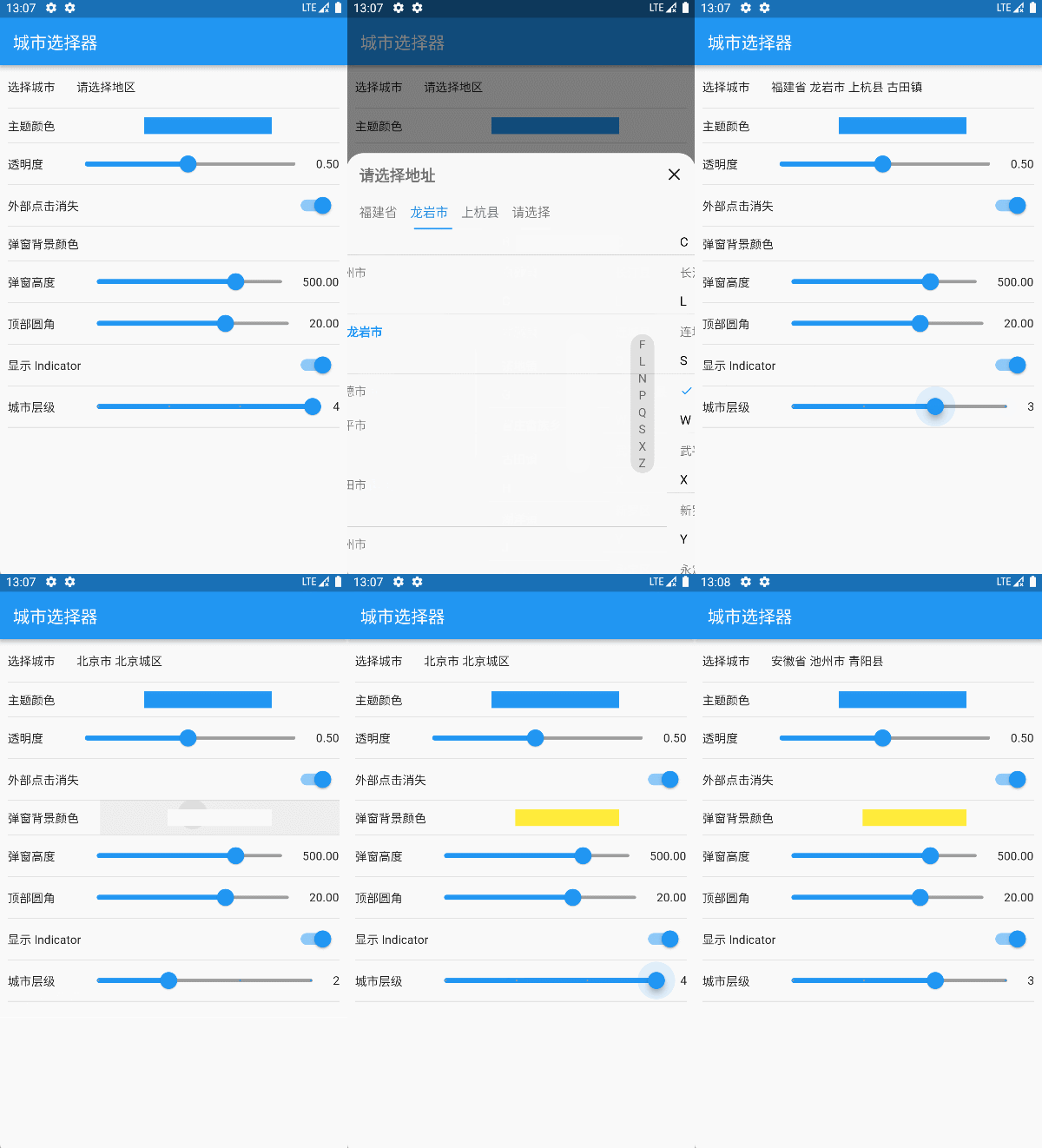
Demo

导入方式
dependencies:
    flutter_city_picker: ^2.2.0
使用方法
- 简单使用
CityPicker.show(context: context, cityPickerListener: this);
- 多配置的使用
    CityPicker.show(
          context: context,
          // 动画控制器
          animController: _animationController,
          // 背景透明度
          opacity: 0.5,
          // 点击外部是否消失
          dismissible: true,
          // 高度
          height: 400,
          // 标题高度
          titleHeight: 50,
          // 顶部圆角
          corner: 20,
          // 背景颜色
          backgroundColor: Colors.white
          // 距离左边的间距
          paddingLeft: 15,
          // 标题组件
          titleWidget: Container(
            padding: EdgeInsets.only(left: 15),
            child: Text(
              '请选择地址',
              style: TextStyle(
                color: Colors.black54,
                fontSize: 18,
                fontWeight: FontWeight.bold,
              ),
            ),
          ),
          // 选择文字
          selectText: "请选择",
          // 关闭图标组件
          closeWidget: Icon(Icons.close),
          // tab 高度
          tabHeight: 40,
          // 是否显示指示器
          showTabIndicator: _showTabIndicator,
          // tab 间隔
          tabPadding: 15,
          // tab 指示器颜色
          tabIndicatorColor: Theme.of(context).primaryColor,
          // tab 指示器高度
          tabIndicatorHeight: 2,
          // tab 字体大小
          labelTextSize: 15,
          // tab 选中的字体颜色
          selectedLabelColor: Theme.of(context).primaryColor,
          // tab 未选中的字体颜色
          unselectedLabelColor: Colors.black54,
          // 列表 item 头部高度
          itemHeadHeight: 30,
          // 列表 item 头部背景颜色
          itemHeadBackgroundColor: Colors.white,
          // 列表 item 头部分割线颜色
          itemHeadLineColor: Colors.black,
          // 列表 item 头部分割线高度
          itemHeadLineHeight: 0.1,
          // 列表 item 头部文字样式
          itemHeadTextStyle: TextStyle(fontSize: 15, color: Colors.black),
          // 列表 item 高度
          itemHeight: 40,
          // 索引组件宽度
          indexBarWidth: 28,
          // 索引组件 item 高度
          indexBarItemHeight: 20,
          // 索引组件背景颜色
          indexBarBackgroundColor: Colors.black12,
          // 索引组件文字样式
          indexBarTextStyle: TextStyle(fontSize: 14, color: Colors.black54),
          // 列表选中的图标组件
          itemSelectedIconWidget:
              Icon(Icons.done, color: Theme.of(context).primaryColor, size: 16),
          // 列表选中的文字样式
          itemSelectedTextStyle: TextStyle(
              fontSize: 14,
              fontWeight: FontWeight.bold,
              color: Theme.of(context).primaryColor),
          // 列表未选中的文字样式
          itemUnSelectedTextStyle: TextStyle(fontSize: 14, color: Colors.black54),
          // 初始默认地址
          initialAddress: _selectedAddress,
          cityPickerListener: this,
        );
- 监听事件
    <你的组件> implements CityPickerListener

    @override
    Future<List<T>> onDataLoad(int index, T data) async {
      return 返回城市数据;
    }

    @override
    void onFinish(List<T> data) {
      // 最终回调,返回省市区的代码和名称
    }
待优化
无
欢迎提 PR 或者 ISSUE

GitHub author
ms ↗
LanguagesDartObjective-CHTMLKotlin
Categories
Dependencies used
Dependency list 2 items
- flutter
{"sdk":"flutter"} - flutter_lintsDevelopment
^6.0.0
How do I choose a repository?
Start with your use case, compare repository activity, and check the original project before adopting it.
- Search by repository name, owner or description, then narrow the results by topic.
- Compare stars, forks and recent pushes. Stars show community interest, not a guarantee of quality.
- Read the README, license and issues on GitHub before using a project.
Sources and maintenance
“A repository is the most basic element of GitHub.”
GitHub Docs — About repositories ↗
- xiaomsh/FlutterCityPicker · GitHub ↗
- GitHub Docs — Saving repositories with stars ↗
- Directory maintained by Ducafecat ↗