
flutter-tree
Flutter tree widget
- Stars
- 67
- Forks
- 42
- Last push (UTC)
- Mar 20, 2024
- Project status
- Active
Original README
English project snapshot. Visit GitHub for the latest content.
Flutter Tree



Install
dependencies:
  flutter_tree: ^2.0.0
Uasge
First Step
/// Your server data
final serverData = [
  {
    "checked": true,
    "children": [
      {
        "checked": true,
        "show": false,
        "children": [],
        "id": 11,
        "pid": 1,
        "text": "Child title 11",
      },
    ],
    "id": 1,
    "pid": 0,
    "show": false,
    "text": "Parent title 1",
  },
  {
    "checked": true,
    "show": false,
    "children": [],
    "id": 2,
    "pid": 0,
    "text": "Parent title 2",
  },
  {
    "checked": true,
    "children": [],
    "id": 3,
    "pid": 0,
    "show": false,
    "text": "Parent title 3",
  },
];

/// Map server data to tree node data
TreeNodeData mapServerDataToTreeData(Map data) {
  return TreeNodeData(
    extra: data,
    title: data['text'],
    expaned: data['show'],
    checked: data['checked'],
    children:
        List.from(data['children'].map((x) => mapServerDataToTreeData(x))),
  );
}

/// Generate tree data
List<TreeNodeData> treeData = List.generate(
  serverData.length,
  (index) => mapServerDataToTreeData(serverData[index]),
);
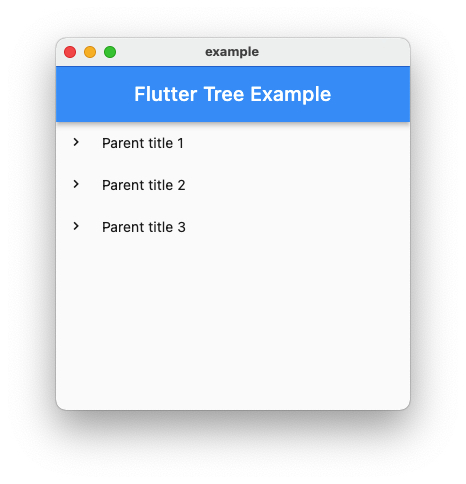
Basic
TreeView(data: treeData)
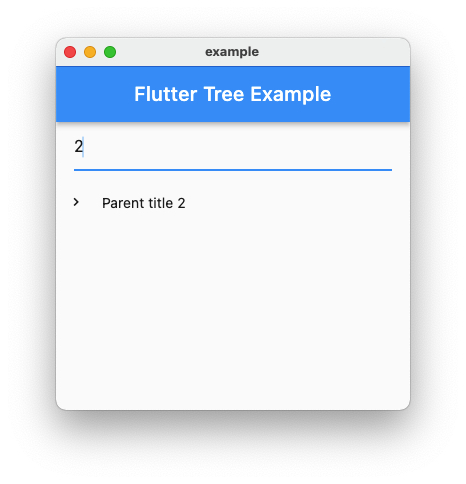
Show Filter
TreeView(
  data: treeData,
  showFilter: true,
),
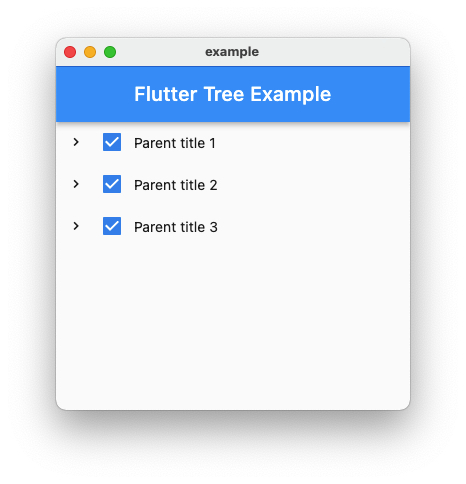
Checked
TreeView(
  data: treeData,
  showCheckBox: true,
),
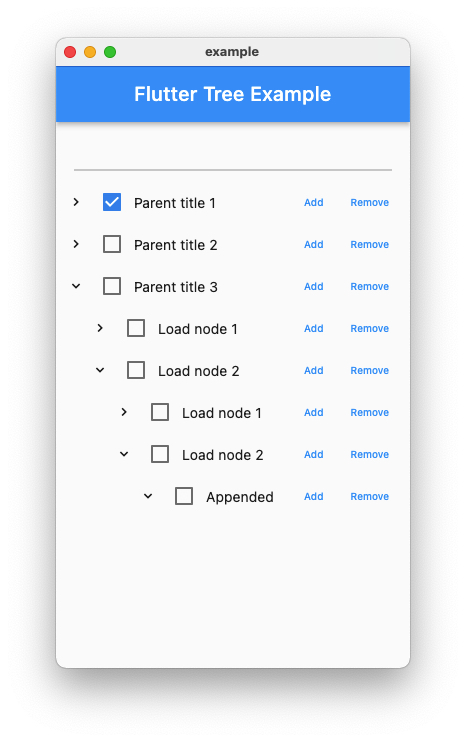
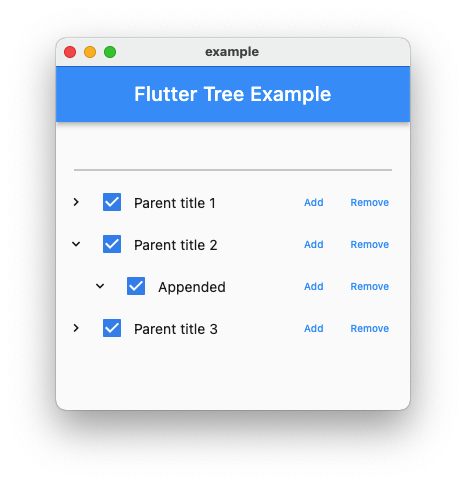
Show Actions
/// Make sure pass `append` function.

TreeView(
  data: treeData,
  showActions: true,
  showCheckBox: true,
  append: (parent) {
    print(parent.extra);
    return TreeNodeData(
      title: 'Appended',
      expaned: true,
      checked: true,
      children: [],
    );
  },
),
Bind Events
TreeView(
  data: treeData,
  showActions: true,
  showCheckBox: true,
  append: (parent) {
    return TreeNodeData(
      title: 'Appended',
      expaned: true,
      checked: true,
      children: [],
    );
  },
  onTap: (node) {
    print(node.extra);
  },
  onCheck: (checked, node) {
    print(checked);
    print(node.extra);
  },
  onCollapse: (node) {
    print(node.extra);
  },
  onExpand: (node) {
    print(node.extra);
  },
  onAppend: (node, parent) {
    print(node.extra);
    print(parent.extra);
  },
  onRemove: (node, parent) {
    print(node.extra);
    print(parent.extra);
  },
),
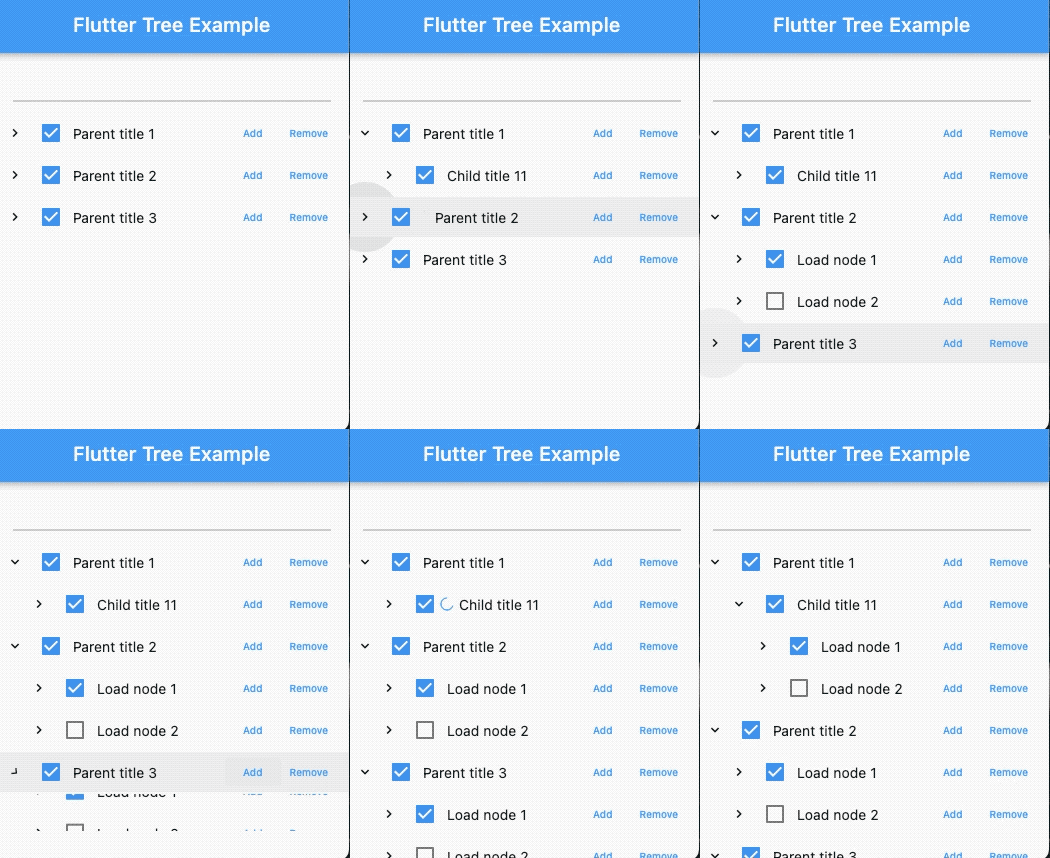
Lazy load
/// Create your load function, return list of TreeNodeData

Future<List<TreeNodeData>> _load(TreeNodeData parent) async {
  await Future.delayed(const Duration(seconds: 1));
  final data = [
    TreeNodeData(
      title: 'load1',
      expaned: false,
      checked: true,
      children: [],
      extra: null,
    ),
    TreeNodeData(
      title: 'load2',
      expaned: false,
      checked: false,
      children: [],
      extra: null,
    ),
  ];

  return data;
}

TreeView(
  data: treeData,
  lazy: true,
  load: _load,
  onLoad: (node) {
    print('onLoad');
    print(node.extra);
  },
),
All Props
| property | type | default | description | required |
|---|---|---|---|---|
| data | List<TreeNodeData> |
[] |
Tree data | true |
| lazy | bool |
false |
Lazy load node data | false |
| icon | Widget |
Icons.expand_more |
Tree icon | false |
| offsetLeft | double |
24.0 |
Item padding left | false |
| showFilter | bool |
false |
Show tree filter | false |
| showActions | bool |
false |
Show node actions | false |
| showCheckBox | bool |
false |
Show node checkbox | false |
| onTap | Function(TreeNodeData) |
null |
Node tap callback | false |
| onExpand | Function(TreeNodeData) |
null |
Node expaned callback | false |
| onLoad | Function(TreeNodeData) |
null |
Node lazy load callback | false |
| onCollapse | Function(TreeNodeData) |
null |
Node collapse callback | false |
| onCheck | Function(bool, TreeNodeData) |
null |
Node check callback | false |
| onAppend | Function(TreeNodeData, TreeNodeData) |
null |
Node append callback | false |
| onRemove | Function(TreeNodeData, TreeNodeData) |
null |
Node remove callback | false |
| append | Function(TreeNodeData) |
null |
Append node data function | false |
| load | Future<List<TreeNodeData>> Function(TreeNodeData) |
null |
Load node data function | false |
TODO
- [ ] Draggable tree
- [ ] Custom filter function
Contribute
- Fork it (https://github.com/xrr2016/flutter_tree.git)
- Create your feature branch (git checkout -b feature/foo)
- Commit your changes (git commit -am 'Add some foo')
- Push to the branch (git push origin feature/foo)
- Create a new Pull Request
License
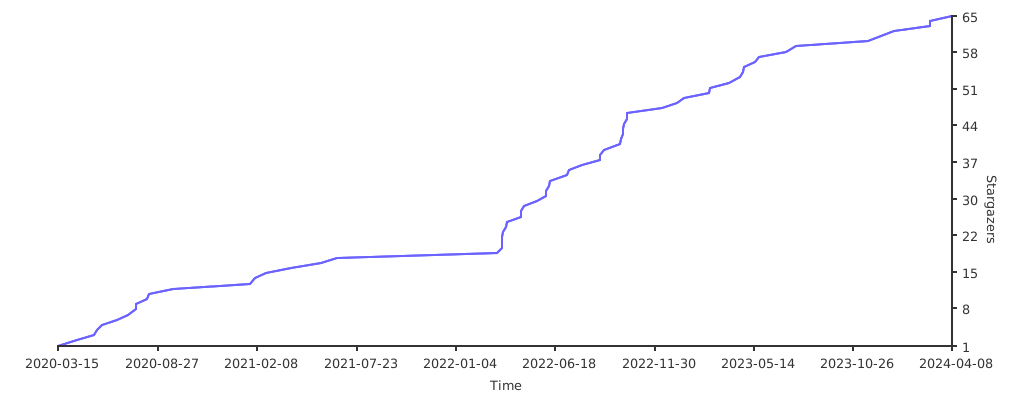
Stargazers over time

GitHub author
冷石Boy ↗
LanguagesJavaScriptDartC++CMakeHTMLSwiftCKotlinObjective-C
Categories
Dependencies used
Dependency list 3 items
- flutter
{"sdk":"flutter"} - flutter_lintsDevelopment
^1.0.4 - flutter_testDevelopment
{"sdk":"flutter"}
How do I choose a repository?
Start with your use case, compare repository activity, and check the original project before adopting it.
- Search by repository name, owner or description, then narrow the results by topic.
- Compare stars, forks and recent pushes. Stars show community interest, not a guarantee of quality.
- Read the README, license and issues on GitHub before using a project.
Sources and maintenance
“A repository is the most basic element of GitHub.”
GitHub Docs — About repositories ↗
- xrr2016/flutter-tree · GitHub ↗
- GitHub Docs — Saving repositories with stars ↗
- Directory maintained by Ducafecat ↗