
flutter-marquee-text
A flutter widget that allows text to scroll automatically.
View on GitHub ↗Archived

- Stars
- 14
- Forks
- 12
- Last push (UTC)
- Mar 2, 2023
- Project status
- Archived
Original README
English project snapshot. Visit GitHub for the latest content.

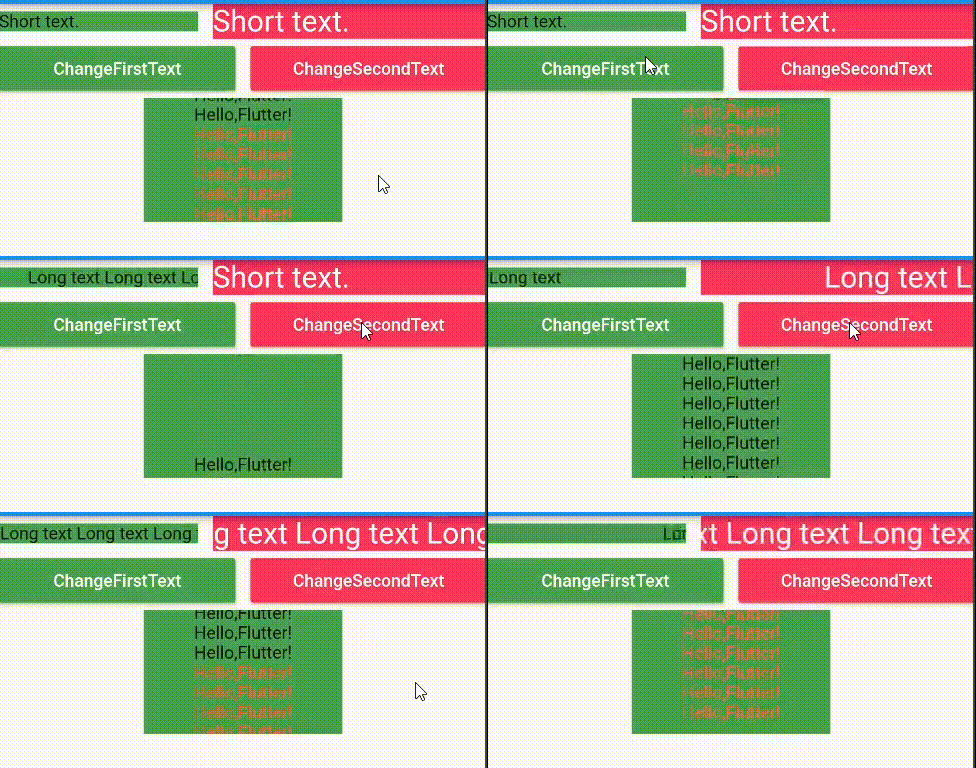
Screenshot
Usage
-
Add marquee_text as a dependency in your pubspec.yaml file.
dependencies: marquee_text: ^2.5.0+1 -
Now in your flutter project, you can use:
Container(
  width: 100,
  color: Colors.green
  child: Column(
    children: [
      /// horizontal marquee
      MarqueeText(
        text: TextSpan(
          text: 'This is long long long text...',
        ),
        style: TextStyle(
          fontSize: 24,
          color: Colors.white,
        ),
        speed: 30,
      ),

      /// vertical marquee
      VerticalMarqueeText(
        text: TextSpan(
          children: <InlineSpan>[
            TextSpan(
              text: '''
              This is long long long text...
              This is long long long text...
              This is long long long text...
              ''',
            ),
          ],
        ),
        style: TextStyle(
          fontSize: 24,
          color: Colors.white,
        ),
        speed: 30,
      ),
    ],
  ),
)
Properties
| Property | Type | Required | Default |
|---|---|---|---|
| text | String | true | / |
| style | TextStyle | false | / |
| speed | double | false | 50 |
| alwaysScroll | bool | false | false |
| textDirection | TextDirection | false | TextDirection.ltr |
| marqueeDirection | MarqueeDirection | false | MarqueeDirection.rtl |
| textAlign | TextAlign | false | TextAlign.start |

GitHub author
zhcode ↗
LanguagesDartSwiftKotlinObjective-C
Dependencies used
Dependency list 3 items
- flutter
{"sdk":"flutter"} - flutter_testDevelopment
{"sdk":"flutter"} - flutter_lintsDevelopment
^1.0.4
How do I choose a repository?
Start with your use case, compare repository activity, and check the original project before adopting it.
- Search by repository name, owner or description, then narrow the results by topic.
- Compare stars, forks and recent pushes. Stars show community interest, not a guarantee of quality.
- Read the README, license and issues on GitHub before using a project.
Sources and maintenance
“A repository is the most basic element of GitHub.”
GitHub Docs — About repositories ↗