

 v0.0.7
dismissible_carousel_viewpager
This is a view pager provides carousel effect and dismissal animation when page was removed.
31Likes 8530-day downloads160Pub points
AndroidiOSWebmacOSWindowsLinux
This is a view pager provides carousel effect and dismissal animation when page was removed.

English project snapshot. Visit GitHub for the latest content.
This is a view pager provides carousel effect and dismissal animation when page was removed.
| Fade out & slide out | Fade out & scale | Fade out & circular hide |
|---|---|---|
 |
 |
 |
| Horizontal | Vertical |
|---|---|
 |
 |
This an example app of this plugin of web version.
https://zyzdev.github.io/dismissible_carousel_viewpager
More detail of usage see /example app.
More detail, please run demo Base Usage at /example app.
DismissibleCarouselViewPager(
  viewportFraction: 0.5,
  besidePageScale: 0.8,
  itemBuilder: (context, index) {
    return Container(
      alignment: Alignment.center,
      color: index.isEven
      ? Colors.blueAccent.withOpacity(0.1)
      : Colors.deepPurpleAccent.withOpacity(0.1),
      child: Text("Item:$index"),
    );
  },
  itemCount: 100,
);
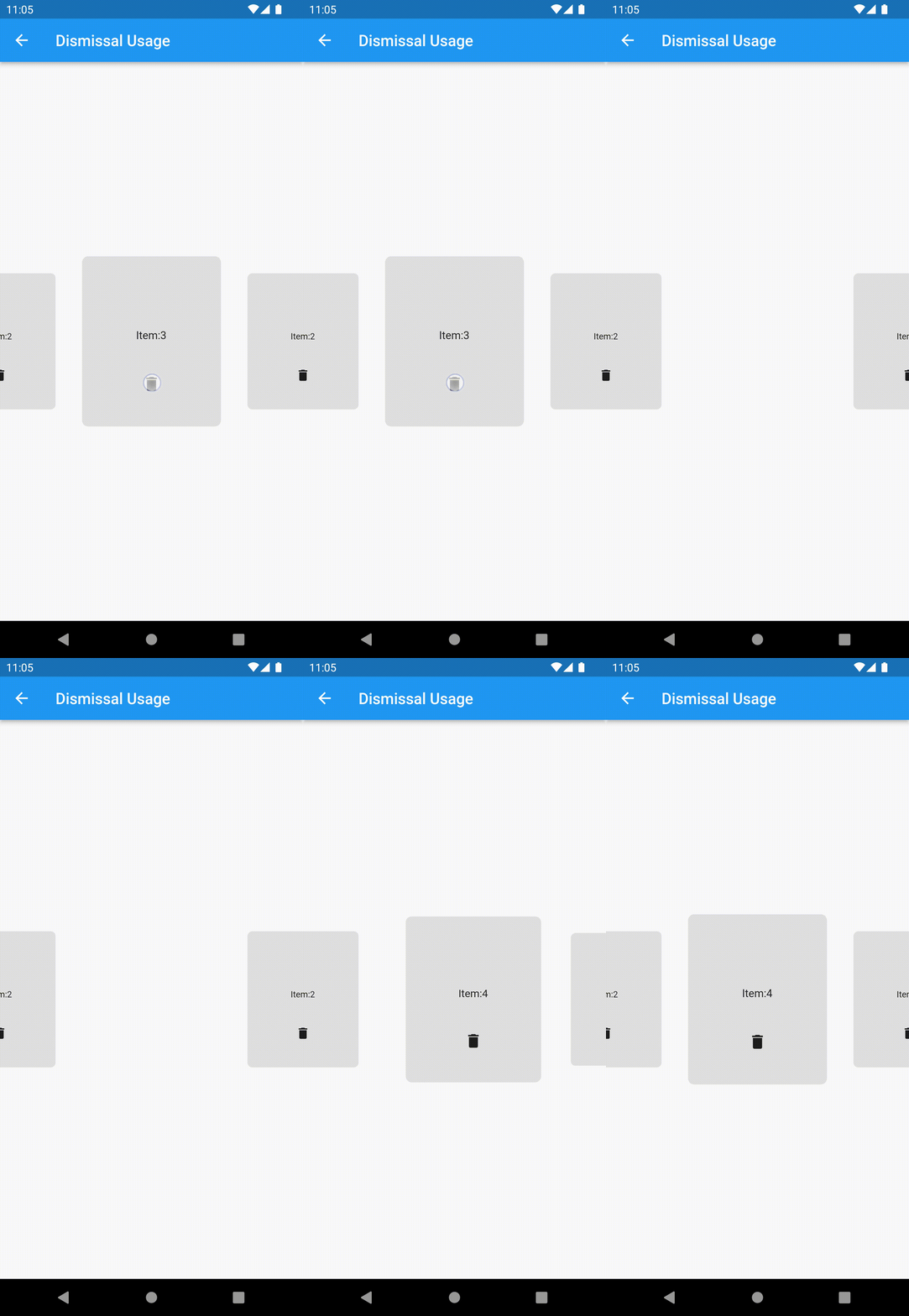
More detail please run demo Dismissal Usage at /example app.
dismissible_carousel_viewpager provides several kinds of animation(fade out, slide out, scale and circular hide) to make dismissal animation.
You can combine them to make your own style of dismissal animation.
The dismissal animation base on AnimatedSwitcher.
Remember add key to the page widget that created by DismissibleCarouselViewPager.itemBuilder.
I recommend using the data that preparing to create page widget to create Key("$data"), ValueKey(data) or ObjectKey(data) for the page widget.
####example:
late final List<int> _item = List.generate(1000, (index) => index);

DismissibleCarouselViewPager(
  itemCount: _item.length,
  itemBuilder: (context, index) {
    Object data = _item[index];
    return Container(
      // must add key
      key: Key("$data"),
      //key: ValueKey(data),
      //key: ObjectKey(data),
      alignment: Alignment.center,
      color: Colors.grey.withOpacity(0.1),
      child: Column(
        mainAxisSize: MainAxisSize.min,
        children: [
        Expanded(
          child: Container(
            alignment: Alignment.bottomCenter,
            child: Text("Item:$data"),
          ),
        ),
        Expanded(
          child: IconButton(
            icon: const Icon(Icons.delete),
            onPressed: () {
                setState(() {
                  _item.remove(data);
                });
              },
            ),
          ),
        ],
      ),
    );
  },
  dismissalConfig: DismissalConfig(
    dismissalTypes: [
      DismissalType.fadeOut(),
      DismissalType.slideOut(),
    ],
  ),
);
Dependency list 3 items
{"sdk":"flutter"}{"sdk":"flutter"}^1.0.0Start with your use case, compare repository activity, and check the original project before adopting it.
“A repository is the most basic element of GitHub.”
GitHub Docs — About repositories ↗