
 v4.0.0
linkable
一个用于在文本中添加链接的 Flutter 小部件。Linkable 小部件是 RichText 的包装器,允许您渲染可点击以重定向到 URL 的链接。
34喜欢 2380近 30 天下载140Pub 分数
AndroidiOSWebmacOSWindowsLinux
一个 Flutter 小部件,可动态向您的文本添加链接。

{"sdk":"flutter"}^6.3.2{"sdk":"flutter"}^6.0.0以下为英文项目原文快照,最新内容请访问 GitHub。
A Flutter widget to add links to your text. By default, the Text or RichText widgets render the
URLs in them as simple text which are not clickable. So, Linkable widget is a wrapper
over RichText which allows you to render links that can be clicked to redirect to the URL. That
means that a Linkable widget supports all the attributes of a RichText Widget.
Currently linkable supports the following types:
Note: You don't need to specify the URL scheme (mailto, tel etc). The widget will parse it automatically.
To install the package, add the following dependency to your pubspec.yaml
dependencies:
  linkable: ^4.0.0
  url_launcher: ^6.1.14
Starting from API30 (Android 11), your Android app has to list all apps it interacts with.
The following is required in AndroidManifest.xml or links will fail to launch.
<manifest>

    <!-- Nest within the manifest element, not the application element-->
    <queries>
        <intent>
            <action android:name="android.intent.action.VIEW" />
            <data android:scheme="https" />
        </intent>
        <intent>
            <action android:name="android.intent.action.DIAL" />
            <data android:scheme="tel" />
        </intent>
        <intent>
            <action android:name="android.intent.action.SEND" />
            <data android:mimeType="*/*" />
        </intent>
    </queries>

    <application>
        ....
    </application>
</manifest>
Add the LSApplicationQueriesSchemes entries in your Info.plist file.
<key>LSApplicationQueriesSchemes</key>
<array>
  <string>tel</string>
</array>
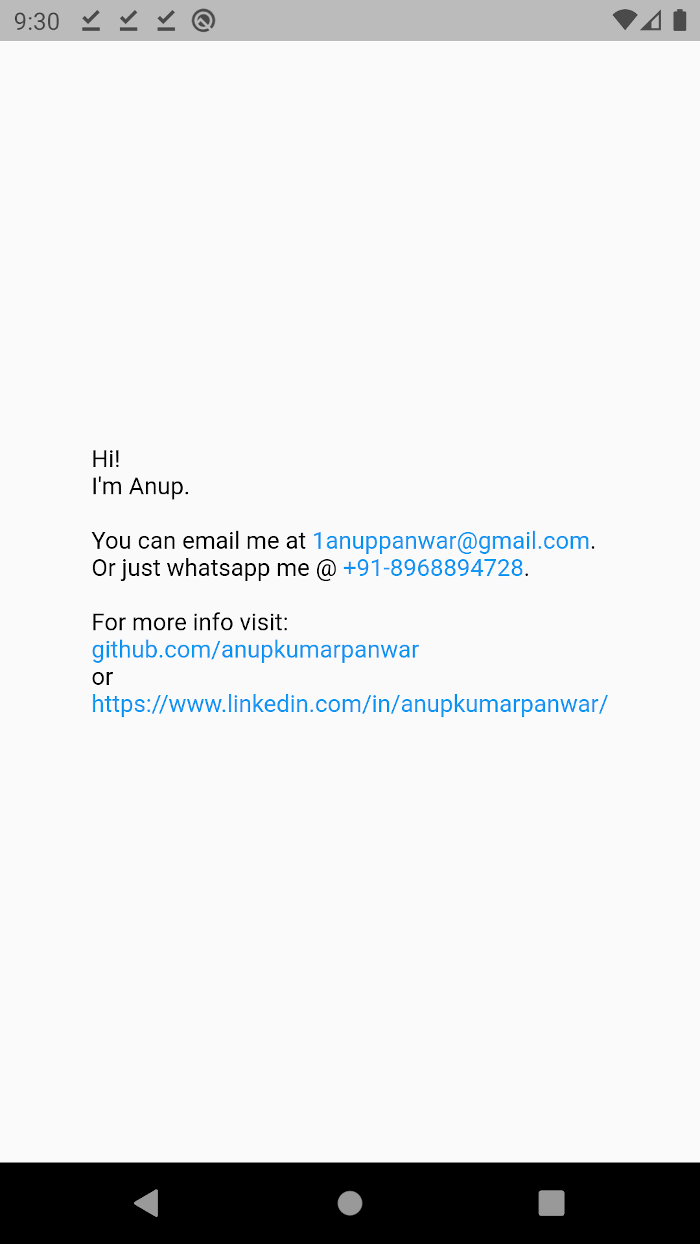
import 'package:linkable/linkable.dart';

Linkable(
	text:
	"Hi!\nI'm Anup.\n\nYou can email me at 1anuppanwar@gmail.com.\nOr just whatsapp me @ +91-8968894728.\n\nFor more info visit: \ngithub.com/anupkumarpanwar \nor\nhttps://www.linkedin.com/in/anupkumarpanwar/",
);
| Key | Description |
|---|---|
text |
The text to be displayed in the widget. |
textColor |
Color of the non-link text. (default: black) |
linkColor |
Color of the links. (default: blue) |
style |
TextStyle to be applied on the widget. |
textAlign |
TextAlign value. (default: TextAlign.start) |
textDirection |
Determines the order to lay children out horizontally. |
maxLines |
Maximum number of lines to be displayed. |
textScaleFactor |
The number of font pixels for each logical pixel. |
Screenshot