

 v0.0.2
flutter_animated_cards
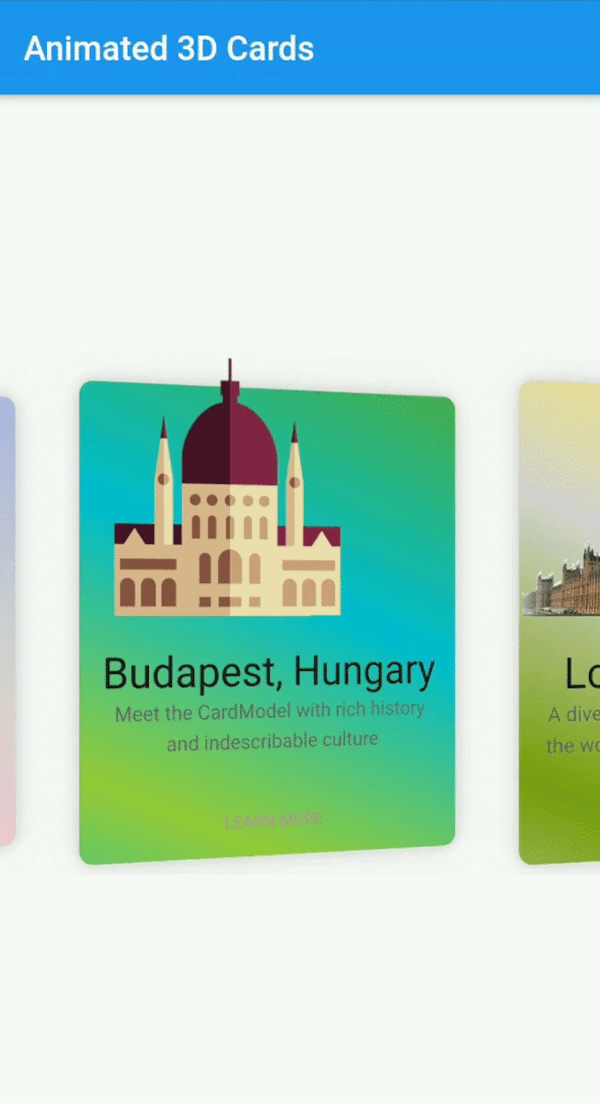
一个完全可自定义的动画卡片小部件,具有3D动画等功能。此小部件可在 Android 和 iOS 上运行。
46喜欢 135近 30 天下载70Pub 分数
平台暂无数据
Faiza-Farooqui/flutter_animated_cards open-source repository details.

以下为英文项目原文快照,最新内容请访问 GitHub。
A Fully customizable animated cards widget that has feature of 3D animation and much more. This widget works on both Android & iOS.
Add following dependency in pubspec.yaml file. And add this import to your file.
flutter_animated_cards: ^0.0.1

import 'package:flutter_animated_cards/flutter_animated_cards.dart';
// Add AnimatedCards to the widget tree
child: FlutterAnimatedCards(
list: _cardList,
model: _cardModel,
),
class CardModel {
   final String title;                  /// required
   final String imagePath;            /// required  i.e "assets/images/image.png"
   final String description;        /// (Optional)
   final Color color;             /// (Optional) add this parameter if you want to have different color on each card
   final List<Color> colorList; /// (Optional) add this parameter if you want to apply different gradient on each card
}
FlutterAnimatedCards made through model classIf you add Color parameter in your model class and assign each list item a new different color then your widget look like this.
| Cards with ModelColor | Cards with Model Gradient |
|---|---|
 |
 |
1-
   CardModel(
           title: 'Colors, Vibrant',
           description:'Gardening is how I relax. It\'s another form of creating and playing with colors.',
           color: Color(0xfff9d9e2),  // add color of your choice, add different colors in every list item
           imagePath: "assets/images/colors.png"),

2-
   CardModel(
          title: 'Budapest, Hungary',
          description:'Meet the CardModel with rich history and indescribable culture',
          colorList: [Color(0xFF4CAF50),  // add gradient of your choice, add different gradient in every list item
            Color(0xFF00BCD4),
            Color(0xFF99ca3d)],
          imagePath: "assets/images/city_image.png"),
FlutterAnimatedCards without passing any color in model classThis is another way to give colors or gradient to your card. Now you need to add 'cardWithSingleColor' or 'cardWithGradientColors' as shown below
| Cards with Single Color | Cards with Single Gradient |
|---|---|
 |
 |
1-
   child: FlutterAnimatedCards(
          list: _cardList,
          model: _cardModel,
          cardWithSingleColor: Color(0xfff9d9e2),  // you are not asked to add this parameter, but you can this if you want to display your cards with any other single color. By default cards will appear as it is shown in Screenshot
        ),

2-
   child: FlutterAnimatedCards(
          list: _cardList,
          model: _cardModel,
          cardWithGradientColors: [Color(0xffacb6e5),  // this parameter is needs to be added to add gradient, there is no default gradient available in lib
           Color(0xFFD5D2D2),
           Color(0xFFfbc7d4)],
        ),
There are several options that allow for more control:
| Properties | Description |
|---|---|
model |
This is the required parameter. You need to pass a model class somehow similar to the one shown in example, you can add more arguments in your class but 'name', 'description', 'image' is necessary |
list |
This is also the required parameter. You need to pass a list of your model class, this list can not be null or empty |
cardHeight |
set card height according to your requirement. |
cardWidth |
set card width according to your requirement. |
isRotatingCards |
by default it's 'true', you can set it 'false' if you don't want to add 3D rotation in your cards. |
cardWithSingleColor |
if you want to give all your cards one single color, use this property. You can also give each card a different color through model class |
cardWithGradientColors |
it takes List as a parameter, this property allows you to apply the same gradient on all of your cards. You can also give each card a different gradient through model class |
moreText |
by default I have set it to 'LEARN MORE', but you can change it to any text according to your choice. |
onMoreBtnPressed |
this is a click event, currently it performs nothing you can use it according to your choice. |
Faiza Farooqui
依赖清单 2 项
{"sdk":"flutter"}{"sdk":"flutter"}先按使用场景筛选,再比较项目活跃情况,最后到原始仓库核对使用要求。
“A repository is the most basic element of GitHub.”
GitHub Docs — About repositories ↗