

v0.0.4
bubbled_navigation_bar
惊艳的动态气泡形状导航栏。可调节颜色、背景色、动画曲线和动画持续时间。通过 controller 参数与 PageView 配合使用。
71喜欢 80近 30 天下载35Pub 分数
平台暂无数据
惊艳的动态气泡形状导航栏

以下为英文项目原文快照,最新内容请访问 GitHub。
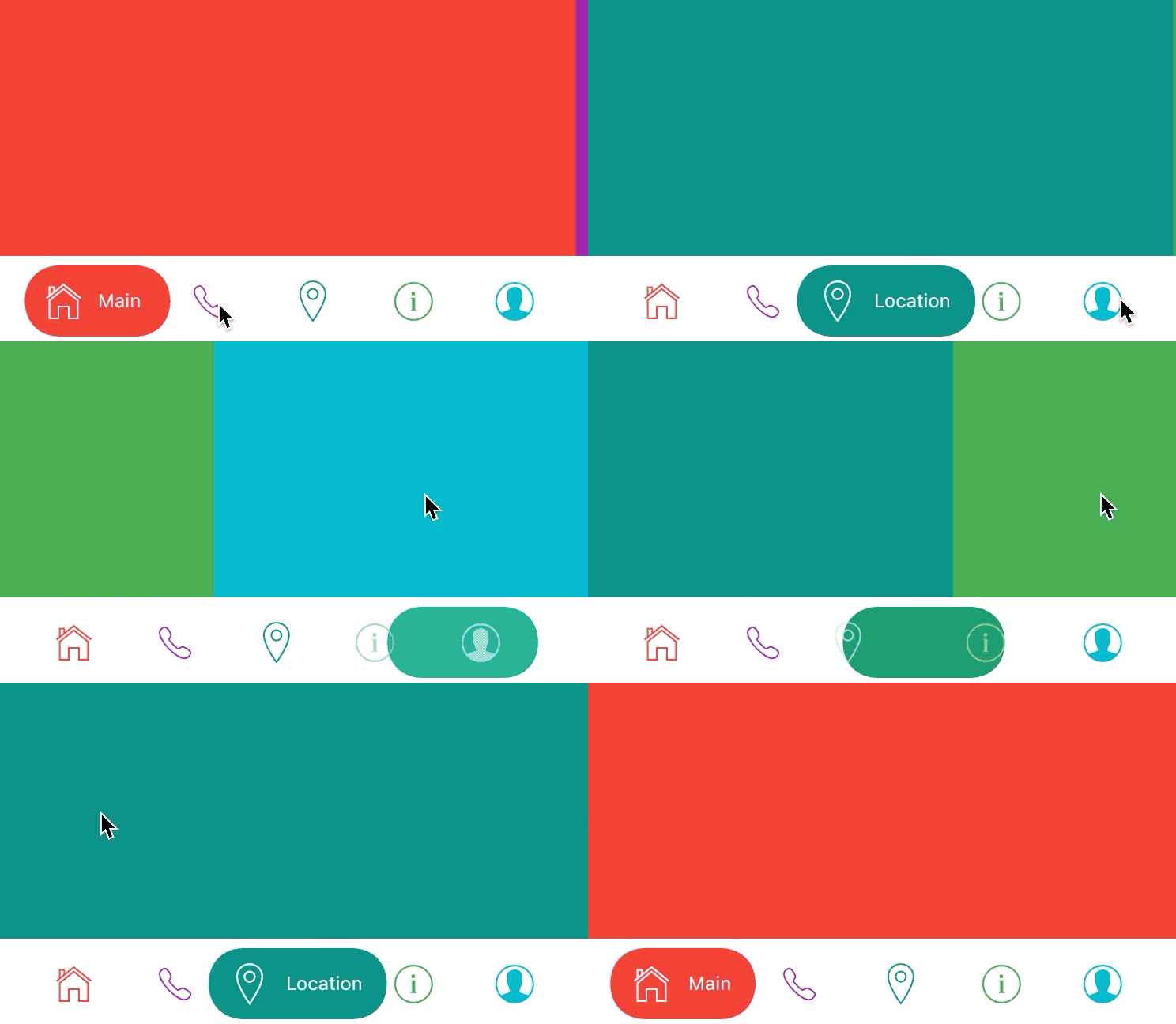
A Flutter package for easy implementation of bubbled navigation bar.
dependencies:
  bubbled_navigation_bar: ^0.0.3 #latest version
home: Scaffold(
bottomNavigationBar: BubbledNavigationBar(
  defaultBubbleColor: Colors.blue,
  onTap: (index) {
    // handle tap
  },
  items: <BubbledNavigationBarItem>[
    BubbledNavigationBarItem(
      icon:       Icon(CupertinoIcons.home, size: 30, color: Colors.red),
      activeIcon: Icon(CupertinoIcons.home, size: 30, color: Colors.white),
      title: Text('Home', style: TextStyle(color: Colors.white, fontSize: 12),),
    ),
    BubbledNavigationBarItem(
      icon:       Icon(CupertinoIcons.phone, size: 30, color: Colors.purple),
      activeIcon: Icon(CupertinoIcons.phone, size: 30, color: Colors.white),
      title: Text('Phone', style: TextStyle(color: Colors.white, fontSize: 12),),
    ),
    BubbledNavigationBarItem(
      icon:       Icon(CupertinoIcons.info, size: 30, color: Colors.teal),
      activeIcon: Icon(CupertinoIcons.info, size: 30, color: Colors.white),
      title: Text('Info', style: TextStyle(color: Colors.white, fontSize: 12),),
    ),
    BubbledNavigationBarItem(
      icon:       Icon(CupertinoIcons.profile_circled, size: 30, color: Colors.cyan),
      activeIcon: Icon(CupertinoIcons.profile_circled, size: 30, color: Colors.white),
      title: Text('Profile', style: TextStyle(color: Colors.white, fontSize: 12),),
    ),
  ],
),
body: Container(color: Colors.blue,),
)
Way of use with PageView and sliding animation from example.gif you can see in example folder.
items: List of Widgets
initialIndex: Initial index of Curve
color: Color of NavigationBar, default Colors.white
defaultBubbleColor: background color of floating bubble
onTap: Function handling taps on items
animationCurve: Curves interpolating button change animation, default Curves.easeInOutQuad
animationDuration: Duration of button change animation, default Duration(milliseconds: 500)
依赖清单 2 项
{"sdk":"flutter"}{"sdk":"flutter"}先按使用场景筛选,再比较项目活跃情况,最后到原始仓库核对使用要求。
“A repository is the most basic element of GitHub.”
GitHub Docs — About repositories ↗