
pin_code_text_field
一个高度可定制的 Flutter 小部件,用于输入验证码。适用于登录和 OTP 等场景。
- 星标
- 366
- 复刻
- 74
- 最近推送(UTC)
- 2024年1月30日
- 项目状态
- 已归档
原始 README
以下为英文项目原文快照,最新内容请访问 GitHub。


pin_code_text_field
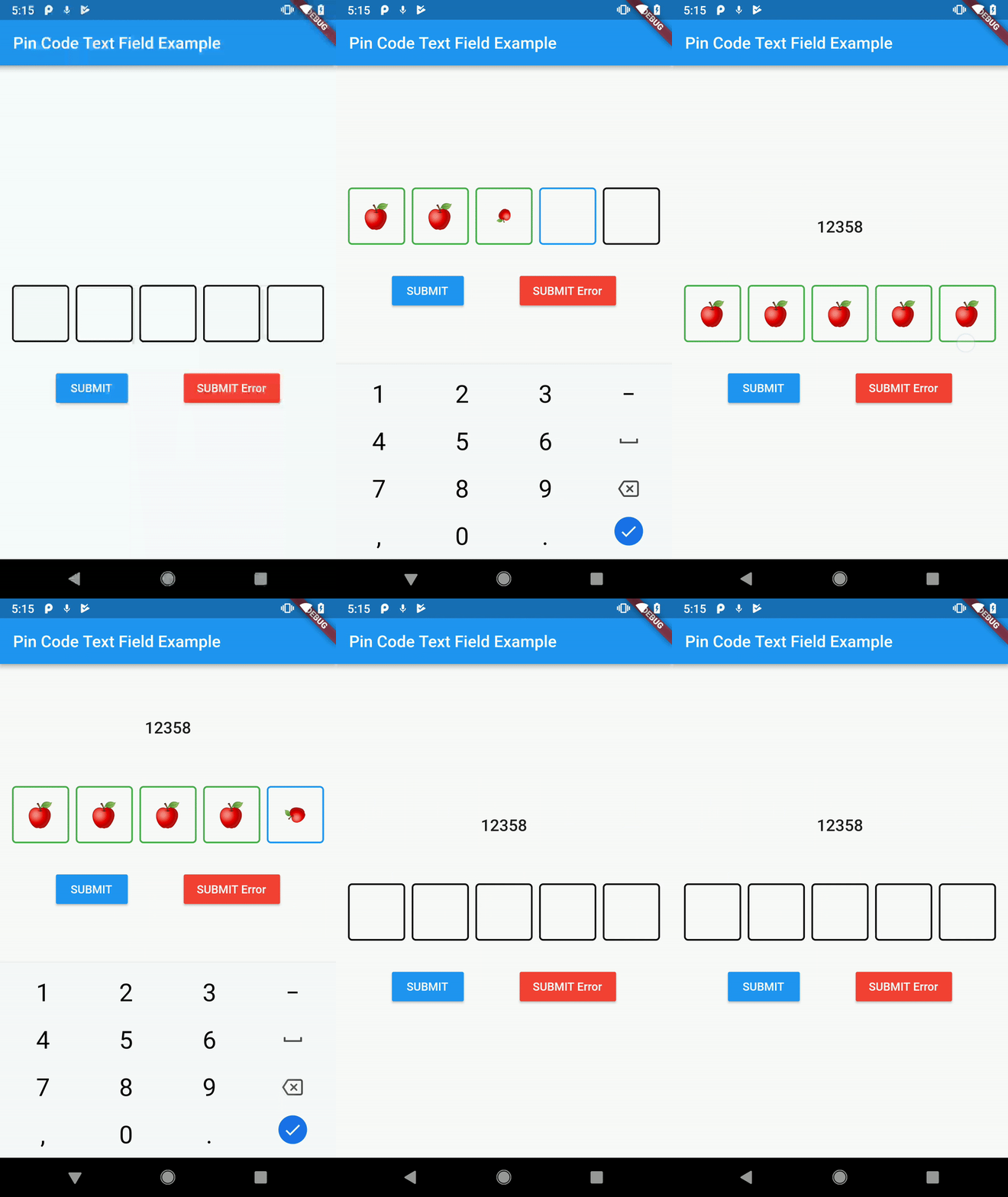
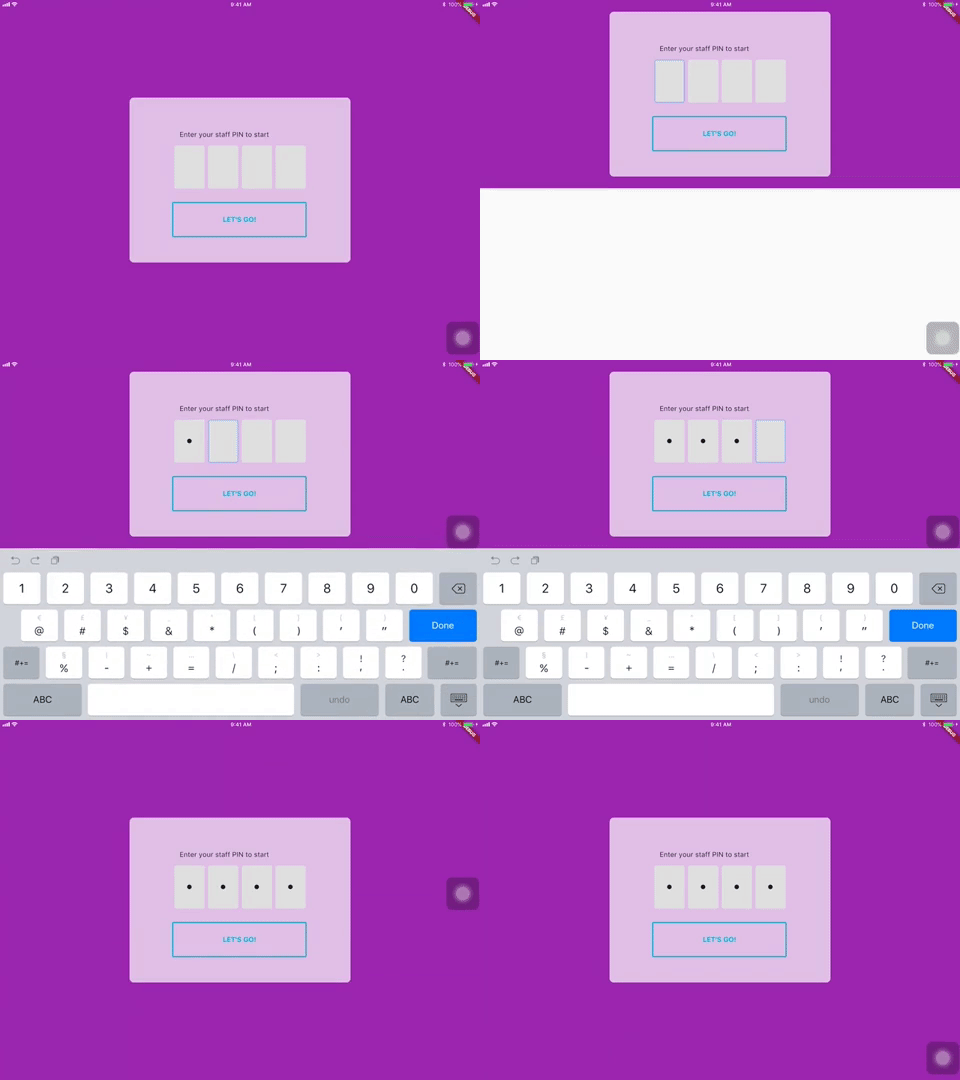
It's a beautiful and highly customizable Flutter widget for entering pin code. Suitable for use cases such as login and OTP.
Usage
Use this package as a library
- Depend on it Add this to your package's pubspec.yaml file:
dependencies:
  pin_code_text_field: <VERSION>
- Install it You can install packages from the command line: with Flutter:
$ flutter packages get
Alternatively, your editor might support flutter packages get. Check the docs for your editor to learn more.
- Import it Now in your Dart code, you can use:
import 'package:pin_code_text_field/pin_code_text_field.dart';
API
| name | type | default | description |
|---|---|---|---|
| isCupertino | bool | false | Application wrapped in CupertinoApp instead MaterialApp |
| maxLength | int | 4 | The total length of pin number & the number of pin boxes. |
| hideCharacter | bool | false | Show or hide the pin code. |
| highlight | bool | false | highlight the focused pin box. |
| highlightAnimation | bool | false | animated highlight of the focused pin box. |
| highlightAnimationBeginColor | Color | Colors.black | the starting color of the animated highlight. |
| highlightAnimationEndColor | Color | Color.white | the ending color of the animated highlight. |
| highlightAnimationDuration | Duration | 500ms | the duration of the highlight animation. |
| highlightColor | Color | Colors.black | Set color of the focused pin box. |
| pinBoxDecoration | BoxDecoration | ProvidedPinBoxDecoration._defaultPinBoxDecoration | Customization for the individual pin boxes. Check ProvidedPinBoxDecoration for possible options. |
| pinTextStyle | TextStyle | TextStyle for styling pin characters. | |
| maskCharacter | String | "\u25CF" | Special character to mask the pin code. Will only work if hideCharacter is set to true. |
| pinBoxHeight | double | 70.0 | Height of pin boxes. |
| pinBoxWidth | double | 70.0 | Width of pin boxes. |
| onDone | void Function(String) | Callback when the max length of pin code is reached. | |
| hasTextBorderColor | Color | Colors.black | Set color of pin box containing text. |
| pinTextAnimatedSwitcherTransition | Function(Widget child, Animation animation) | Animation of text appearing/disappearing, you can write your own or use a few presets: 1. PinCodeTextField.awesomeTransition 2. PinCodeTextField.defaultScalingTransition 3. PinCodeTextField.defaultRotateTransition | |
| pinTextAnimatedSwitcherDuration | Duration | const Duration() | Duration of pinTextAnimatedSwitcherTransition. Check ProvidedPinBoxTextAnimation for possible options. |
| errorBorderColor | Color | Colors.red | Highlight all textboxes to this color if hasError is set to true |
| onTextChange | Function(String) | callback that returns a text on input | |
| hasError | bool | false | set all border color to errorBorderColor |
| autofocus | bool | false | Autofocus on view entered |
| wrapAlignment | WrapAlignment | WrapAlignment.start | Alignment of the wrapped pin boxes |
| textDirection | TextDirection | TextDirection.ltr | The direction of the pin code |
| keyboardType | TextInputType | TextInputType.number | The type of the input keyboard |
| pinBoxColor | Color | null | Color of the pin boxes (Will be overridden by custom PinBoxDecoration) |
| pinBoxBorderWidth | double | 2 | Border Width of pin boxes |
| pinBoxRadius | double | 0 | The type of the input keyboard |
| hideDefaultKeyboard | boolean | false | The type of hide default keyboard |
| highlightPinBoxColor | Color | false | The background color of the pin box |
| hasUnderline | bool | false | Added underline to individual pin box |
Example
refer to example/lib/main.dart
Wishlist
Localization (L-R, R-L)Highlight animationPin Box animation- BoxDecoratorBuilder for customizing individual pin boxes
Tips and Tricks:
- Copy and pasting
Wrap the
PinCodeTextFieldinGestureDetector, the launch an AlertDialog to access theClipboardand paste the strings to theTextEditControllerof thePinCodeTextField
Contributors
Star 🌟 to show support!
More information

GitHub 作者
Liew Jun Tung ↗
语言DartJavaSwiftKotlinObjective-C
使用的依赖
依赖清单 2 项
- flutter
{"sdk":"flutter"} - flutter_test开发依赖
{"sdk":"flutter"}
如何选择适合项目的代码仓?
先按使用场景筛选,再比较项目活跃情况,最后到原始仓库核对使用要求。
- 通过仓库名、作者或描述搜索,再按技术分类缩小范围。
- 结合星标、复刻与最近推送比较项目;星标反映社区关注,不代表质量保证。
- 使用前在 GitHub 核对 README、许可证与 Issues。
来源与维护
“A repository is the most basic element of GitHub.”
GitHub Docs — About repositories ↗