
 v2.0.0
animated_rotation
一个用于旋转的隐式动画小部件。只需提供角度,该小部件就会随时间旋转。
26喜欢 822近 30 天下载160Pub 分数
AndroidiOSWebmacOSWindowsLinux
用于旋转的隐式动画小部件
以下为英文项目原文快照,最新内容请访问 GitHub。

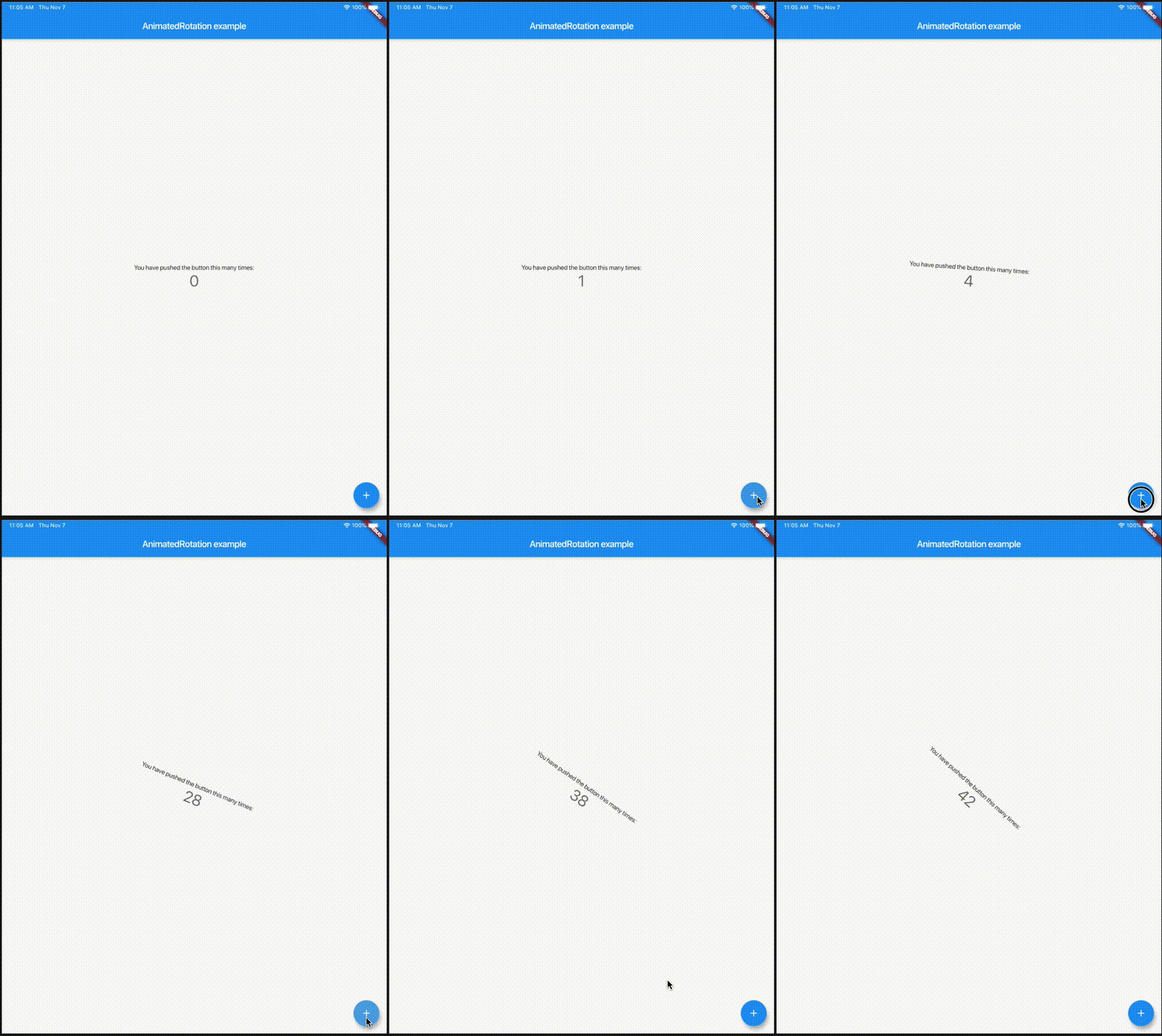
An implicitly animated version of RotationTransition which automatically transitions the rotation over time when the provided angle changes.
Check it out on DartPad
Get it from pub. Add the dependency to your pubspec.yaml
dependencies:
  animated_rotation: ^1.0.0
Run flutter pub get in your root folder after saving the pubspec.yaml file
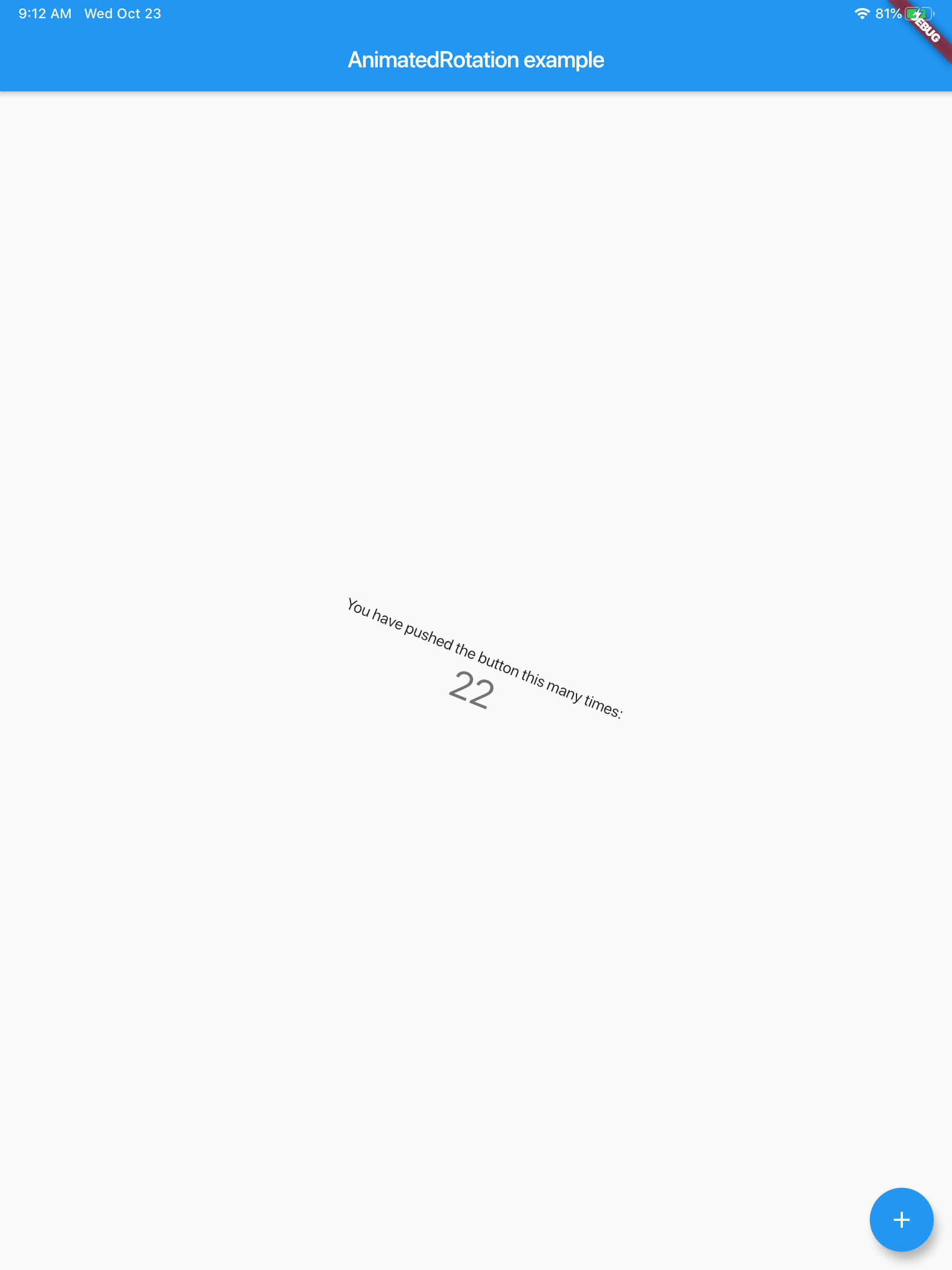
Here is an example of the counter app with text rotating based on the count
import 'package:animated_rotation/animated_rotation.dart';
import 'package:flutter/material.dart';

void main() => runApp(MyHomePage());

class MyHomePage extends StatefulWidget {
  @override
  _MyHomePageState createState() => _MyHomePageState();
}

class _MyHomePageState extends State<MyHomePage> {
  int _counter = 0;

  @override
  Widget build(BuildContext context) {
    return MaterialApp(
      home: Scaffold(
        appBar: AppBar(
          title: Text("AnimatedRotation example"),
        ),
        body: Center(
          child: AnimatedRotation(
            angle: _counter,
            child: Column(
              mainAxisAlignment: MainAxisAlignment.center,
              children: <Widget>[
                Text(
                  'You have pushed the button this many times:',
                ),
                Text(
                  '$_counter',
                  style: Theme.of(context).textTheme.display1,
                ),
              ],
            ),
          ),
        ),
        floatingActionButton: FloatingActionButton(
          onPressed: () {
            setState(() {
              _counter++;
            });
          },
          tooltip: 'Increment',
          child: Icon(Icons.add),
        ),
      ),
    );
  }
}

依赖清单 2 项
{"sdk":"flutter"}{"sdk":"flutter"}先按使用场景筛选,再比较项目活跃情况,最后到原始仓库核对使用要求。
“A repository is the most basic element of GitHub.”
GitHub Docs — About repositories ↗