


 v1.0.2
time_slot
一个全新的 Flutter 包,可帮助您根据给定的时间间隔或日期时间列表创建时间段,并获取时间的时段名称。
32喜欢 632近 30 天下载140Pub 分数
AndroidiOSWebmacOSWindowsLinux
一个全新的 Flutter 包,可帮助您根据给定的时间间隔或日期时间列表创建时间段,并获取时间的时段名称,该包支持阿拉伯语和英语的本地化。

以下为英文项目原文快照,最新内容请访问 GitHub。
A new Flutter package which helps in creating time slots with given time interval or list of date times and get day part name of time, and this package allow localization ar and en.
pubspec.yaml file:dependencies:
time_slot: any
$ pub get
time_slot.dart file in your appimport 'package:time_slot/time_slot.dart';
DayPartController
DayPartController dayPartController = DayPartController();
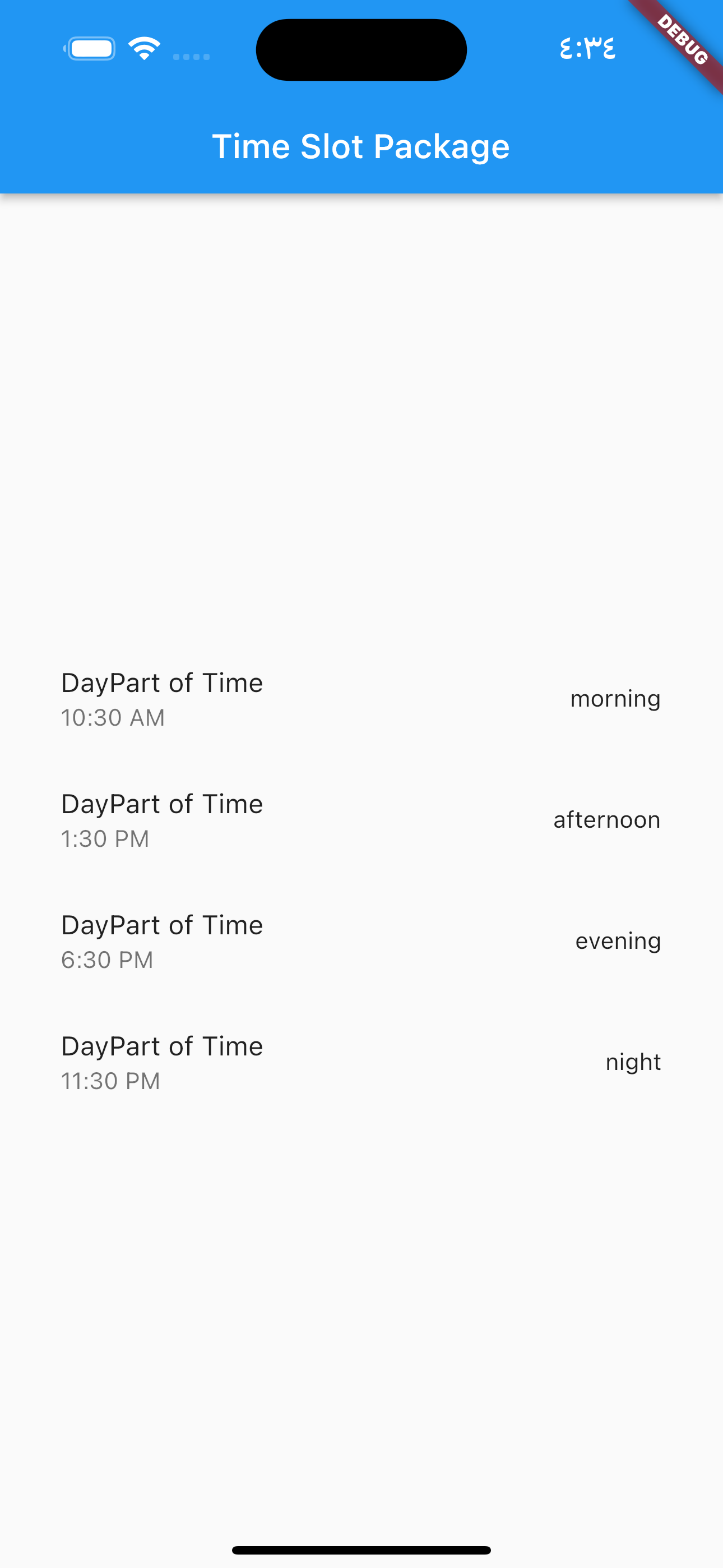
to get day part of time
  DayParts dayPart = dayPartController.getDayPartOfTime(
    time: DateTime(2023, 1, 1, 10, 30),
  ); ///  DayParts.morning
to get day part name from DayParts
  DayParts dayPart = dayPartController.getDayPartName(dayPart: dayPart),);
  /// morning
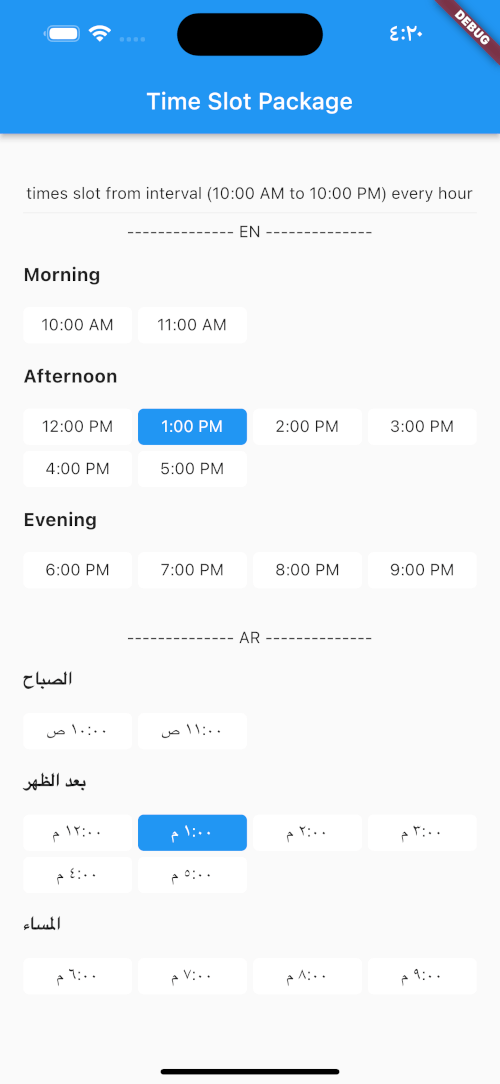
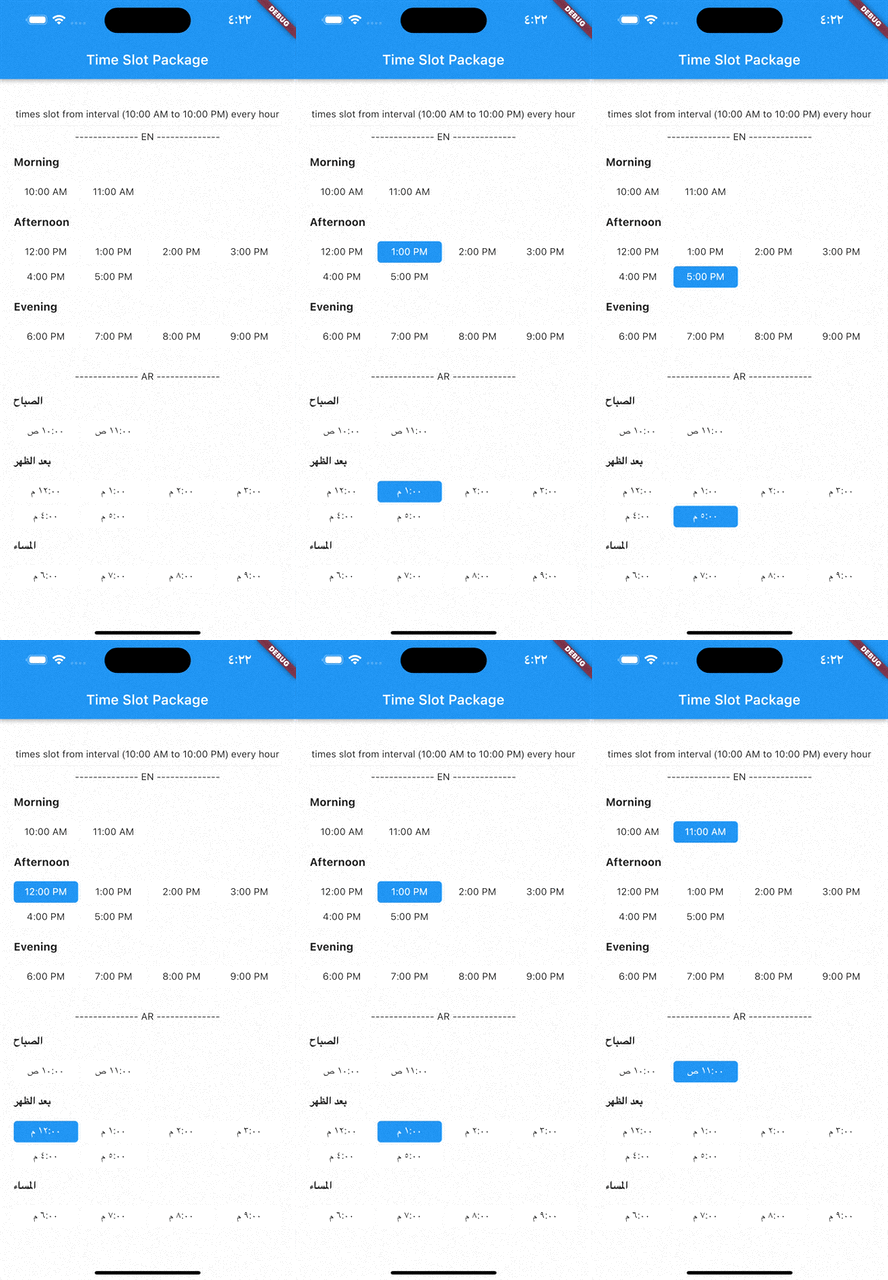
to build time slot grid view from interval (10:00 AM to 10:00 PM) every hour
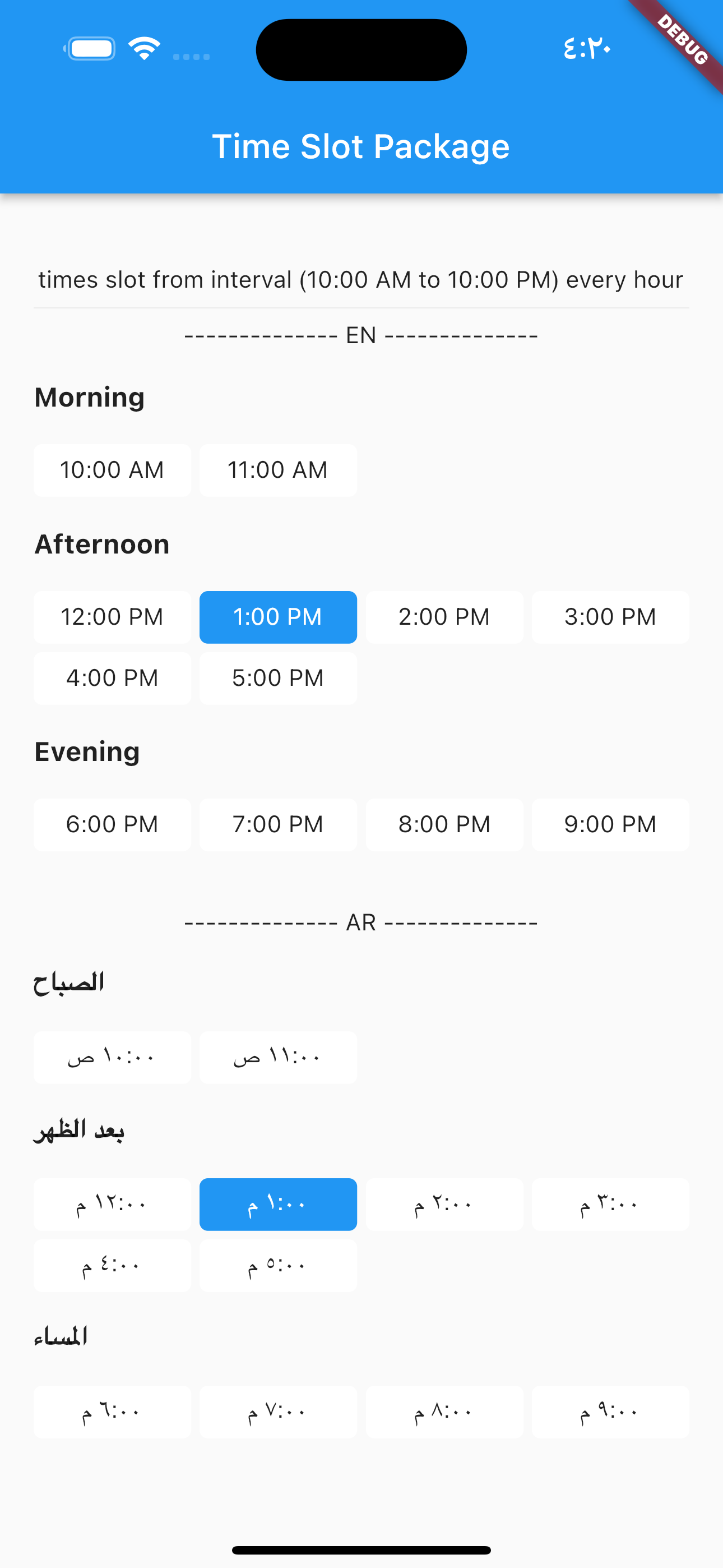
            TimesSlotGridViewFromInterval(
                locale: "en",
                initTime: selectTime,
                crossAxisCount: 4,
                timeSlotInterval: const TimeSlotInterval(
                  start: TimeOfDay(hour: 10, minute: 00),
                  end: TimeOfDay(hour: 22, minute: 0),
                  interval: Duration(hours: 1, minutes: 0),
                ),
                onChange: (value) {
                  setState(() {
                    selectTime = value;
                  });
                },
              ),
locale = "ar",
                TimesSlotGridViewFromInterval(
                locale: "ar",
                initTime: selectTime,
                crossAxisCount: 4,
                timeSlotInterval: const TimeSlotInterval(
                  start: TimeOfDay(hour: 10, minute: 00),
                  end: TimeOfDay(hour: 22, minute: 0),
                  interval: Duration(hours: 1, minutes: 0),
                ),
                onChange: (value) {
                  setState(() {
                    selectTime = value;
                  });
                },
              ),
to build time slot grid view from list date.
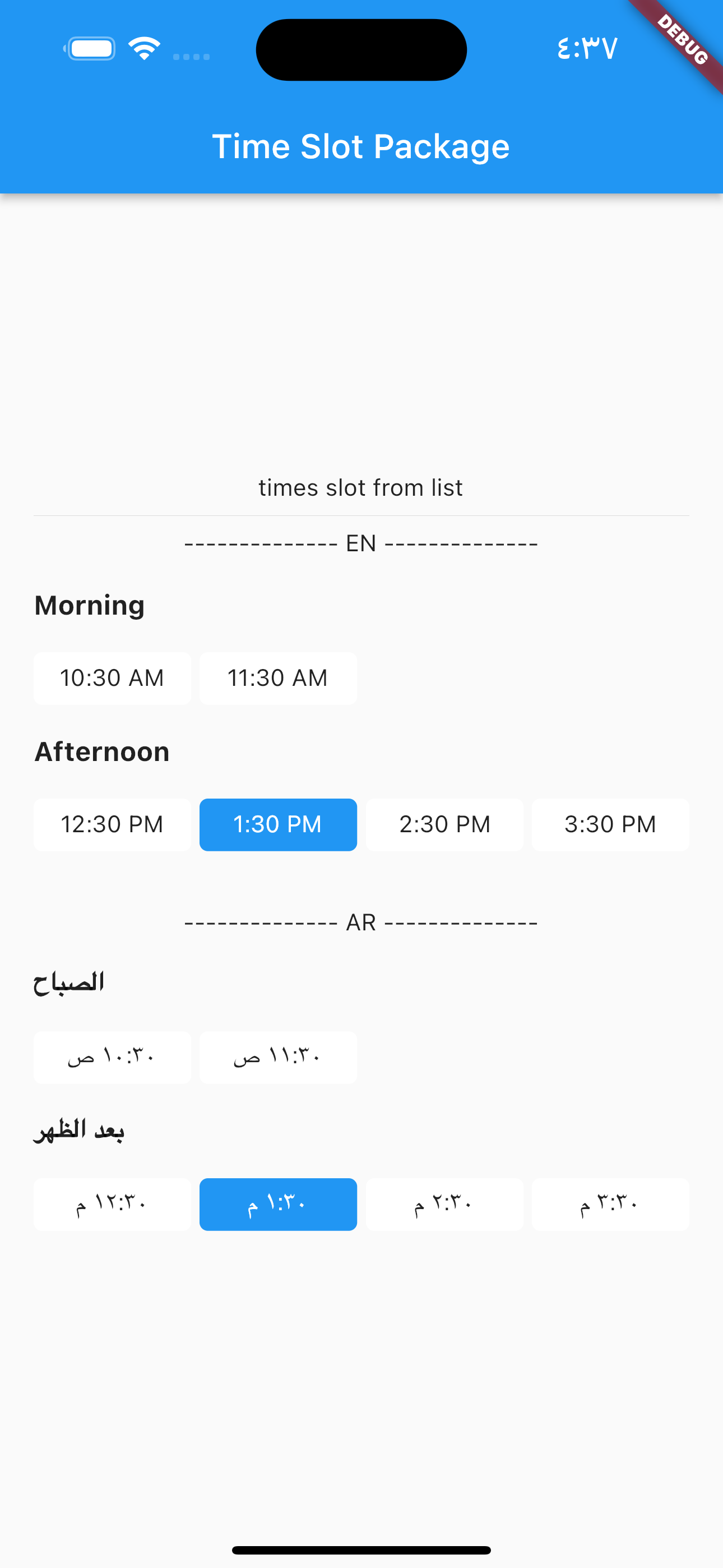
            TimesSlotGridViewFromList(
                locale: "en",
                initTime: selectTime,
                crossAxisCount: 4,
                listDates: [
                  DateTime(2023, 1, 1, 10, 30),
                  DateTime(2023, 1, 1, 11, 30),
                  DateTime(2023, 1, 1, 12, 30),
                  DateTime(2023, 1, 1, 13, 30),
                  DateTime(2023, 1, 1, 14, 30),
                  DateTime(2023, 1, 1, 15, 30)
                ],
                onChange: (value) {
                  setState(() {
                    selectTime = value;
                  });
                },
              ),
locale = "ar",
                TimesSlotGridViewFromList(
                locale: "ar",
                initTime: selectTime,
                crossAxisCount: 4,
                listDates: [
                  DateTime(2023, 1, 1, 10, 30),
                  DateTime(2023, 1, 1, 11, 30),
                  DateTime(2023, 1, 1, 12, 30),
                  DateTime(2023, 1, 1, 13, 30),
                  DateTime(2023, 1, 1, 14, 30),
                  DateTime(2023, 1, 1, 15, 30)
                ],
                onChange: (value) {
                  setState(() {
                    selectTime = value;
                  });
                },
              ),
依赖清单 4 项
{"sdk":"flutter"}^0.19.0{"sdk":"flutter"}—先按使用场景筛选,再比较项目活跃情况,最后到原始仓库核对使用要求。
“A repository is the most basic element of GitHub.”
GitHub Docs — About repositories ↗