

 v0.2.4
circular_countdown_timer
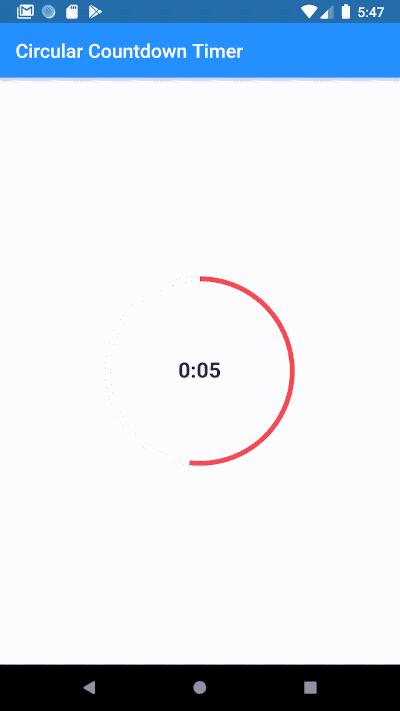
使用圆形倒计时器创建一个动画圆形倒计时。
617喜欢 3万近 30 天下载140Pub 分数
AndroidiOSWebmacOSWindowsLinux
使用圆形倒计时器创建一个动画圆形倒计时

以下为英文项目原文快照,最新内容请访问 GitHub。
Make an animated circular countdown using Circular Countdown Timer.
To use this plugin, add circular_countdown_timer as a dependency in your pubspec.yaml file.
CircularCountDownTimer(
     duration: 10,
     initialDuration: 0,
     controller: CountDownController(),
     width: MediaQuery.of(context).size.width / 2,
     height: MediaQuery.of(context).size.height / 2,
     ringColor: Colors.grey[300]!,
     ringGradient: null,
     fillColor: Colors.purpleAccent[100]!,
     fillGradient: null,
     backgroundColor: Colors.purple[500],
     backgroundGradient: null,
     strokeWidth: 20.0,
     strokeCap: StrokeCap.round,
     textStyle: TextStyle(
         fontSize: 33.0, color: Colors.white, fontWeight: FontWeight.bold),
     textAlign: TextAlign.center,
     textFormat: CountdownTextFormat.S,
     isReverse: false,
     isReverseAnimation: false,
     isTimerTextShown: true,
     autoStart: false,
     onStart: () {
        debugPrint('Countdown Started');
     },
     onComplete: () {
        debugPrint('Countdown Ended');
     },
     onChange: (String timeStamp) {
        debugPrint('Countdown Changed $timeStamp');
     },
     timeFormatterFunction: (defaultFormatterFunction, duration) {
        if (duration.inSeconds == 0) {
           return "Start";
        } else {
           return Function.apply(defaultFormatterFunction, [duration]);
        }
     },
 );
| Name | Type | Default Value | Description |
|---|---|---|---|
key |
Key |
null | Key for Countdown Timer. |
duration |
int |
null | Countdown duration in Seconds. |
initialDuration |
int |
0 | Countdown initial elapsed Duration in Seconds. |
controller |
CountDownController |
null | Controls (i.e Start, Pause, Resume, Restart) the Countdown Timer. |
width |
double |
null | Width of the Countdown Widget. |
height |
double |
null | Height of the Countdown Widget. |
ringColor |
Color |
null | Ring Color for Countdown Widget. |
ringGradient |
Gradient |
null | Ring Gradient for Countdown Widget. Note that ringColor will not be effective if gradient is provided. |
fillColor |
Color |
null | Filling Color for Countdown Widget. |
fillGradient |
Gradient |
null | Filling Gradient for Countdown Widget. Note that fillColor will not be effective if gradient is provided. |
backgroundColor |
Color |
null | Background Color for Countdown Widget. |
backgroundGradient |
Gradient |
null | Background Gradient for Countdown Widget. Note that backgroundColor will not be effective if gradient is provided. |
strokeWidth |
double |
5.0 | Border Thickness of the Countdown Ring. |
strokeCap |
StrokeCap |
StrokeCap.butt | Begin and end contours with a flat edge and no extension. |
textStyle |
TextStyle |
TextStyle(fontSize: 16.0,color: Colors.black,) | Text Style for Countdown Text. |
textFormat |
String |
null | Format for the Countdown Text. |
isReverse |
bool |
false | Handles Countdown Timer (true for Reverse Countdown (max to 0), false for Forward Countdown (0 to max)). |
isReverseAnimation |
bool |
false | Handles Animation Direction (true for Reverse Animation, false for Forward Animation). |
isTimerTextShown |
bool |
true | Handles visibility of the Countdown Text. |
autoStart |
bool |
true | Handles the timer start. |
onStart |
VoidCallback |
null | This Callback will execute when the Countdown Starts. |
onComplete |
VoidCallback |
null | This Callback will execute when the Countdown Ends. |
onChange |
ValueChanged<String> |
null | This Callback will execute when the Countdown Changes. |
timeFormatterFunction |
Function(Function(Duration duration) defaultFormatterFunction,Duration duration) |
null | This Callback allows you to format the current duration to any String in Countdown Widget. |


依赖清单 3 项
{"sdk":"flutter"}{"sdk":"flutter"}^3.0.0先按使用场景筛选,再比较项目活跃情况,最后到原始仓库核对使用要求。
“A repository is the most basic element of GitHub.”
GitHub Docs — About repositories ↗