
 v1.6.3
vertical_card_pager
使用动态且美观的卡片视图轮播器,帮助您创建出色的应用程序。
312喜欢 216近 30 天下载140Pub 分数
AndroidiOSWeb
使用动态且美观的卡片视图轮播器,帮助您创建出色的应用程序。

{"sdk":"flutter"}{"sdk":"flutter"}以下为英文项目原文快照,最新内容请访问 GitHub。
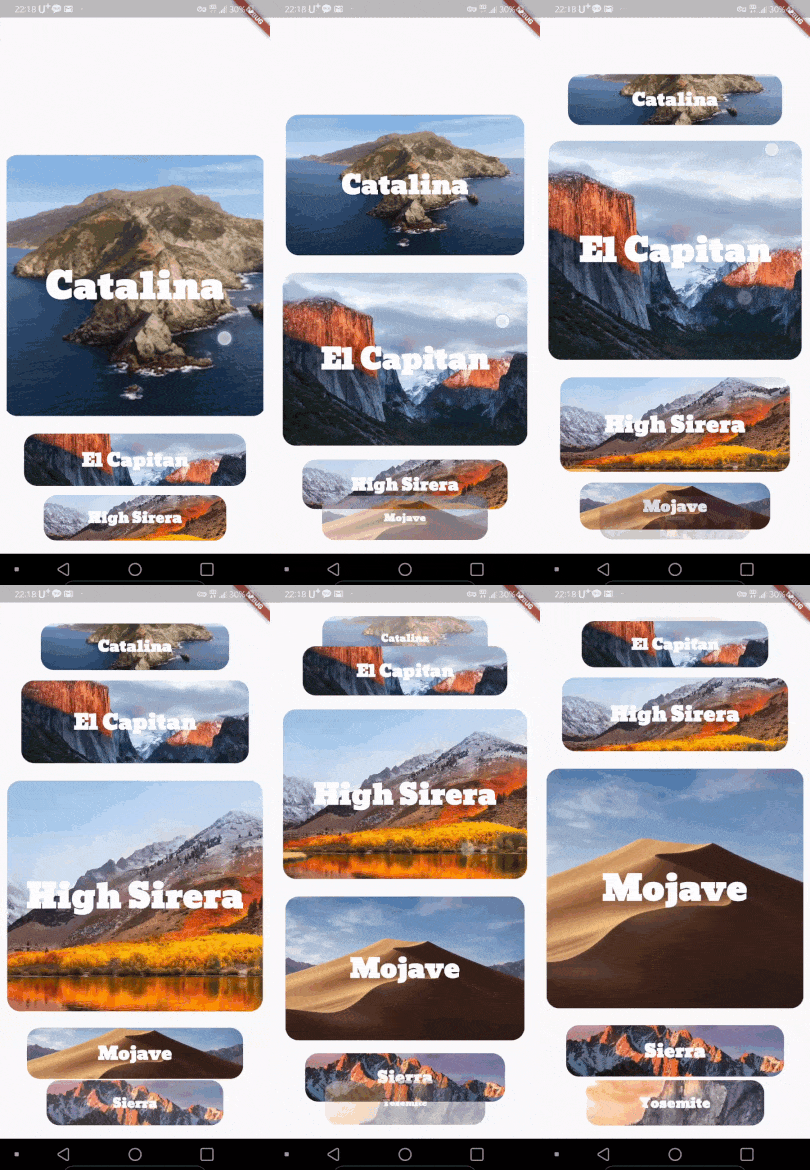
Use dynamic and beautiful card view pagers to help you create great apps.
| Left | Center(Default) | Right |
|---|---|---|
| left | center | right |
Add dependency to pubspec.yaml
Get the latest version in the 'Installing' tab on pub.dartlang.org
dependencies:
    vertical_card_pager: ^1.6.0
import 'package:vertical_card_pager/vertical_card_pager.dart';
VerticalCardPagerWith optional parameters
  @override
  Widget build(BuildContext context) {
    final List<String> titles = ["RED", "YELLOW", "BLACK", "CYAN", "BLUE", "GREY", ];

    final List<Widget> images = [
      Container(
        color: Colors.red,
      ),
        Container(
        color: Colors.yellow,
      ),
        Container(
        color: Colors.black,
      ),
        Container(
        color: Colors.cyan,
      ),
        Container(
        color: Colors.blue,
      ),
        Container(
        color: Colors.grey,
      ),
    ];
    return Scaffold(
      body: SafeArea(
        child: Column(
          children: <Widget>[
            Expanded(
              child: Container(
                child: VerticalCardPager(
                  titles: titles,  // required
                  images: images,  // required
                  textStyle: TextStyle(color: Colors.white, fontWeight: FontWeight.bold), // optional
                  onPageChanged: (page) { // optional
                  },
                  onSelectedItem: (index) { // optional
                  },
                  initialPage: 0, // optional
                  align : ALIGN.CENTER, // optional
                  physics : ClampingScrollPhysics() // optional
                ),
              ),
            ),
          ],
        ),
      ),
    );
  }
Check out the example app in the example directory or the 'Example' tab on pub.dartlang.org for a more complete example.
https://origogi.github.io/Vertical_Card_Pager/#/
This package's animation is inspired from from this Dribbble art.