

v6.0.0
nutrient_flutter
一个 Flutter 插件,借助功能强大的 Nutrient PDF SDK,为您的用户提供丰富的 PDF 查看和编辑体验。
6喜欢 8830近 30 天下载130Pub 分数
AndroidiOS
PSPDFKit for Flutter 库。Flutter 是 Google 的移动 UI 框架,可帮助您在创纪录的时间内为 iOS 和 Android 打造高质量的原生体验。

以下为英文项目原文快照,最新内容请访问 GitHub。
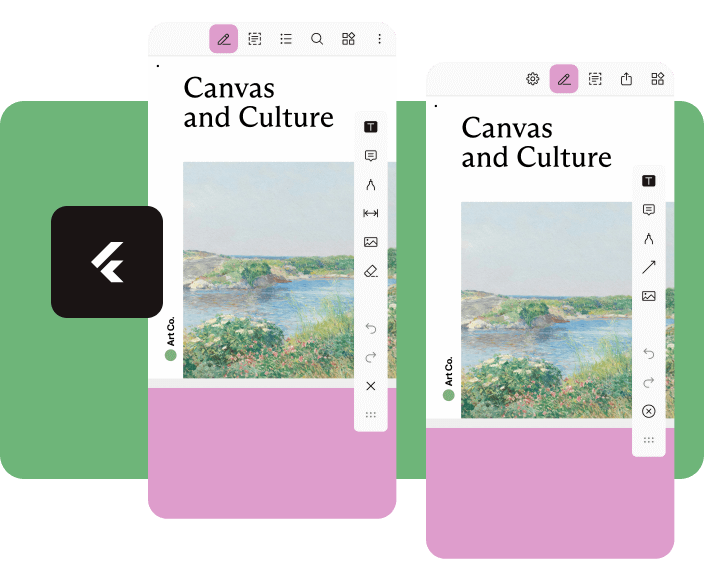
Add powerful PDF functionality to your Flutter apps with the Nutrient Flutter SDK. View, annotate, and edit PDFs seamlessly across Android, iOS, and Web platforms.
pubspec.yaml:dependencies:
nutrient_flutter: any
flutter pub get
android/app/build.gradle:android {
compileSdkVersion 35
defaultConfig {
minSdkVersion 21
}
compileOptions {
sourceCompatibility JavaVersion.VERSION_17
targetCompatibility JavaVersion.VERSION_17
}
kotlinOptions {
jvmTarget = '17'
}
}
dependencies {
implementation 'androidx.appcompat:appcompat:<version>'
}
android/app/src/main/res/values/styles.xml:- <style name="NormalTheme" parent="Theme.AppCompat.Light.NoActionBar">
+ <style name="NormalTheme" parent="PSPDFKit.Theme.Default">
FlutterAppCompatActivity:import io.flutter.embedding.android.FlutterAppCompatActivity
class MainActivity: FlutterAppCompatActivity() {
}
Make sure to set the minimum iOS version to 17.0 in your ios/Podfile:
platform :ios, '17.0'
You can include the Nutrient Web SDK using either CDN or local installation:
Add the following script to your web/index.html file:
<script src="https://cdn.cloud.nutrient.io/pspdfkit-web@1.13.0/nutrient-viewer.js"></script>
Note: Replace 1.13.0 with the latest version of Nutrient Web SDK. Check the latest releases for the current version.
Download Nutrient Web SDK. The download will start immediately and save a .tar.gz archive like PSPDFKit-Web-binary-<version>.tar.gz to your computer.
Once downloaded, extract the archive and copy the entire contents of its dist folder to your project's web/assets folder.
Verify your assets folder contains:
nutrient-viewer.js filenutrient-viewer-lib directory with library assetsAdd the Nutrient library to your web/index.html:
<script src="assets/nutrient-viewer.js"></script>
Note: Your server must have the Content-Type: application/wasm MIME type configured for WebAssembly files.
PDFs directory in your project root:mkdir PDFs
Download our sample PDF document and save it as Document.pdf in the PDFs directory.
Add the assets directory to your pubspec.yaml:
flutter:
  assets:
    - PDFs/
Create a new file lib/main.dart with the following content:
import 'package:flutter/material.dart';
import 'package:nutrient_flutter/nutrient_flutter.dart';
import 'dart:io';
import 'package:flutter/foundation.dart';

const String documentPath = 'PDFs/Document.pdf';

void main() async {
  WidgetsFlutterBinding.ensureInitialized();

  // Initialize the Nutrient SDK with your license key
  await Nutrient.initialize(
    androidLicenseKey: 'YOUR_ANDROID_LICENSE_KEY',
    iosLicenseKey: 'YOUR_IOS_LICENSE_KEY',
    webLicenseKey: 'YOUR_WEB_LICENSE_KEY',
  );

   runApp(const MaterialApp(
    home: MyApp(),
  ));
}

class MyApp extends StatelessWidget {
  const MyApp({super.key});

  Future<String> extractAsset(BuildContext context, String assetPath) async {

    if (kIsWeb) {
      return assetPath;
    }

    final bytes = await DefaultAssetBundle.of(context).load(assetPath);
    final list = bytes.buffer.asUint8List();
    final tempDir = await Nutrient.getTemporaryDirectory();
    final tempDocumentPath = '${tempDir.path}/$assetPath';
    final file = File(tempDocumentPath);

    await file.create(recursive: true);
    file.writeAsBytesSync(list);
    return file.path;
  }

  @override
  Widget build(BuildContext context) {
    return Scaffold(
      body: FutureBuilder<String>(
          future: extractAsset(context, documentPath),
          builder: (context, snapshot) {
            if (snapshot.hasData) {
              /// NutrientView is a widget that displays a PDF document.
              return NutrientView(
                documentPath: snapshot.data!,
              );
            } else if (snapshot.hasError) {
              return Center(
                child: Text('${snapshot.error}'),
              );
            } else {
              return const Center(
                child: CircularProgressIndicator(),
              );
            }
          }),
    );
  }
}
Note: Replace 'YOUR_ANDROID_LICENSE_KEY', 'YOUR_IOS_LICENSE_KEY', and 'YOUR_WEB_LICENSE_KEY' with your actual license keys. Do not pass any license keys if you want to run the SDK in demo mode, the SDK will run in demo mode with a watermark.
Visit our Support Center for help with the SDK.
This project is licensed under the Nutrient Commercial License. See LICENSE for details.
依赖清单 13 项
{"sdk":"flutter"}^2.1.5^2.0.2{"sdk":"flutter"}^1.2.0^1.2.0^1.2.0^1.1.0^2.0.1{"sdk":"flutter"}^24.2.1^2.2.1^5.3.1先按使用场景筛选,再比较项目活跃情况,最后到原始仓库核对使用要求。
“A repository is the most basic element of GitHub.”
GitHub Docs — About repositories ↗