
 v1.1.1
pie_chart_sz
一个用于创建精美间隔饼图小部件的 Flutter 包
10喜欢 44近 30 天下载135Pub 分数
AndroidiOSWebmacOSWindowsLinux
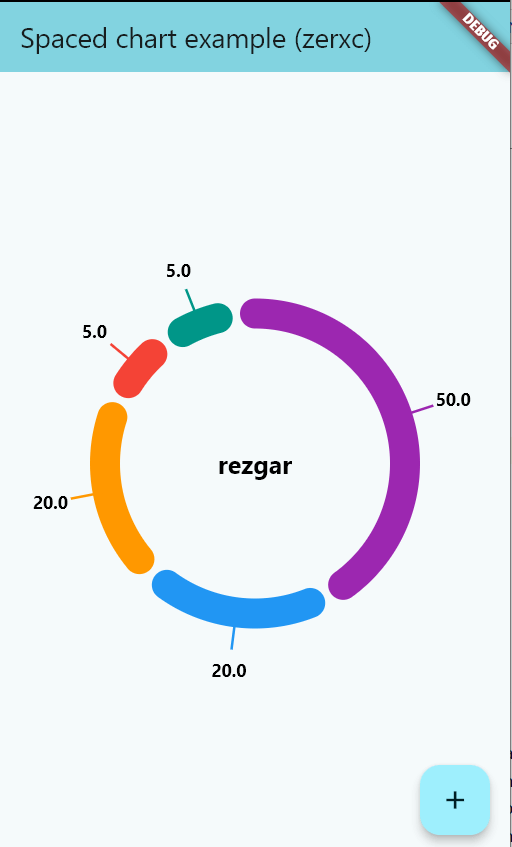
Flutter 环形饼图

{"sdk":"flutter"}{"sdk":"flutter"}^5.0.0以下为英文项目原文快照,最新内容请访问 GitHub。
This Flutter package provides a donut Chart Widget
In the dependencies: section of your pubspec.yaml, add the following line:
dependencies:
  pie_chart_sz: <latest version>
import 'package:pie_chart/pie_chart.dart';
List<Color>? colors = [
  Colors.purple,
  Colors.blue,
  Colors.orange,
  Colors.red,
  Colors.teal,
];

List<double>? values = [
  50,
  20,
  20,
  5,
  5,
];

PieChartSz(
colors: colors,
values: values,
gapSize: 0.2,
centerText: "center text",
centerTextStyle: TextStyle(
fontSize: 20,
fontWeight: FontWeight.bold,
color: Colors.black,
),
valueSettings: Valuesettings(
showValues: false,
ValueTextStyle: TextStyle(
fontSize: 14,
fontWeight: FontWeight.bold,
color: Colors.black,
),
),
)
Valuesettings(
showValues: true,
ValueTextStyle: TextStyle(
fontSize: 14,
fontWeight: FontWeight.bold,
color: Colors.black,
),
)