

 v0.1.0
lightbox
用于创建类似网页应用的灯箱的 Flutter 插件。可用于以幻灯片叠加层的形式展示多种类型的图像(URL、资源文件、文件、字节)并提供控制功能。
33喜欢 39近 30 天下载150Pub 分数
AndroidiOSmacOSWindowsLinux
用于创建类似网页应用的灯箱效果的 Flutter 插件

以下为英文项目原文快照,最新内容请访问 GitHub。
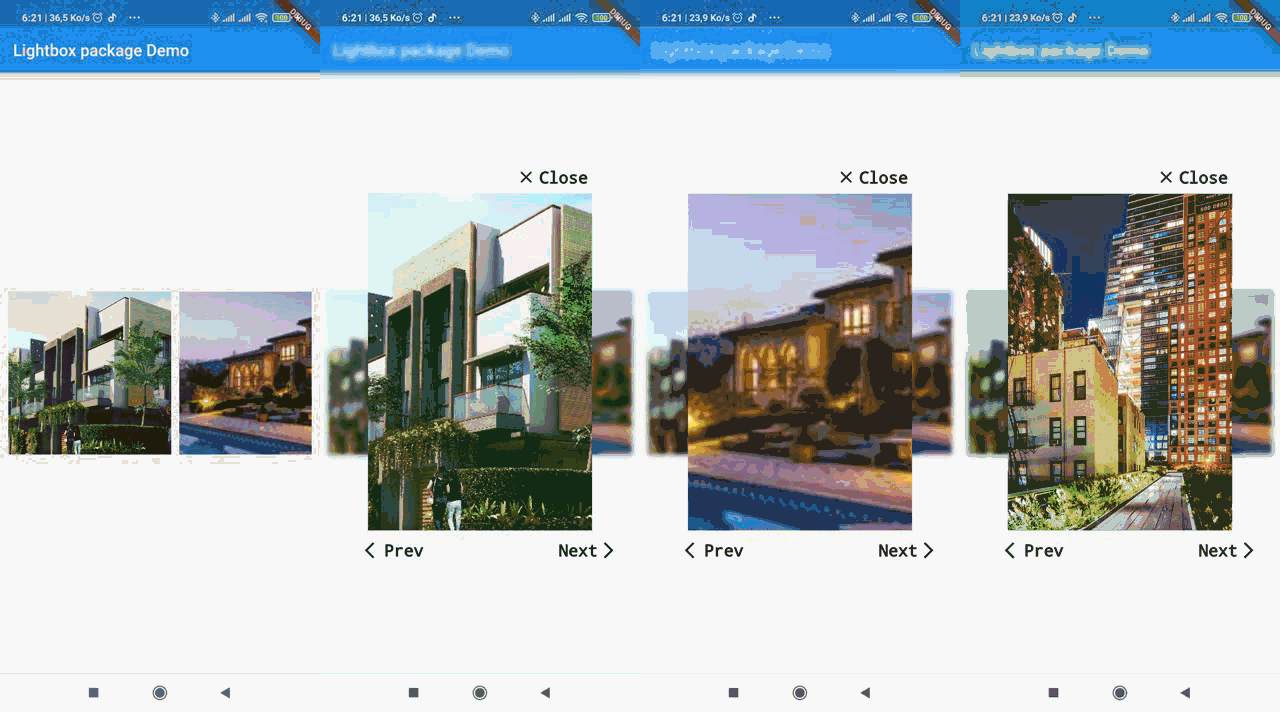
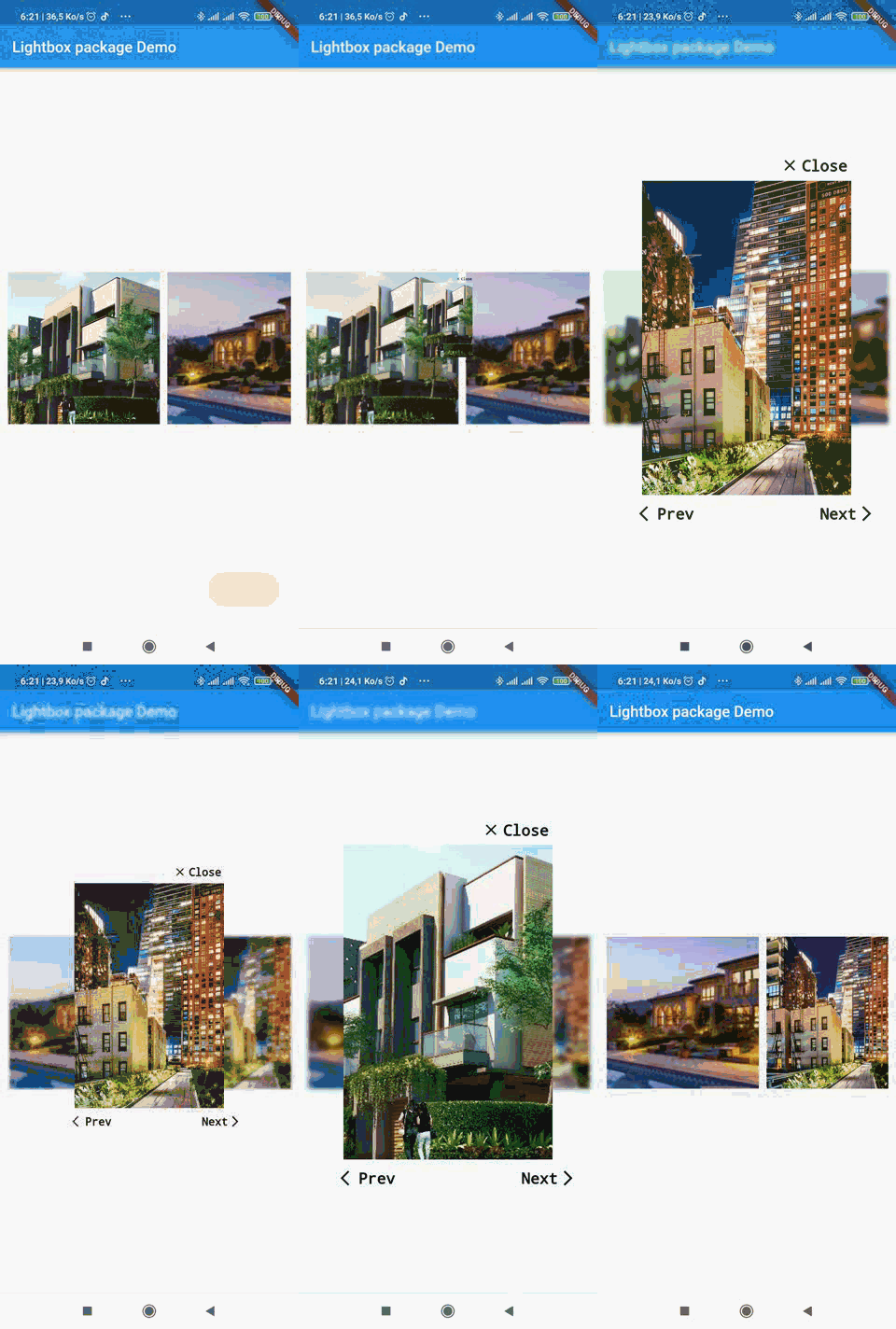
A simple package to recreate web lightbox in Flutter. Ligthbox enables you to show images in an overlay widget with controls to slide between images.
The source code is 100% Dart, and everything resides in the /lib folder.


Add lightbox as a dependency in your pubspec.yaml file.
dependencies:
  lightbox: 0.1.0
Then import lightbox:
import 'package:lightbox/lightbox.dart';
import 'package:lightbox/lightbox.dart';
          // images variable is an array of paths or url of images to load in the lightbox.
                   ListView.separated(
                                       separatorBuilder: (context, index) => SizedBox(width: 10.0),
                                       scrollDirection: Axis.horizontal,
                                       itemCount: imagesAsset.length,
                                       itemBuilder: (context, position) {
                                         return GestureDetector(
                                           child: Container(
                                               height: 200,
                                               width: 200,
                                               child: Image.asset(
                                                 imagesAsset[position],
                                                 fit: BoxFit.cover,
                                               )),
                                           onTap: () {
                                             Navigator.push(
                                                 context,
                                                 LightBoxRoute(
                                                     builder: (BuildContext context) {
                                                       return LightBox(
                                                       images:imagesAsset,
                                                         initialIndex: position,
                                                         imageType: ImageType.ASSET,
                                                       );
                                                     },
                                                     dismissible: false));
                                           },
                                         );
                                       }),
You can find a more detailed example here
Copyright (c) 2020 Lemovou Ivan

Permission is hereby granted, free of charge, to any person obtaining a copy of this software and associated documentation files (the "Software"), to deal in the Software without restriction, including without limitation the rights to use, copy, modify, merge, publish, distribute, sublicense, and/or sell copies of the Software, and to permit persons to whom the Software is furnished to do so, subject to the following conditions:

The above copyright notice and this permission notice shall be included in all copies or substantial portions of the Software.

THE SOFTWARE IS PROVIDED "AS IS", WITHOUT WARRANTY OF ANY KIND, EXPRESS OR IMPLIED, INCLUDING BUT NOT LIMITED TO THE WARRANTIES OF MERCHANTABILITY, FITNESS FOR A PARTICULAR PURPOSE AND NONINFRINGEMENT. IN NO EVENT SHALL THE AUTHORS OR COPYRIGHT HOLDERS BE LIABLE FOR ANY CLAIM, DAMAGES OR OTHER LIABILITY, WHETHER IN AN ACTION OF CONTRACT, TORT OR OTHERWISE, ARISING FROM, OUT OF OR IN CONNECTION WITH THE SOFTWARE OR THE USE OR OTHER DEALINGS IN THE SOFTWARE.
For help getting started with Flutter, view our online documentation.
For help on editing package code, view the documentation.
依赖清单 3 项
{"sdk":"flutter"}^3.1.0{"sdk":"flutter"}先按使用场景筛选,再比较项目活跃情况,最后到原始仓库核对使用要求。
“A repository is the most basic element of GitHub.”
GitHub Docs — About repositories ↗