


 v2.0.0
animated_text_lerp
用于在数字或字符串文本之间进行动画的简单小部件。适用于数字增减动画、货币值动画或字符串内容变化动画。
60喜欢 2050近 30 天下载150Pub 分数
AndroidiOSWebmacOSWindowsLinux
用于 Flutter 中动画文本的包。适用于货币值增加/减少的动画或文本内容的插值动画。

以下为英文项目原文快照,最新内容请访问 GitHub。
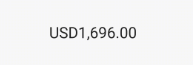
Simple widgets to animate between number or string text. Useful for number increase/decrease animation, currency value animation or string content changing animation.
import 'package:animated_text_lerp/animated_text_lerp.dart';

The widget support lerping between number values. Just setState with the current value and the widget will start animating to it.
AnimatedNumberText(
  value, // int or double
  curve: Curves.easeIn,
  duration: const Duration(seconds: 1),
  style: const TextStyle(fontSize: 30),
  formatter: (value) {
    final formatted =
    intl.NumberFormat.currency(locale: "en").format(value);
    return formatted;
  },
)

The widget support lerping between string values. Just setState with the current value and the widget will start animating to it. Each character will lerp to the new corresponding one respectively.
AnimatedStringText(
  value, // string
  curve: Curves.easeIn,
  duration: const Duration(seconds: 1),
  style: const TextStyle(fontSize: 30),
)
依赖清单 3 项
{"sdk":"flutter"}{"sdk":"flutter"}^3.0.0先按使用场景筛选,再比较项目活跃情况,最后到原始仓库核对使用要求。
“A repository is the most basic element of GitHub.”
GitHub Docs — About repositories ↗