
k_chart_plus
TrangLeQuynh/k_chart_plus open-source repository details.

- 星标
- 15
- 复刻
- 6
- 最近推送(UTC)
- 2026年9月11日
- 项目状态
- 未归档
原始 README
以下为英文项目原文快照,最新内容请访问 GitHub。
K Chart Plus Package
Feature
Maybe this is the best k chart in Flutter.Support drag,scale,long press,fling.And easy to use.
| Example1 | Example2 |
|---|---|
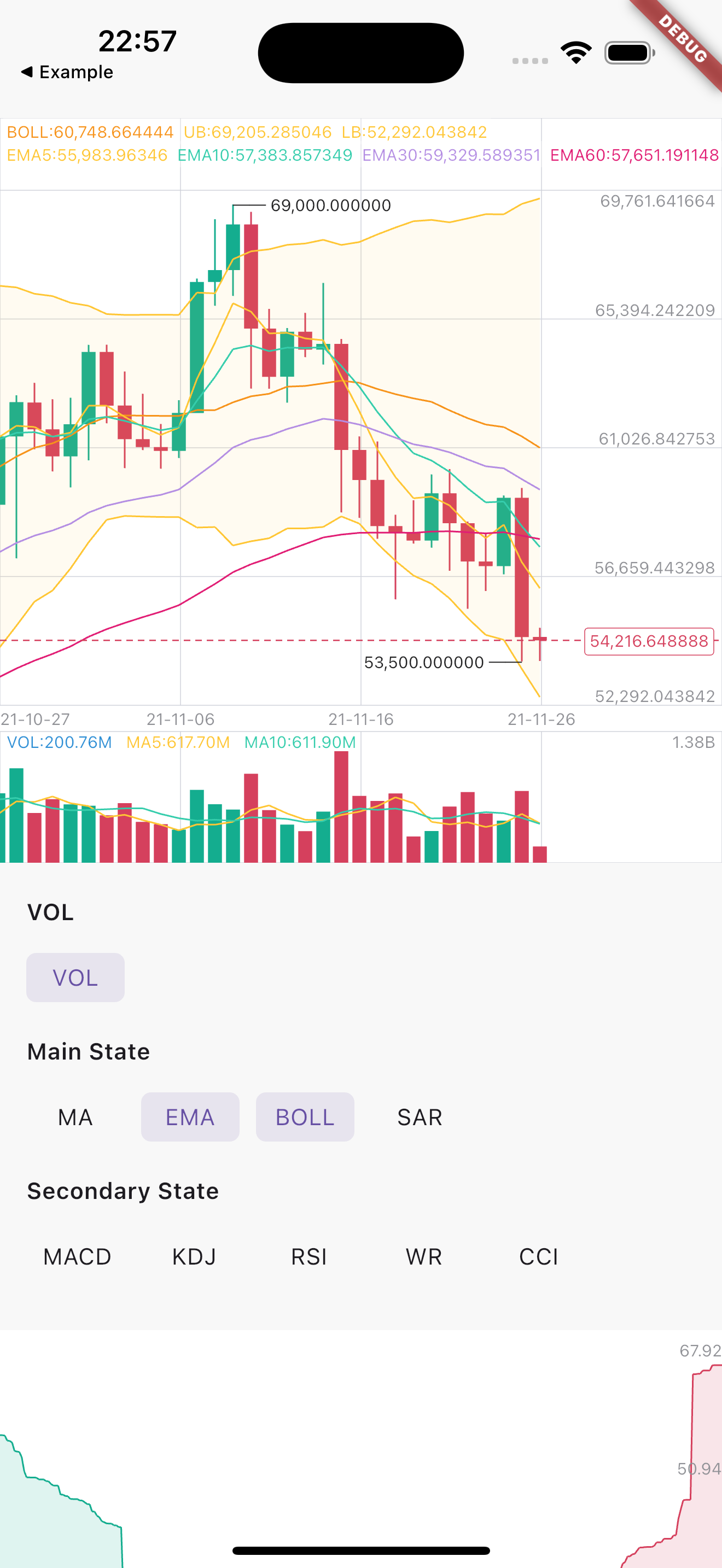 |
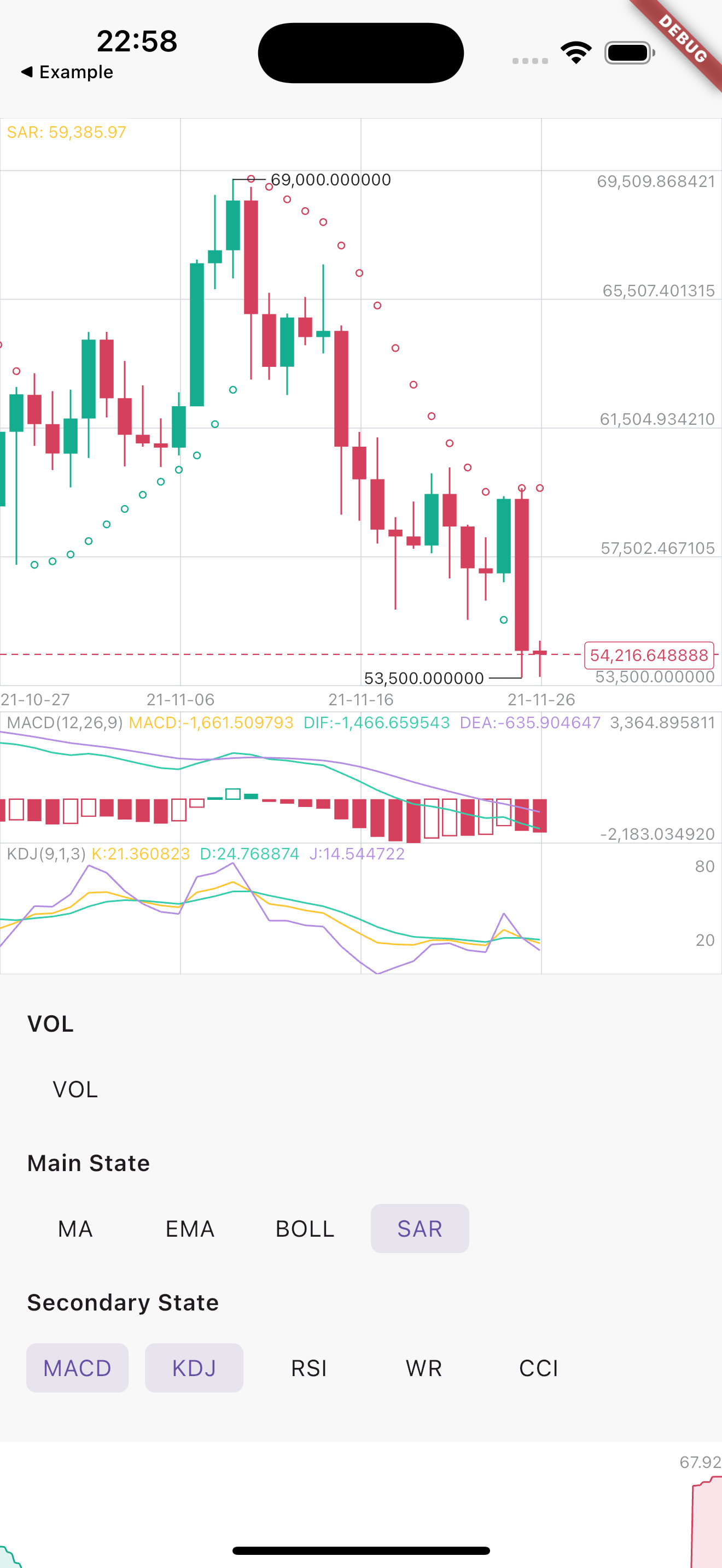 |
Installation
First, add k_chart_plus as a dependency in your pubspec.yaml file.
k_chart_plus: ^1.0.4
If you don't want to support selecting multiple secondary states, you need to use:
k_chart_plus:
   git:
     url: https://github.com/TrangLeQuynh/k_chart_plus
     ref: single #branch name
Usage
Use K line chart
Indicator definitions (main & secondary). indicatorStyle and calcParams can be customized, subject to indicator support.
final List<MainIndicator> _mainIndicators = [
  MAIndicator(
    calcParams: [5, 10, 30, 60], // [Optional] Display of MA. Default is [5, 10, 30, 60]
  ),
  EMAIndicator(
    calcParams: [5, 10, 30, 60], // [Optional] Display of EMA. Default is [5, 10, 30, 60]
  ),
  BOLLIndicator(),
  SARIndicator(),
];

final List<SecondaryIndicator> _secondaryIndicators = [
  MACDIndicator(),
  KDJIndicator(),
  RSIIndicator(),
  WRIndicator(),
  CCIIndicator(),
];
Compute K chart data based on the selected indicators
DataUtil.calculateAll(
  datas,
  _mainIndicators,
  _secondaryIndicators,
);
Paint K Chart
KChartWidget(
  datas, // Required,Data must be an ordered list,(history=>now)
  kchartStyle,  // Required for styling purposes
  kchartColors, // Required for styling purposes
  mBaseHeight: 350, // height of chart (not contain Vol and Secondary)
  mSecondaryHeight: 80, // height of secondary chart
  volHidden: _volHidden, // hide volume
  mainIndicators: _mainIndicators, // [mainIndicators] Decide what the main view shows
  secondaryIndicators: _secondaryIndicators, // [secondaryIndicators] Decide what the sub view shows
  fixedLength: 6,
  showNowPrice: true,// show now price
  timeFormat: TimeFormat.YEAR_MONTH_DAY,
  xFrontPadding: 100 // padding in front
  detailBuilder: (entity) { // show detail popup
    return PopupInfoView(
      entity: entity,
      chartColors: chartColors,
      fixedLength: 2,
    );
  },
),
Use Depth chart
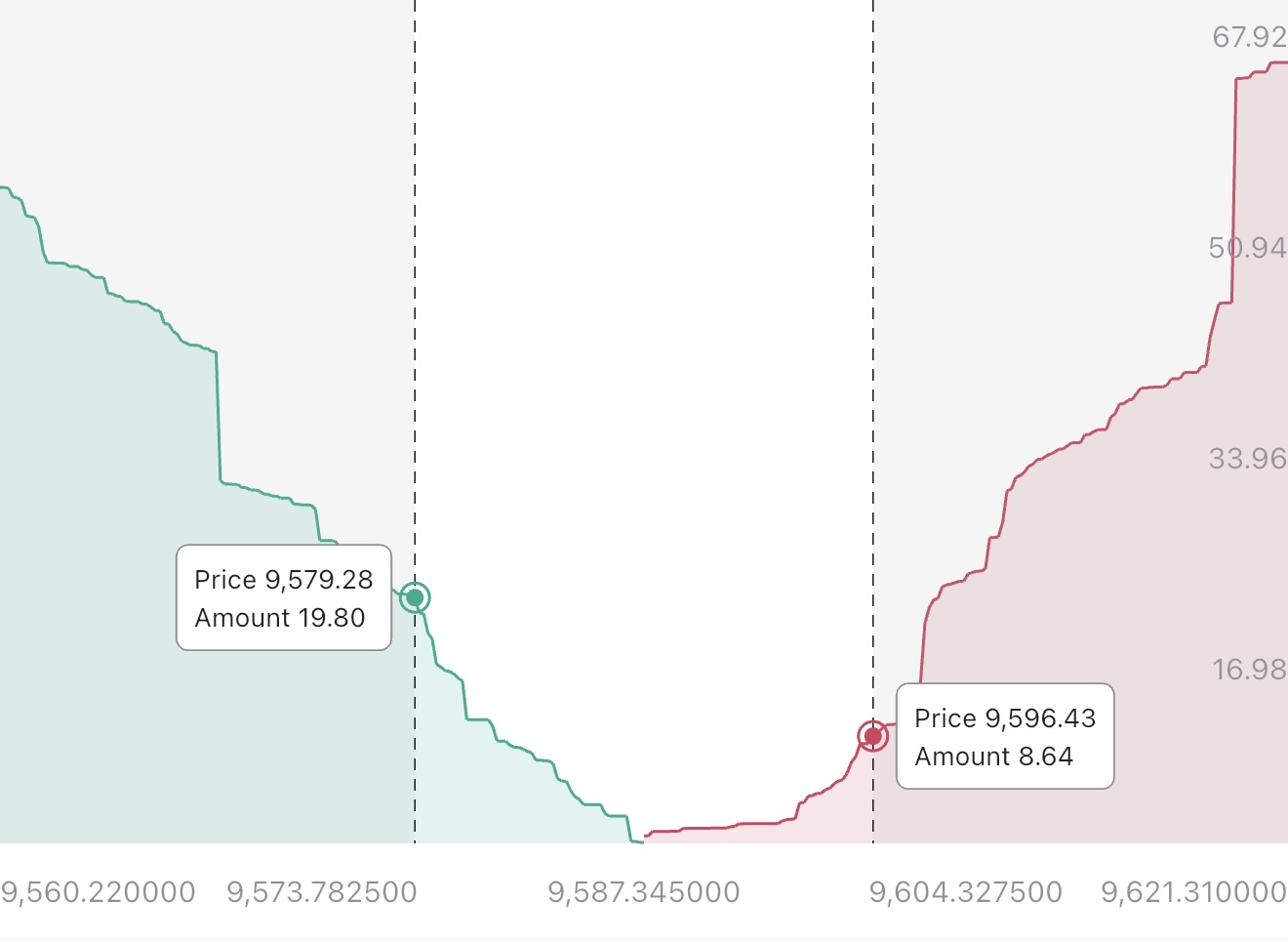
DepthChart(
  _bids,
  _asks,
  depthColors, // config the depth chart colors
  chartStyle: depthStyle, // config the depth chart style
  chartTranslations: const DepthChartTranslations(
    price: 'Price',
    amount: 'Amount',
  ),
) //Note: Datas must be an ordered list,
Dark | Light Theme
ChartColor helped to set the color for the chart. You need to flexibly change according to your theme configuration to ensure UI.
If you need to apply multi theme, you need to change at least the colors related to the text, border, grid and background color
final themeData = Theme.of(context);
final textColor = themeData.textTheme.bodyMedium?.color ?? Colors.grey;
final hintTextColor = themeData.disabledColor;

/// Configure the depth chart style
DepthChartStyle depthStyle = DepthChartStyle();
DepthChartColors depthColors = DepthChartColors(
  upColor: const Color(0xFF1EBB43),
  upFillPathColor: const Color(0x1F2AC07F),
  dnColor: const Color(0xFFFF476B),
  dnFillPathColor: const Color(0x1FE22127),
  selectBorderColor: themeData.dividerColor,
  selectFillColor: themeData.cardColor,
  defaultTextColor: hintTextColor,
  annotationColor: textColor,
  crossColor: textColor.withAlpha(220),
  barrierColor: const Color(0x12202020)
);

/// Configure the k chart style
KChartStyle kchartStyle = KChartStyle();
KChartColors kchartColors = KChartColors(
  bgColor: themeData.scaffoldBackgroundColor,
  kLineColor: const Color(0xff217AFF),
  kLineFillColors : const [
    Color(0x80217aff),
    Color(0x00217AFF),
  ],

  ma5Color: const Color(0xFFFFC634),
  ma10Color: const Color(0xff35cdac),
  upColor: const Color(0xFF1EBB43),
  dnColor: const Color(0xFFFF476B),
  volColor: const Color(0xff2f8fd5),
  volUpColor: const Color(0xFF1EBB43), //0x4D31BD65
  volDnColor: const Color(0xFFFF476B), //0x4DE93057
  nowPriceUpColor: const Color(0xFF1EBB43),
  nowPriceDnColor: const Color(0xFFFF476B),
  selectBorderColor: themeData.dividerColor,
  selectFillColor: themeData.inputDecorationTheme.fillColor ?? Colors.white,
  gridColor: themeData.dividerColor,
  crossColor: textColor.withAlpha(220),
  crossTextColor: textColor,
  defaultTextColor: hintTextColor,
  maxColor: textColor,
  minColor: textColor,
);
Thanks

TrangLeQuynh ↗
使用的依赖
如何选择适合项目的代码仓?
先按使用场景筛选,再比较项目活跃情况,最后到原始仓库核对使用要求。
- 通过仓库名、作者或描述搜索,再按技术分类缩小范围。
- 结合星标、复刻与最近推送比较项目;星标反映社区关注,不代表质量保证。
- 使用前在 GitHub 核对 README、许可证与 Issues。
来源与维护
“A repository is the most basic element of GitHub.”
GitHub Docs — About repositories ↗