

 v1.0.2
flutter_overlay_window
用于在屏幕上显示您的 Flutter 应用程序覆盖其他应用程序的 Flutter 插件
530喜欢 1.7万近 30 天下载160Pub 分数
Android
在屏幕上显示 Flutter 应用程序覆盖其他应用程序的 Flutter 插件

以下为英文项目原文快照,最新内容请访问 GitHub。



Flutter plugin for displaying your Flutter app over other apps on the screen
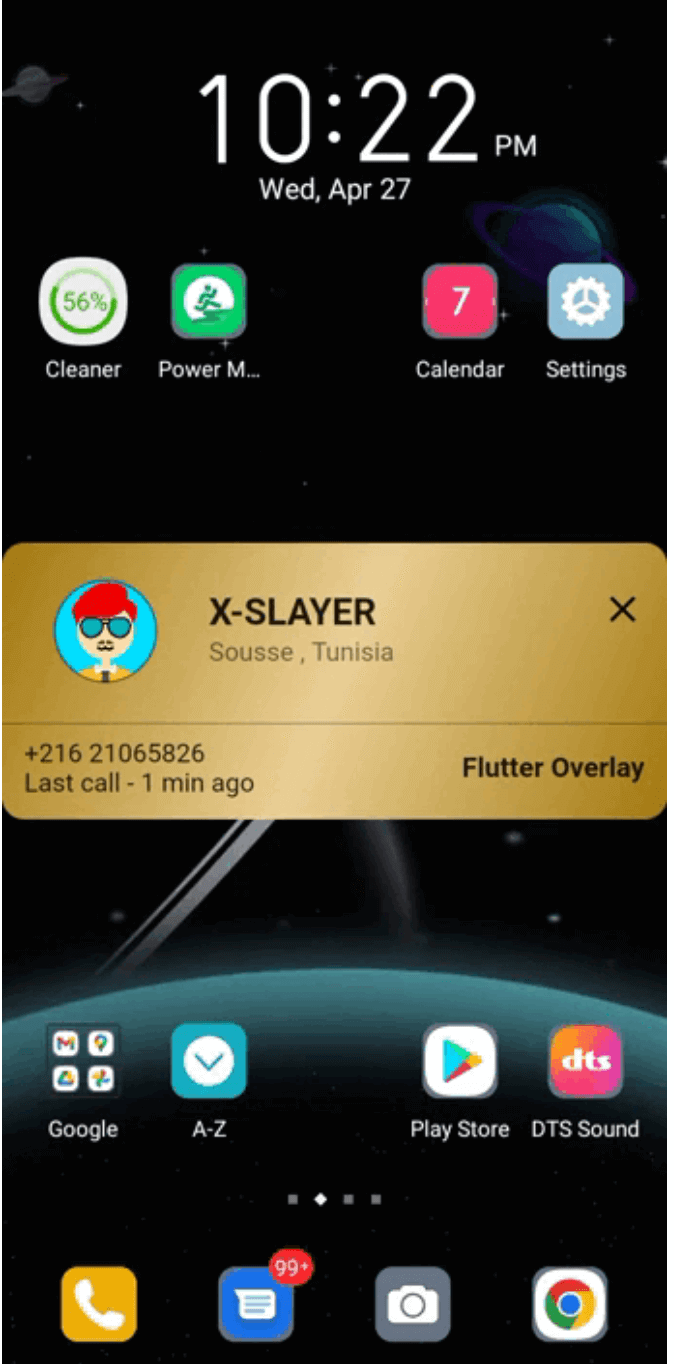
| TrueCaller overlay example | click-through overlay example | Messanger chat-head example |
|---|---|---|
 |
 |
 |
Add package to your pubspec:
dependencies:
  flutter_overlay_window: any # or the latest version on Pub
You'll need to add the SYSTEM_ALERT_WINDOW permission and OverlayService to your Android Manifest.
Replace explanation_for_special_use with your custom explanation.
    <uses-permission android:name="android.permission.SYSTEM_ALERT_WINDOW" />
    <uses-permission android:name="android.permission.FOREGROUND_SERVICE"/>
    <uses-permission android:name="android.permission.FOREGROUND_SERVICE_SPECIAL_USE" />

    <application>
        ...
        <service android:name="flutter.overlay.window.flutter_overlay_window.OverlayService"
            android:exported="false"
            android:foregroundServiceType="specialUse">
            <property android:name="android.app.PROPERTY_SPECIAL_USE_FGS_SUBTYPE"
                android:value="explanation_for_special_use"/>
        </service>
    </application>
Inside main.dart create an entry point for your Overlay widget;
// overlay entry point
@pragma("vm:entry-point")
void overlayMain() {
  runApp(const MaterialApp(
    debugShowCheckedModeBanner: false,
    home: Material(child: Text("My overlay"))
  ));
}
 /// check if overlay permission is granted
 final bool status = await FlutterOverlayWindow.isPermissionGranted();

 /// request overlay permission
 /// it will open the overlay settings page and return `true` once the permission granted.
 final bool status = await FlutterOverlayWindow.requestPermission();

  /// Open overLay content
  ///
  /// - Optional arguments:
  ///
  /// `height` the overlay height and default is [WindowSize.fullCover]
  ///
  /// `width` the overlay width and default is [WindowSize.matchParent]
  ///
  /// `alignment` the alignment postion on screen and default is [OverlayAlignment.center]
  ///
  /// `visibilitySecret` the detail displayed in notifications on the lock screen and default is [NotificationVisibility.visibilitySecret]
  ///
  /// `OverlayFlag` the overlay flag and default is [OverlayFlag.defaultFlag]
  ///
  /// `overlayTitle` the notification message and default is "overlay activated"
  ///
  /// `overlayContent` the notification message
  ///
  /// `enableDrag` to enable/disable dragging the overlay over the screen and default is "false"
  ///
  /// `positionGravity` the overlay postion after drag and default is [PositionGravity.none]
  ///
  /// `startPosition` the overlay start position and default is null
 await FlutterOverlayWindow.showOverlay();

 /// closes overlay if open
 await FlutterOverlayWindow.closeOverlay();

 /// broadcast data to and from overlay app
 await FlutterOverlayWindow.shareData("Hello from the other side");

 /// streams message shared between overlay and main app
  FlutterOverlayWindow.overlayListener.listen((event) {
      log("Current Event: $event");
    });

 /// use [OverlayFlag.focusPointer] when you want to use fields that show keyboards
 await FlutterOverlayWindow.showOverlay(flag: OverlayFlag.focusPointer);


 /// update the overlay flag while the overlay in action
 await FlutterOverlayWindow.updateFlag(OverlayFlag.defaultFlag);

 /// Update the overlay size in the screen
 await FlutterOverlayWindow.resizeOverlay(80, 120);

 /// Update the overlay position in the screen
 ///
 /// `position` the new position of the overlay
 ///
 /// `return` true if the position updated successfully
 await FlutterOverlayWindow.moveOverlay(OverlayPosition(0, 156))

 /// Get the current overlay position
 ///
 /// `return` the current overlay position
 await FlutterOverlayWindow.getOverlayPosition()
enum OverlayFlag {
  /// Window flag: this window can never receive touch events.
  /// Usefull if you want to display click-through overlay
  clickThrough,

  /// Window flag: this window won't ever get key input focus
  /// so the user can not send key or other button events to it.
  defaultFlag,

  /// Window flag: allow any pointer events outside of the window to be sent to the windows behind it.
  /// Usefull when you want to use fields that show keyboards.
  focusPointer,
}
  /// Type of dragging behavior for the overlay.
  enum PositionGravity {
    /// The `PositionGravity.none` will allow the overlay to postioned anywhere on the screen.
    none,

    /// The `PositionGravity.right` will allow the overlay to stick on the right side of the screen.
    right,

    /// The `PositionGravity.left` will allow the overlay to stick on the left side of the screen.
    left,

    /// The `PositionGravity.auto` will allow the overlay to stick either on the left or right side of the screen depending on the overlay position.
    auto,
  }
依赖清单 3 项
{"sdk":"flutter"}{"sdk":"flutter"}^1.0.0先按使用场景筛选,再比较项目活跃情况,最后到原始仓库核对使用要求。
“A repository is the most basic element of GitHub.”
GitHub Docs — About repositories ↗