
 v0.3.0
activity_ring
用于创建苹果手表风格环形进度条的 Flutter 库。
31喜欢 1810近 30 天下载140Pub 分数
AndroidiOSWebmacOSWindowsLinux
用于创建苹果手表风格环形进度条的库。
以下为英文项目原文快照,最新内容请访问 GitHub。

Library to create Progress bars in Apple Watch style rings - Apple Watch Rings
To use, import package:activity_ring/activity_ring.dart.
This library is built with to be extremely customizable with low effort. Please check the API documentation if you get stuck anywhere.
Note: Do not let the auto brighten colors to exceed 3 rings as this will cause a runtime exception.
There are several ways to create rings.
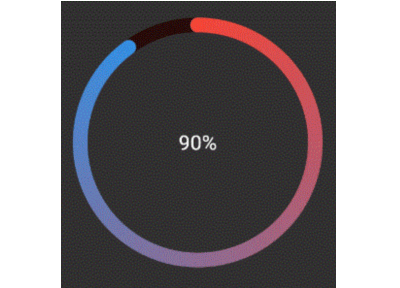
Ring(
  percent: 90,
  color: RingColorScheme(ringColor: Colors.red),
  radius: 80,
  width: 10,
  child: Center(child: Text('90%')),
)
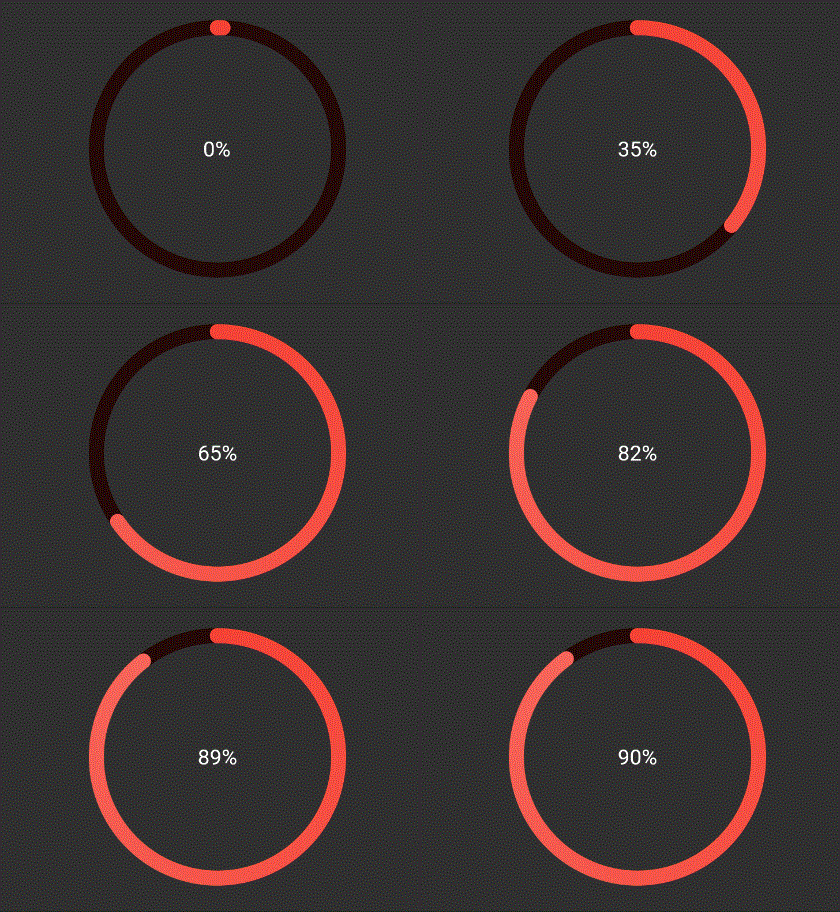
The above ring is automatically painted with gradients. To have a
constant color just pass gradient: false to RingColorScheme.
Ring(
  percent: 90,
  color: RingColorScheme(ringGradient: [Colors.red, Colors.blue]),
  radius: 80,
  width: 10,
  child: Center(child: Text('90%')),
),
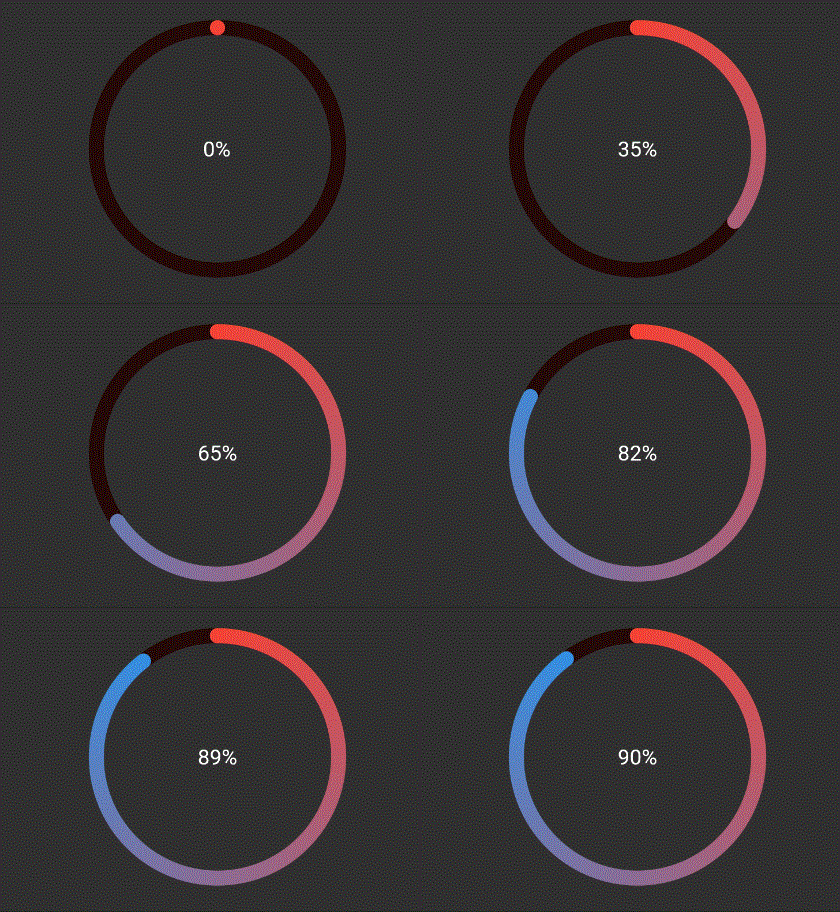
The above ring is automatically painted with gradient from colors given.
Ring(
  percent: 190,
  color: RingColorScheme(ringColors: [Colors.red, Colors.blue]),
  radius: 80,
  width: 10,
  child: Center(child: Text('190%')),
),
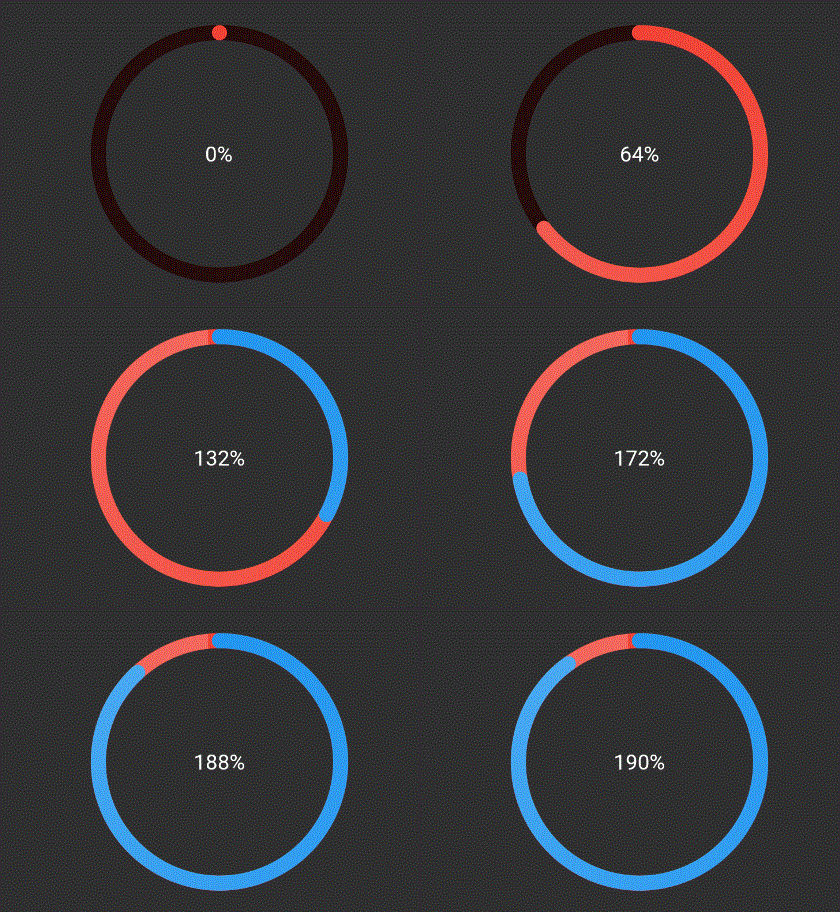
The above ring is automatically painted with gradient from colors given,
where each color in list represents that ring's color. To have a
constant color just pass gradient: false to RingColorScheme.
Ring(
  percent: 190,
  color: RingColorScheme(ringGradients: [[Colors.red, Colors.yellow], [Colors.yellow, Colors.green]]),
  radius: 80,
  width: 10,
  child: Center(child: Text('190%')),
),
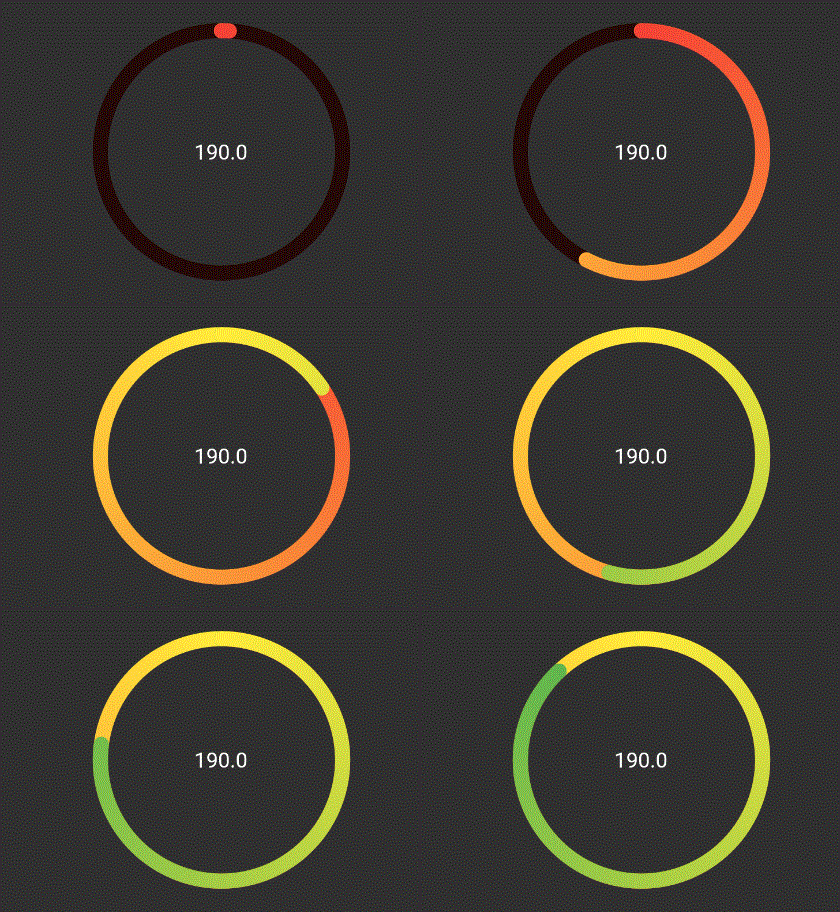
The above ring is automatically painted with gradient from colors given,
where each color in list represents that ring's color. To have a
constant color just pass gradient: false to RingColorScheme.

依赖清单 2 项
{"sdk":"flutter"}{"sdk":"flutter"}先按使用场景筛选,再比较项目活跃情况,最后到原始仓库核对使用要求。
“A repository is the most basic element of GitHub.”
GitHub Docs — About repositories ↗