

 v2.0.1
json_table
一个 Flutter 包,提供 Json 表格小部件,可直接从 json(Map) 显示表格。
237喜欢 4780近 30 天下载130Pub 分数
AndroidiOSWebmacOSWindowsLinux
Flutter 包:Json 表格小部件,用于从 JSON 数组创建表格

以下为英文项目原文快照,最新内容请访问 GitHub。


Join us on Discord: https://discord.gg/7byeCn7MGF
 Request a Demo |
This Flutter package provides a Json Table Widget for directly showing table from a json(Map). Supports Column toggle also.
Live Demo: https://apgapg.github.io/json_table/
Live Data Testing: https://apgapg.github.io/json_table/#/customData
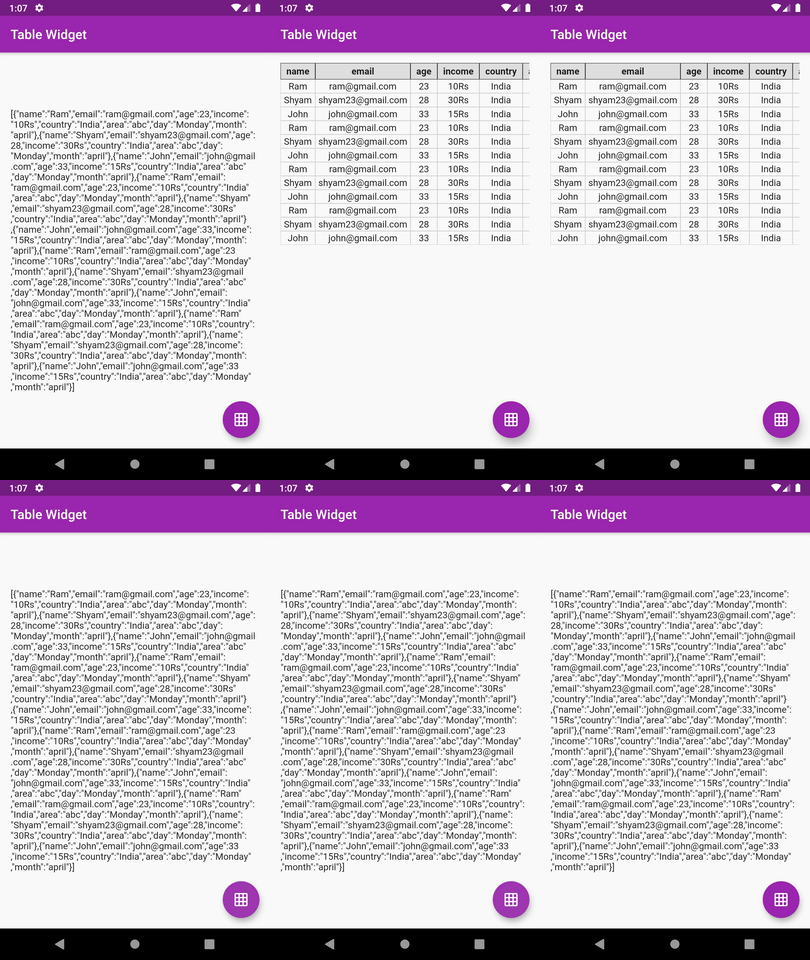
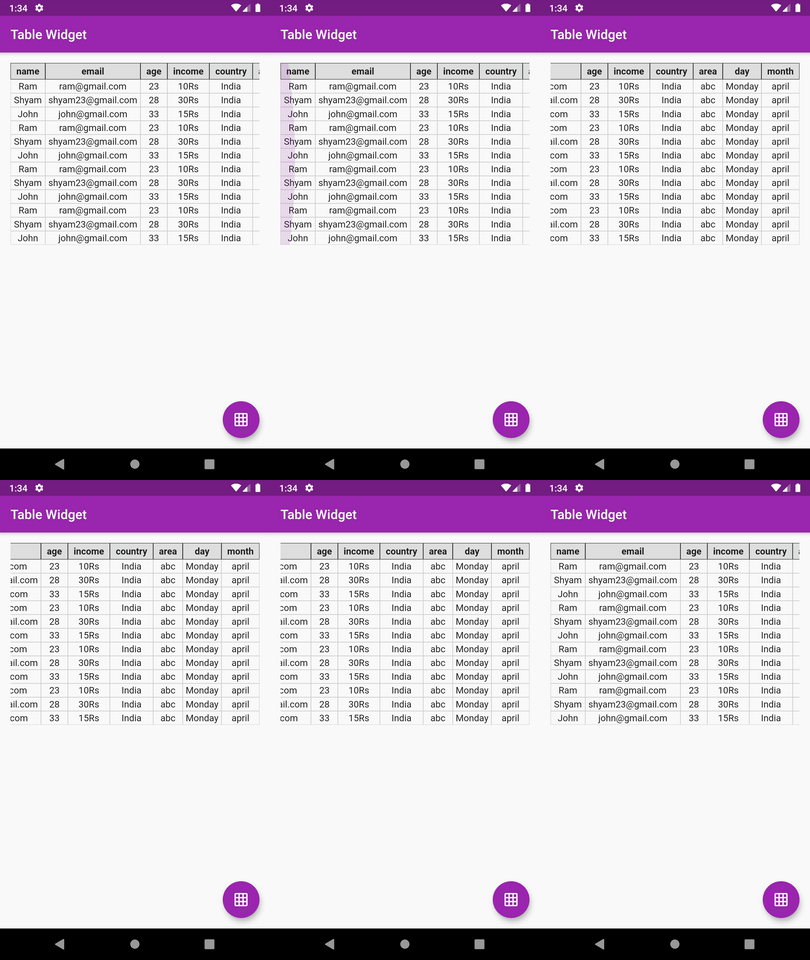
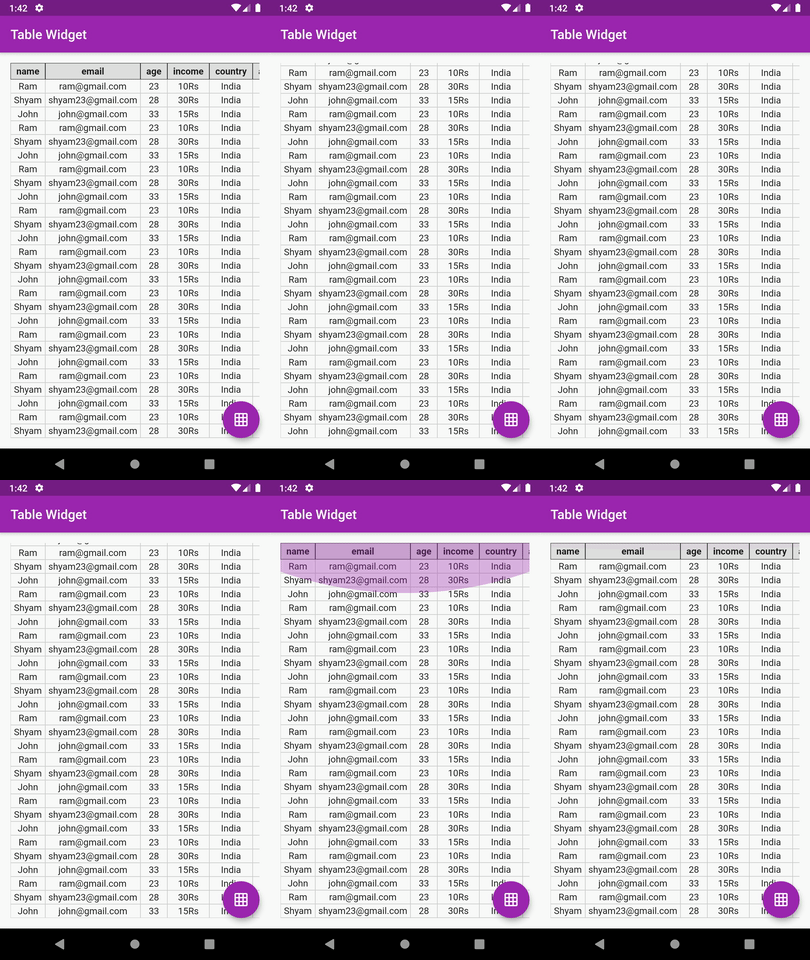
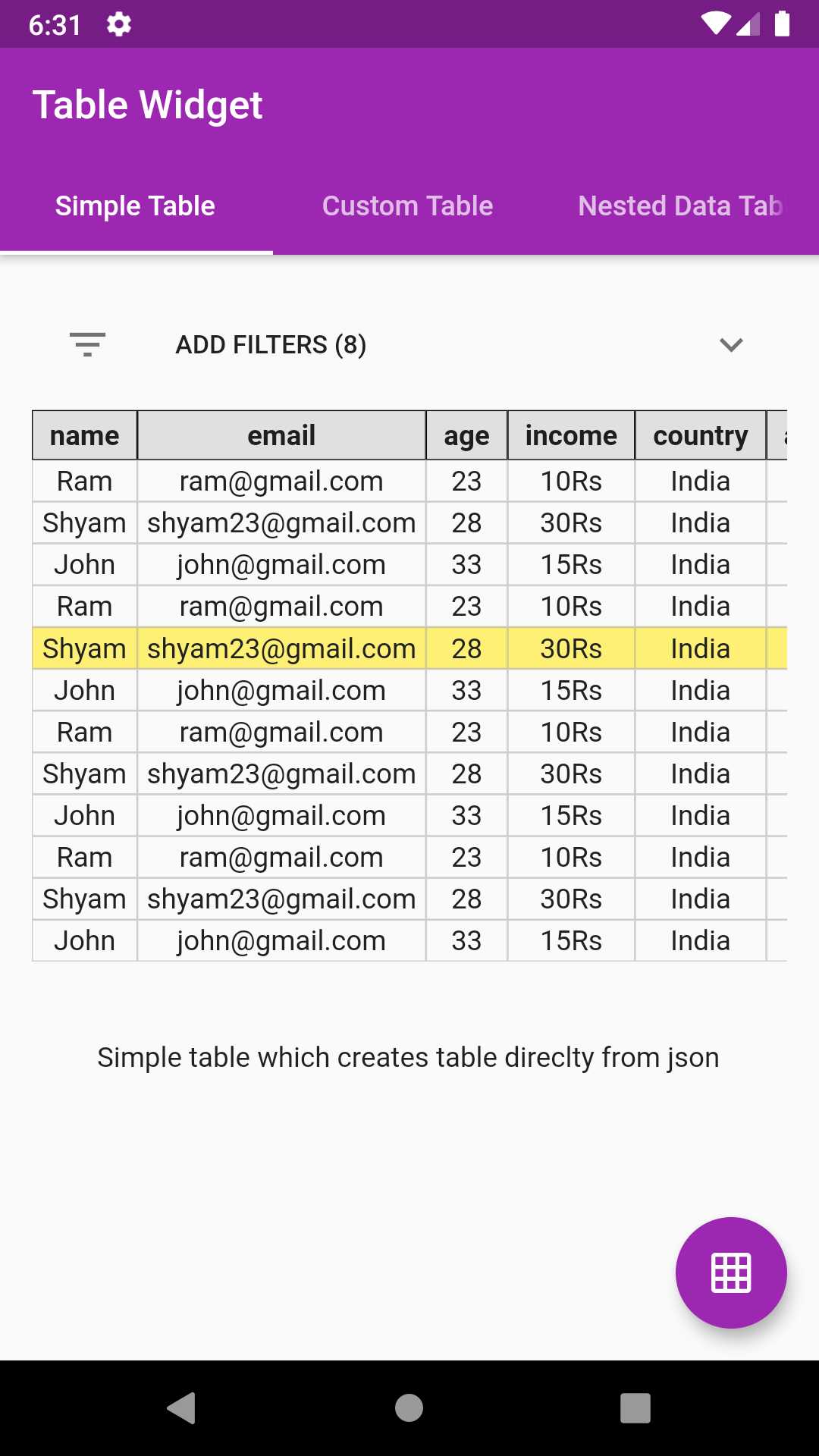
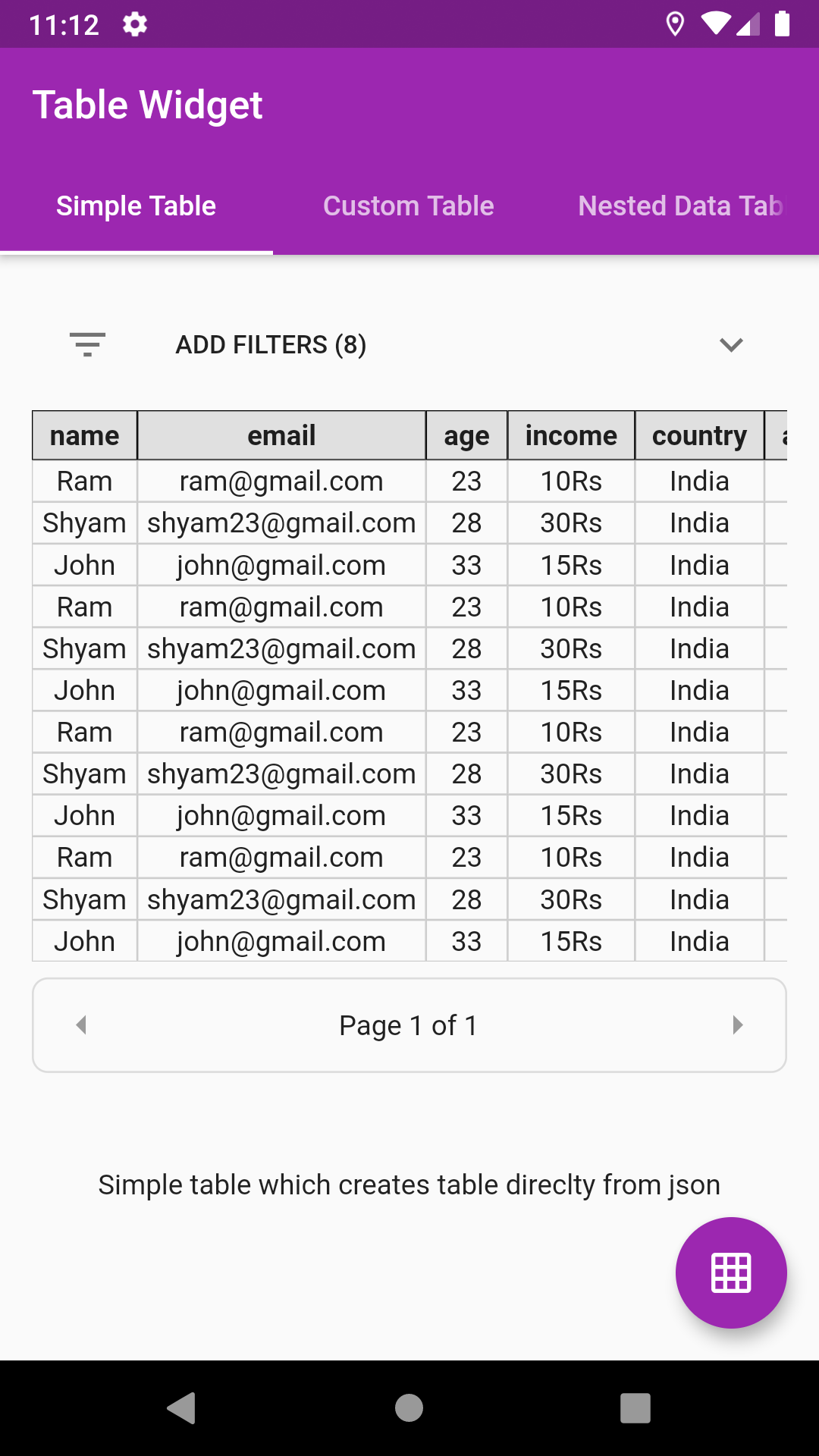
In the dependencies: section of your pubspec.yaml, add the following line:

dependencies:
  json_table: <latest version>
import 'package:json_table/json_table.dart';
//Decode your json string
final String jsonSample='[{"id":1},{"id":2}]';
var json = jsonDecode(jsonSample);

//Simply pass this json to JsonTable
child: JsonTable(json)
JsonTable(
   json,
   tableHeaderBuilder: (String header) {
     return Container(
       padding: EdgeInsets.symmetric(horizontal: 8.0, vertical: 4.0),
       decoration: BoxDecoration(border: Border.all(width: 0.5),color: Colors.grey[300]),
       child: Text(
         header,
         textAlign: TextAlign.center,
         style: Theme.of(context).textTheme.display1.copyWith(fontWeight: FontWeight.w700, fontSize: 14.0,color: Colors.black87),
       ),
     );
   },
   tableCellBuilder: (value) {
     return Container(
       padding: EdgeInsets.symmetric(horizontal: 4.0, vertical: 2.0),
       decoration: BoxDecoration(border: Border.all(width: 0.5, color: Colors.grey.withOpacity(0.5))),
       child: Text(
         value,
         textAlign: TextAlign.center,
         style: Theme.of(context).textTheme.display1.copyWith(fontSize: 14.0, color: Colors.grey[900]),
       ),
     );
   },
 )
Head over to example code: simple_table.dart
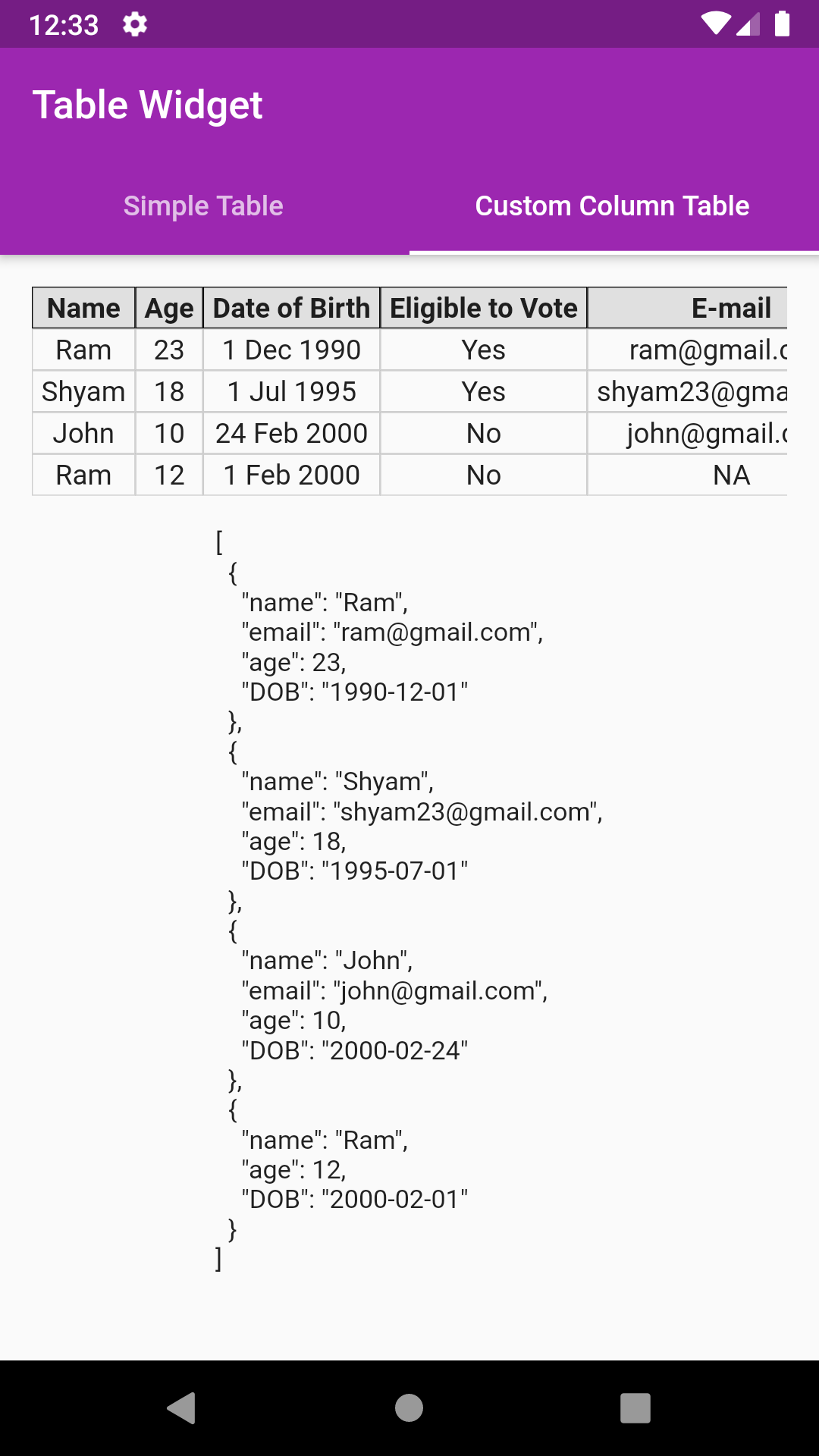
JsonTableColumn("age", label: "Eligible to Vote", valueBuilder: eligibleToVote, defaultValue:"NA")
//Decode your json string
final String jsonSample='[{"name":"Ram","email":"ram@gmail.com","age":23,"DOB":"1990-12-01"},'
                              '{"name":"Shyam","email":"shyam23@gmail.com","age":18,"DOB":"1995-07-01"},'
                              '{"name":"John","email":"john@gmail.com","age":10,"DOB":"2000-02-24"},'
                              '{"name":"Ram","age":12,"DOB":"2000-02-01"}]';
var json = jsonDecode(jsonSample);
//Create your column list
var columns = [
      JsonTableColumn("name", label: "Name"),
      JsonTableColumn("age", label: "Age"),
      JsonTableColumn("DOB", label: "Date of Birth", valueBuilder: formatDOB),
      JsonTableColumn("age", label: "Eligible to Vote", valueBuilder: eligibleToVote),
      JsonTableColumn("email", label: "E-mail", defaultValue: "NA"),
    ];
//Simply pass this column list to JsonTable
child: JsonTable(json,columns: columns)

//Example of valueBuilder
String eligibleToVote(value) {
    if (value >= 18) {
      return "Yes";
    } else
      return "No";
}
Head over to example code: custom_column_table.dart
Suppose your json object has nested data like email as shown below:
{"name":"Ram","email":{"1":"ram@gmail.com"},"age":23,"DOB":"1990-12-01"}
JsonTableColumn("email.1", label: "Email", defaultValue:"NA")
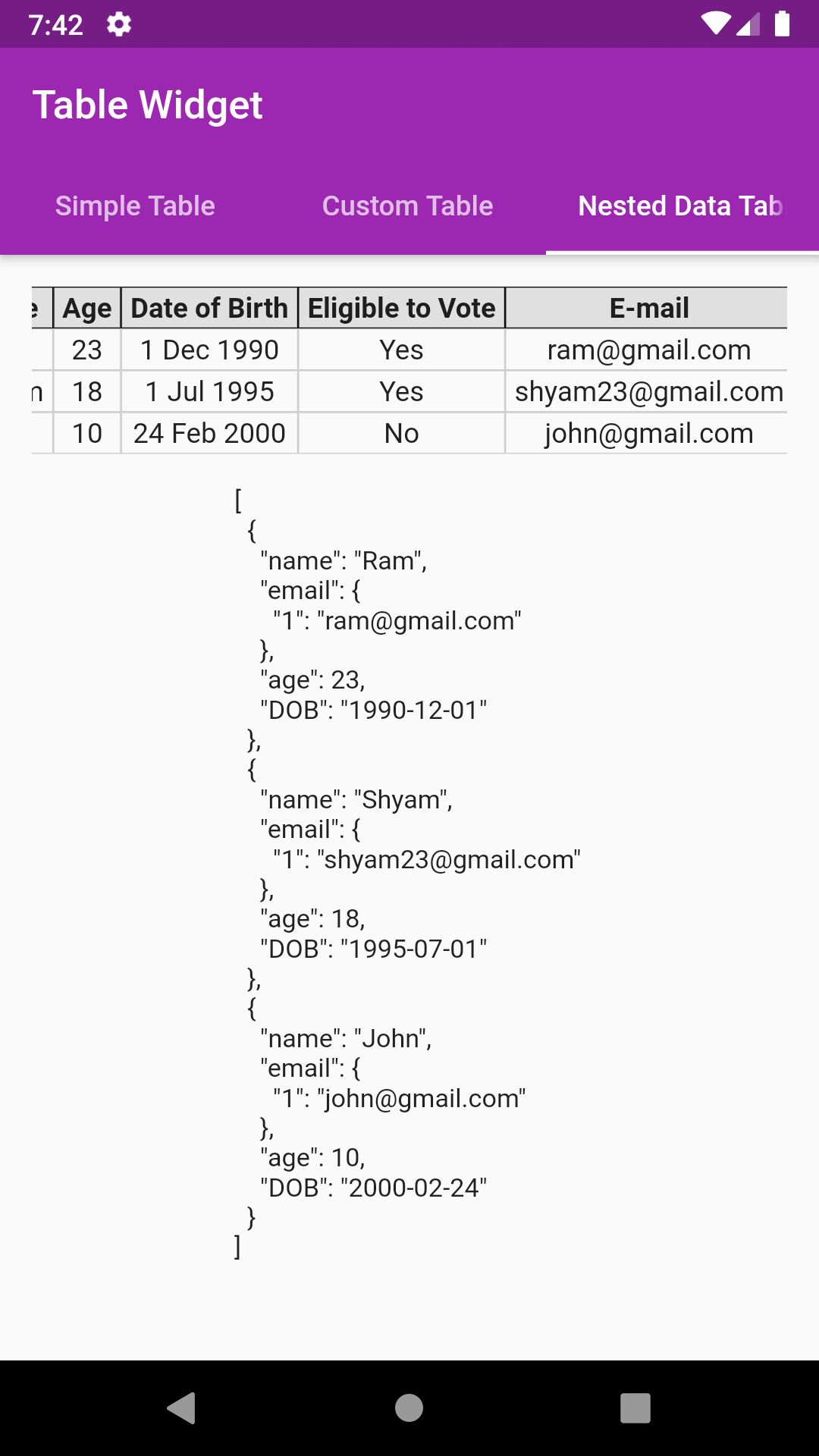
//Decode your json string
final String jsonSample='[{"name":"Ram","email":{"1":"ram@gmail.com"},"age":23,"DOB":"1990-12-01"},'
                               '{"name":"Shyam","email":{"1":"shyam23@gmail.com"},"age":18,"DOB":"1995-07-01"},'
                               '{"name":"John","email":{"1":"john@gmail.com"},"age":10,"DOB":"2000-02-24"}]';
var json = jsonDecode(jsonSample);
//Create your column list
var columns = [
      JsonTableColumn("name", label: "Name"),
      JsonTableColumn("age", label: "Age"),
      JsonTableColumn("DOB", label: "Date of Birth", valueBuilder: formatDOB),
      JsonTableColumn("age", label: "Eligible to Vote", valueBuilder: eligibleToVote),
      JsonTableColumn("email.1", label: "E-mail", defaultValue: "NA"),
    ];
//Simply pass this column list to JsonTable
child: JsonTable(json,columns: columns)
Head over to example code: custom_column_nested_table.dart
Option for toggling column(s) also. User can customise which columns are to be shown
showColumnToggle: true
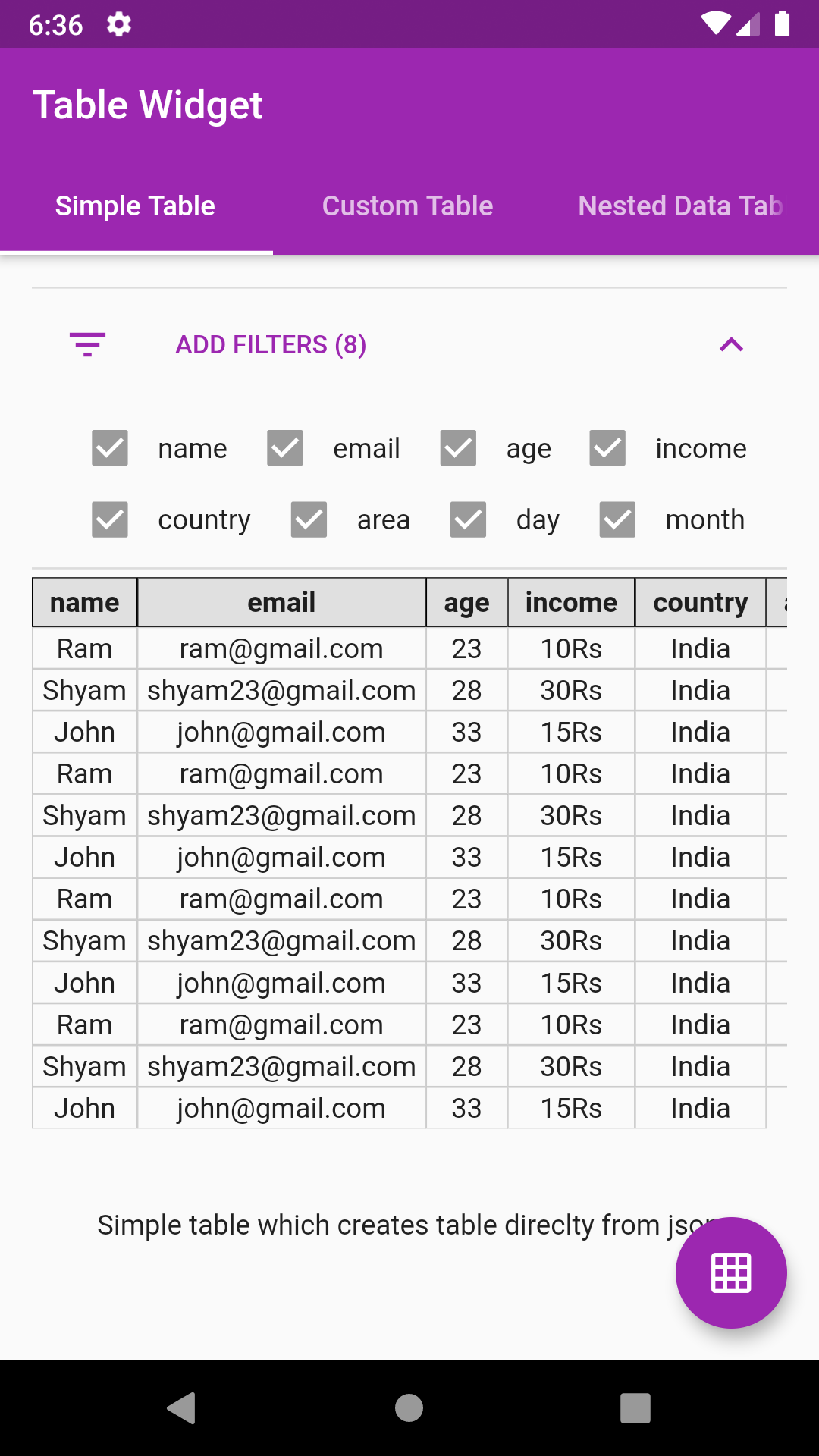
Add row highlighting with custom color support
allowRowHighlight: true,
rowHighlightColor: Colors.yellow[500].withOpacity(0.7),
Get the index and data map of a particular selected row. Note index might return incorrect value in case of pagination
onRowSelect: (index, map) {
    print(index);
    print(map);
  },
Just provide an int value to paginationRowCount parameter
paginationRowCount: 4,
 Flutter Pie Chart with cool animation.
 Flutter Avatar Glow Widget with glowing animation.
 Flutter Search Widget for selecting an option from list.
 Flutter Animating Location Pin Widget providing Animating Location Pin Widget which can be used while fetching device location.
 Showcase My Portfolio: Ayush P Gupta on Playstore.
 Flutter App which allows reading/uploading short stories.
依赖清单 2 项
{"sdk":"flutter"}{"sdk":"flutter"}先按使用场景筛选,再比较项目活跃情况,最后到原始仓库核对使用要求。
“A repository is the most basic element of GitHub.”
GitHub Docs — About repositories ↗