



 v0.1.6
bitsdojo_window
一个用于帮助在 Flutter 桌面端创建自定义窗口(自定义边框、标题栏以及最小化/最大化/关闭按钮)和常见桌面窗口操作(显示/隐藏/屏幕位置)的包,适用于 Windows 和 macOS
1060喜欢 2.9万近 30 天下载120Pub 分数
macOSWindowsLinux
一个 Flutter 包,可轻松自定义和操作您的 Flutter 桌面应用程序窗口。

以下为英文项目原文快照,最新内容请访问 GitHub。




A Flutter package that makes it easy to customize and work with your Flutter desktop app window on Windows, macOS and Linux.
Watch the tutorial to get started. Click the image below to watch the video:
Features:
Add the package to your project's pubspec.yaml file manually or using the command below:
pub add bitsdojo_window
The pubspec.yaml file should look like this:
// pubspec.yaml

  ...

  dependencies:
    flutter:
      sdk: flutter
+ bitsdojo_window: ^0.1.6

  dev_dependencies:

  ...
Inside your application folder, go to windows\runner\main.cpp and change the code look like this:
// windows/runner/main.cpp

  ...

  #include "flutter_window.h"
  #include "utils.h"

+ #include <bitsdojo_window_windows/bitsdojo_window_plugin.h>
+ auto bdw = bitsdojo_window_configure(BDW_CUSTOM_FRAME | BDW_HIDE_ON_STARTUP);

  int APIENTRY wWinMain(_In_ HINSTANCE instance, _In_opt_ HINSTANCE prev,

  ...
Inside your application folder, go to macos\runner\MainFlutterWindow.swift and change the code look like this:
// macos/runner/MainFlutterWindow.swift

  import Cocoa
  import FlutterMacOS
+ import bitsdojo_window_macos

- class MainFlutterWindow: NSWindow {
+ class MainFlutterWindow: BitsdojoWindow {
+     override func bitsdojo_window_configure() -> UInt {
+     return BDW_CUSTOM_FRAME | BDW_HIDE_ON_STARTUP
+   }
      override func awakeFromNib() {

      ...

    }
  }
If you don't want to use a custom frame and prefer the standard window titlebar and buttons, you can remove the BDW_CUSTOM_FRAME flag from the code above.
If you don't want to hide the window on startup, you can remove the BDW_HIDE_ON_STARTUP flag from the code above.
Inside your application folder, go to linux\my_application.cc and change the code look like this:
// linux/my_application.cc

  ...
  #include "flutter/generated_plugin_registrant.h"
+ #include <bitsdojo_window_linux/bitsdojo_window_plugin.h>

  struct _MyApplication {

  ...

  }

+  auto bdw = bitsdojo_window_from(window);
+  bdw->setCustomFrame(true);
-  gtk_window_set_default_size(window, 1280, 720);
   gtk_widget_show(GTK_WIDGET(window));

   g_autoptr(FlDartProject) project = fl_dart_project_new();

  ...

  }
Now go to lib\main.dart and change the code look like this:
// lib/main.dart

  import 'package:flutter/material.dart';
+ import 'package:bitsdojo_window/bitsdojo_window.dart';

 void main() {
   runApp(MyApp());

+   doWhenWindowReady(() {
+     const initialSize = Size(600, 450);
+     appWindow.minSize = initialSize;
+     appWindow.size = initialSize;
+     appWindow.alignment = Alignment.center;
+     appWindow.show();
+   });
 }
This will set an initial size and a minimum size for your application window, center it on the screen and show it on the screen.
You can find examples in the example folder.
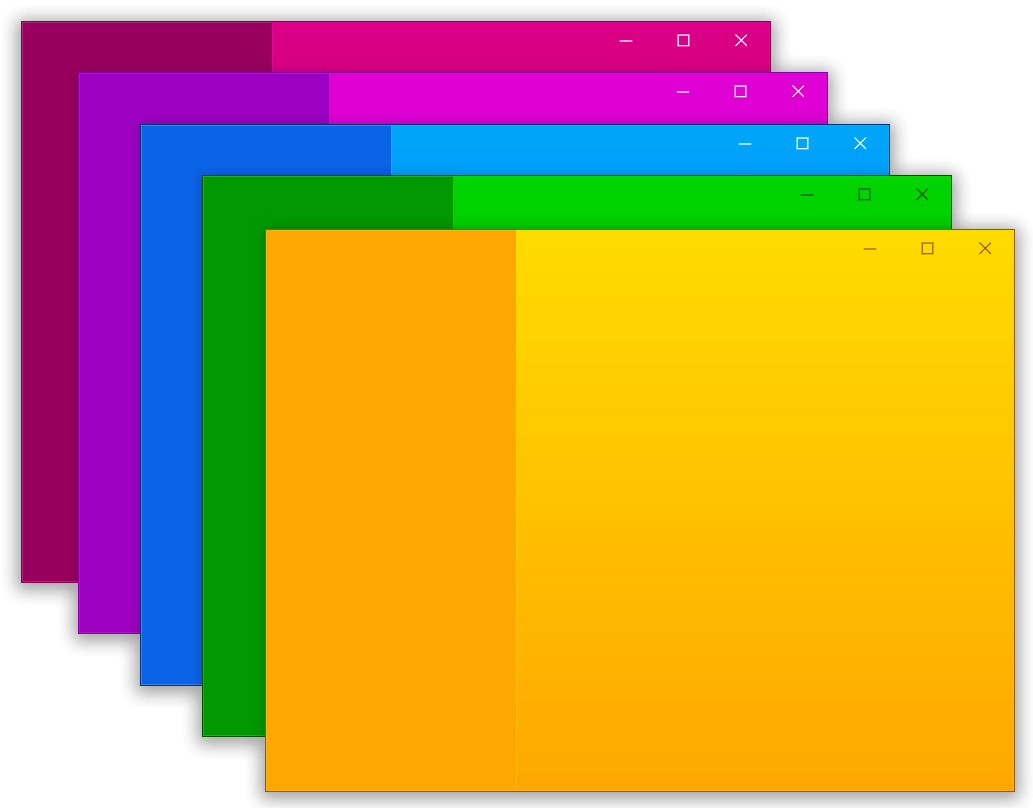
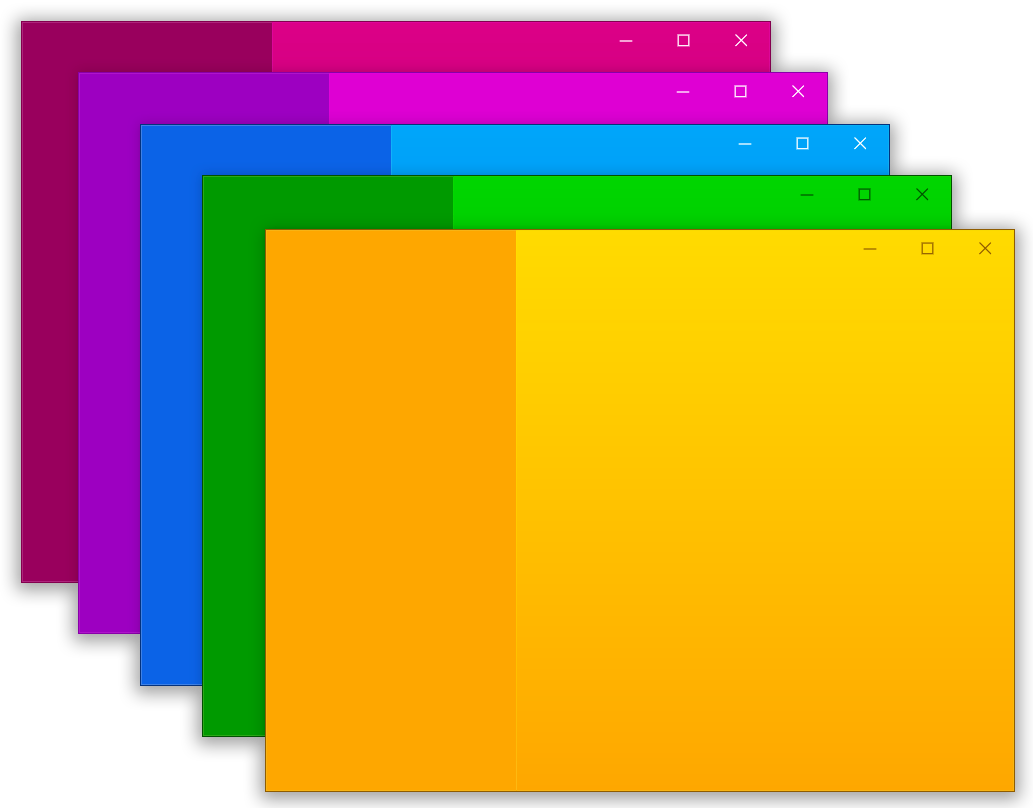
Here is an example that displays this window:
import 'package:flutter/material.dart';
import 'package:bitsdojo_window/bitsdojo_window.dart';

void main() {
  runApp(const MyApp());
  doWhenWindowReady(() {
    final win = appWindow;
    const initialSize = Size(600, 450);
    win.minSize = initialSize;
    win.size = initialSize;
    win.alignment = Alignment.center;
    win.title = "Custom window with Flutter";
    win.show();
  });
}

const borderColor = Color(0xFF805306);

class MyApp extends StatelessWidget {
  const MyApp({Key? key}) : super(key: key);

  @override
  Widget build(BuildContext context) {
    return MaterialApp(
      debugShowCheckedModeBanner: false,
      home: Scaffold(
        body: WindowBorder(
          color: borderColor,
          width: 1,
          child: Row(
            children: const [LeftSide(), RightSide()],
          ),
        ),
      ),
    );
  }
}

const sidebarColor = Color(0xFFF6A00C);

class LeftSide extends StatelessWidget {
  const LeftSide({Key? key}) : super(key: key);
  @override
  Widget build(BuildContext context) {
    return SizedBox(
        width: 200,
        child: Container(
            color: sidebarColor,
            child: Column(
              children: [
                WindowTitleBarBox(child: MoveWindow()),
                Expanded(child: Container())
              ],
            )));
  }
}

const backgroundStartColor = Color(0xFFFFD500);
const backgroundEndColor = Color(0xFFF6A00C);

class RightSide extends StatelessWidget {
  const RightSide({Key? key}) : super(key: key);
  @override
  Widget build(BuildContext context) {
    return Expanded(
      child: Container(
        decoration: const BoxDecoration(
          gradient: LinearGradient(
              begin: Alignment.topCenter,
              end: Alignment.bottomCenter,
              colors: [backgroundStartColor, backgroundEndColor],
              stops: [0.0, 1.0]),
        ),
        child: Column(children: [
          WindowTitleBarBox(
            child: Row(
              children: [Expanded(child: MoveWindow()), const WindowButtons()],
            ),
          )
        ]),
      ),
    );
  }
}

final buttonColors = WindowButtonColors(
    iconNormal: const Color(0xFF805306),
    mouseOver: const Color(0xFFF6A00C),
    mouseDown: const Color(0xFF805306),
    iconMouseOver: const Color(0xFF805306),
    iconMouseDown: const Color(0xFFFFD500));

final closeButtonColors = WindowButtonColors(
    mouseOver: const Color(0xFFD32F2F),
    mouseDown: const Color(0xFFB71C1C),
    iconNormal: const Color(0xFF805306),
    iconMouseOver: Colors.white);

class WindowButtons extends StatelessWidget {
  const WindowButtons({Key? key}) : super(key: key);
  @override
  Widget build(BuildContext context) {
    return Row(
      children: [
        MinimizeWindowButton(colors: buttonColors),
        MaximizeWindowButton(colors: buttonColors),
        CloseWindowButton(colors: closeButtonColors),
      ],
    );
  }
}
I am developing this package in my spare time and any help is appreciated.
If you want to help you can become a sponsor.
🙏 Thank you!
No sponsors
先按使用场景筛选,再比较项目活跃情况,最后到原始仓库核对使用要求。
“A repository is the most basic element of GitHub.”
GitHub Docs — About repositories ↗