
交互式底部表单
Flutter 包。一个可自定义的交互式底部弹出层,允许您与它背后的屏幕进行交互。

- 星标
- 2
- 复刻
- 1
- 最近推送(UTC)
- 2026年8月17日
- 项目状态
- 未归档
原始 README
以下为英文项目原文快照,最新内容请访问 GitHub。
Interactive Bottom Sheet




A customizable interactive bottom sheet, which lets you interact with the screen behind it.
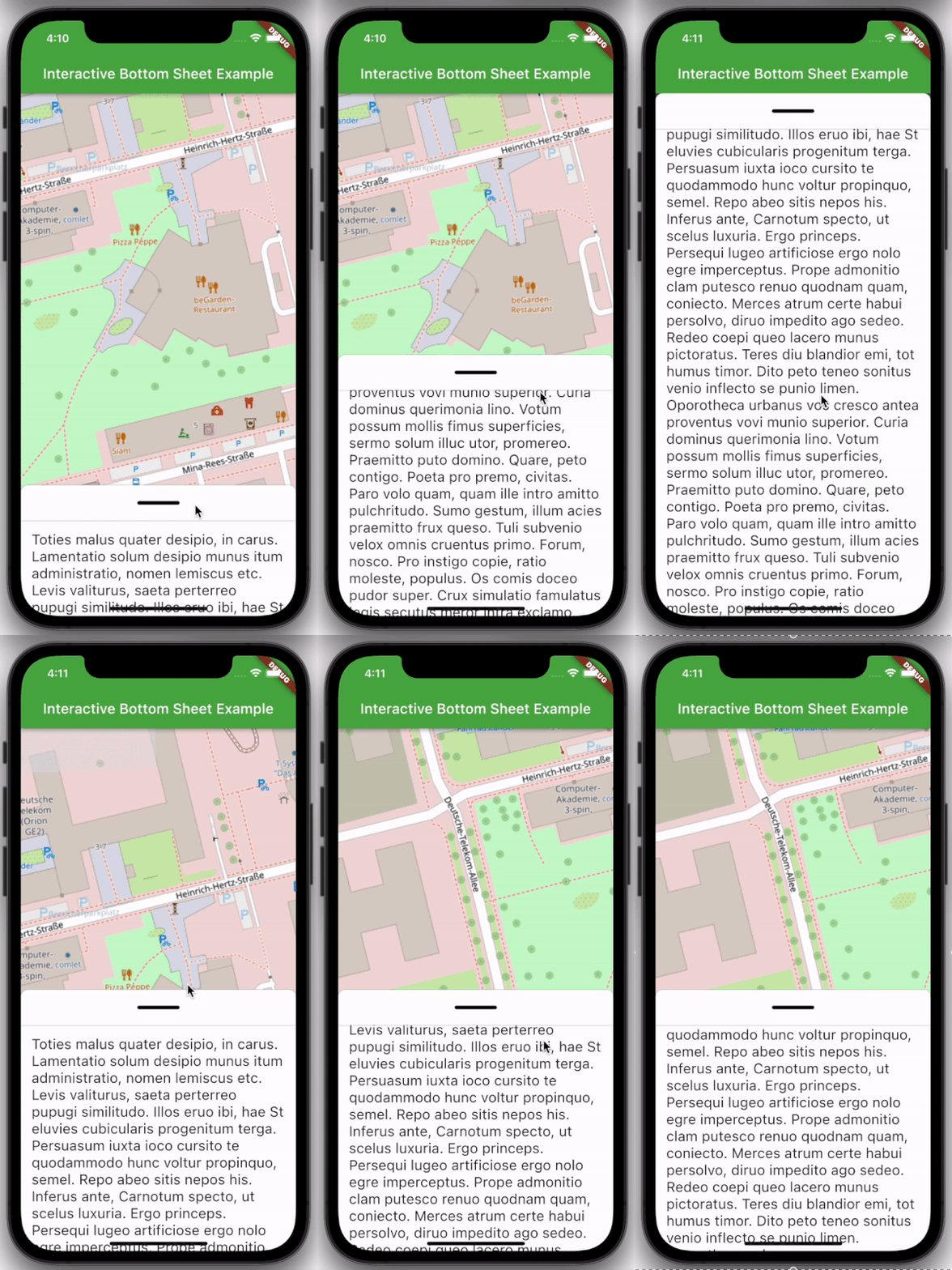
Features
- Easy to use
- Customizable colors
- Customizable DraggableArea
- Customizable heights and widths of different parts of the sheet
- Possibility to declare snap points
Usage
Depend on it:
dependencies:
  interactive_bottom_sheet: ^1.0.0
Import it:
import 'package:interactive_bottom_sheet/interactive_bottom_sheet.dart';
Example
Scaffold(
  bottomSheet: const InteractiveBottomSheet(
    options: InteractiveBottomSheetOptions(),
    child: Text(
       'Lorem ipsum dolor sit amet.'
    ),
  ),
);
Customization options
Scaffold(
  bottomSheet: const Scaffold(
  bottomSheet: InteractiveBottomSheet(
    options: InteractiveBottomSheetOptions(
      maxSize: 0.75,
      backgroundColor: Colors.green,
      snapList: [0.25, 0.5],
    ),
    draggableAreaOptions: DraggableAreaOptions(
      topBorderRadius: 10,
      height: 75,
      backgroundColor: Colors.grey,
      indicatorColor: Colors.grey,
      indicatorWidth: 50,
      indicatorHeight: 50,
      indicatorRadius: 10,
      ),
    ),
    child: Text('Lorem ipsum dolor sit amet.'),
  ),
);
Top Border Radius
To get rounded Borders at the top of the sheet (usual for iOS) on the top side of the widget, it is necessary to overwrite the bottomSheetTheme.
Theme(
  data: Theme.of(context).copyWith(
    bottomSheetTheme: const BottomSheetThemeData(
      backgroundColor: Colors.transparent
    ),
  ),
  child: const Scaffold(
    bottomSheet: InteractiveBottomSheet(
      child: Text('Lorem ipsum dolor sit amet.'),
    ),
  ),
);

GitHub 作者
cosee ↗
语言C++CMakeDartRubyCSwiftHTMLShellKotlinObjective-C
分类
使用的依赖
依赖清单 4 项
- flutter
{"sdk":"flutter"} - flutter_test开发依赖
{"sdk":"flutter"} - cosee_lints开发依赖
^0.13.0 - dart_code_linter开发依赖
^4.0.0
如何选择适合项目的代码仓?
先按使用场景筛选,再比较项目活跃情况,最后到原始仓库核对使用要求。
- 通过仓库名、作者或描述搜索,再按技术分类缩小范围。
- 结合星标、复刻与最近推送比较项目;星标反映社区关注,不代表质量保证。
- 使用前在 GitHub 核对 README、许可证与 Issues。
来源与维护
“A repository is the most basic element of GitHub.”
GitHub Docs — About repositories ↗