
时间持续时间选择器
一个用于选择时间段的 Flutter 包
- 星标
- 8
- 复刻
- 6
- 最近推送(UTC)
- 2024年4月10日
- 项目状态
- 未归档
原始 README
以下为英文项目原文快照,最新内容请访问 GitHub。
Time Duration Picker
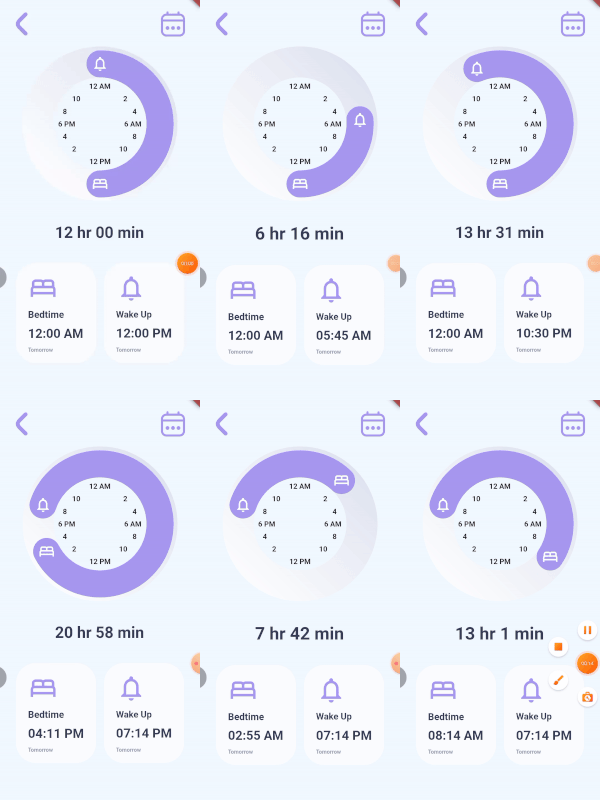
A time picker for paired consecutive tasks. It lets you specify the icons for each of your actions and callbacks when the user rotates each icon. You can optionally give callback for the time duration, decorations for the knob, the knob background, the clock and also color for your icons. The time and duration values are not displayed by the TimeDurationPicker widget, instead they are passed to the callbacks provided.
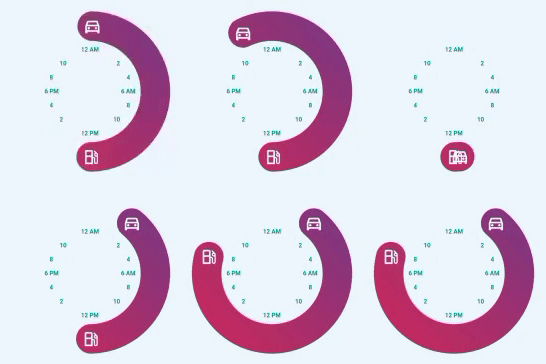
TimeDurationPicker(
      diameter: 300,
      icon1Data: Icons.directions_car_outlined,
      icon2Data: Icons.local_gas_station_outlined,
      knobDecoration: const BoxDecoration(
        gradient: LinearGradient(
          begin: Alignment.bottomLeft,
          end: Alignment.topRight,
          colors: [
            Color.fromRGBO(204, 43, 94, 1),
            Color.fromRGBO(117, 58, 136, 1),
          ],
        ),
      ),
      clockTextStyle: const TextStyle(
          color: Colors.teal, fontWeight: FontWeight.bold),
      onIcon1RotatedCallback: (value) {
        setState(() {
          goTime = value;
        });
      },
      onIcon2RotatedCallback: (value) {
        setState(() {
          gasTime = value;
        });
      },),
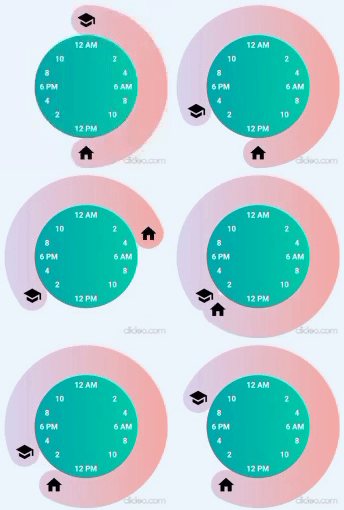
TimeDurationPicker(
  diameter: 305,
  icon1Data: Icons.school,
  icon2Data: Icons.home,
  clockTextStyle: const TextStyle(
      color: Colors.white, fontWeight: FontWeight.bold),
  iconColor: Colors.black,
  knobDecoration: const BoxDecoration(
    gradient: LinearGradient(
      colors: [
        Color.fromRGBO(221, 214, 243, 1),
        Color.fromRGBO(250, 172, 168, 1),
      ],
    ),
  ),
  clockDecoration: const BoxDecoration(
    gradient: LinearGradient(
      colors: [
        Color.fromRGBO(2, 170, 176, 1),
        Color.fromRGBO(0, 205, 172, 1),
      ],
    ),
  ),
  onIcon1RotatedCallback: (value) {
    setState(() {
      schoolTime = value;
    });
  },
  onIcon2RotatedCallback: (value) {
    setState(() {
      homeTime = value;
    });
  },
  setDurationCallback: (value) {
    setState(() {
      sleepDuration = value;
    });
  },
)
Inspired by Iphone Alarm UI Design by Ghulam Rasool

GitHub 作者
Surafel Tariku ↗
语言DartC++CMakeHTMLCSwiftKotlinObjective-C
分类
使用的依赖
依赖清单 3 项
- flutter
{"sdk":"flutter"} - flutter_test开发依赖
{"sdk":"flutter"} - flutter_lints开发依赖
^1.0.0
如何选择适合项目的代码仓?
先按使用场景筛选,再比较项目活跃情况,最后到原始仓库核对使用要求。
- 通过仓库名、作者或描述搜索,再按技术分类缩小范围。
- 结合星标、复刻与最近推送比较项目;星标反映社区关注,不代表质量保证。
- 使用前在 GitHub 核对 README、许可证与 Issues。
来源与维护
“A repository is the most basic element of GitHub.”
GitHub Docs — About repositories ↗