
v1.0.2
drop_zone
为 Flutter Web 带来拖拽功能的简单方法。drop_zone 通常用于通过将一个或多个文件拖放到指定小部件上来选择文件。用户随后可以使用所拖放的 HTML 文件。
46喜欢 2490近 30 天下载120Pub 分数
Web
将拖放功能引入 Flutter Web 的一种简单方法
以下为英文项目原文快照,最新内容请访问 GitHub。


A simple way to bring drag’n’drop to flutter web.
drop_zone is commonly used for file choosing by dragging and dropping a file(s) onto a designated widget. The user can then use the dropped html file(s).
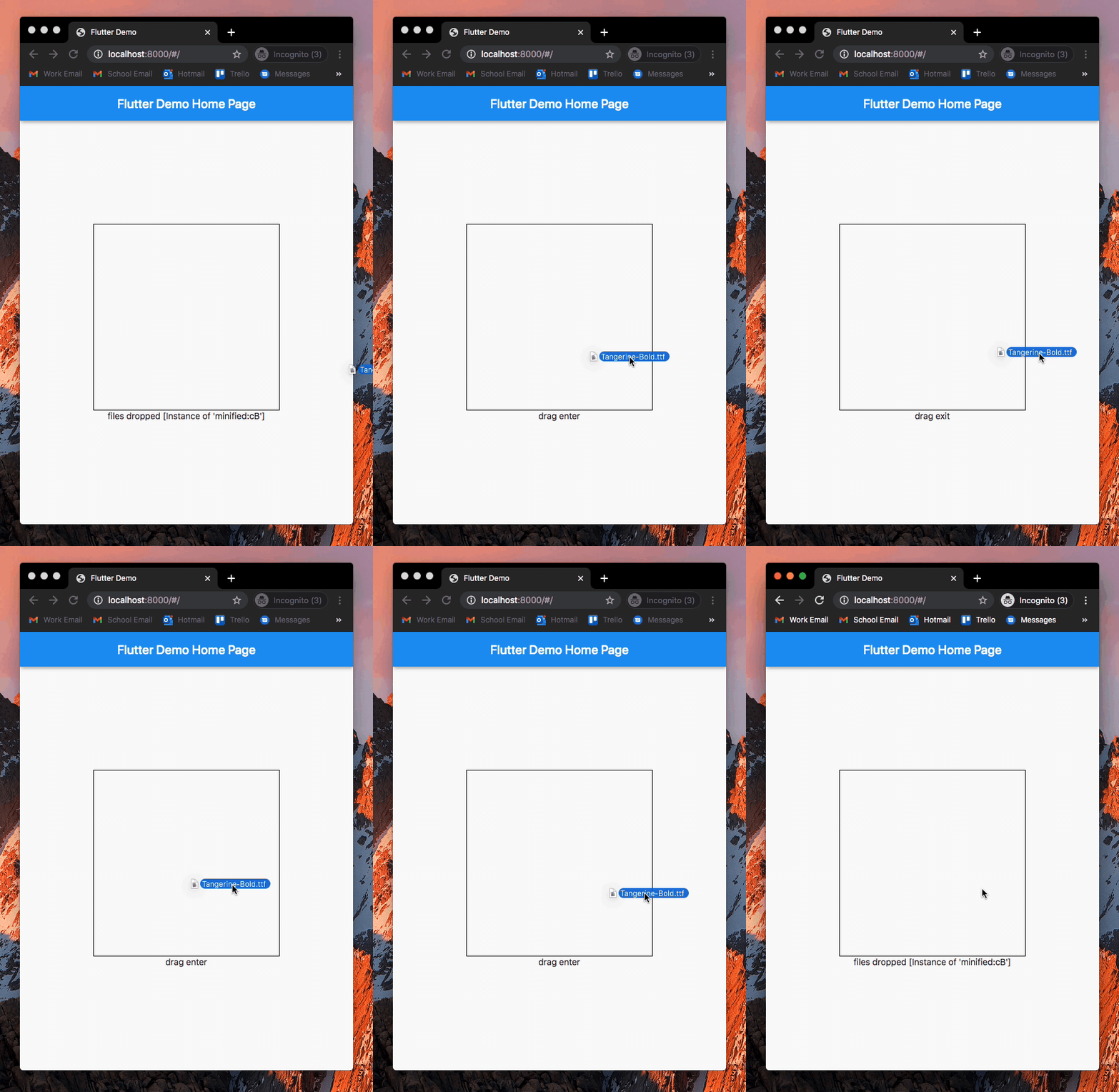
An example can be found in the example directory of this repository.
Add drop_zone to pubspec.yaml of your project:
dependencies:
  drop_zone: ^1.0.2
Add necessary imports and wrap any widget with DropZone() to use it as a dropzone:
import 'package:drop_zone/drop_zone.dart';
import 'dart:html' as html;

DropZone(
    onDragEnter: () {
        print('drag enter');
    },
    onDragExit: () {
        print('drag exit');
    },
    onDrop: (List<html.File> files) {
        print('files dropped');
        print(files);
    },
    child: Container(
        width: 300,
        height: 300,
    )
)

依赖清单 2 项
{"sdk":"flutter"}{"sdk":"flutter"}先按使用场景筛选,再比较项目活跃情况,最后到原始仓库核对使用要求。
“A repository is the most basic element of GitHub.”
GitHub Docs — About repositories ↗