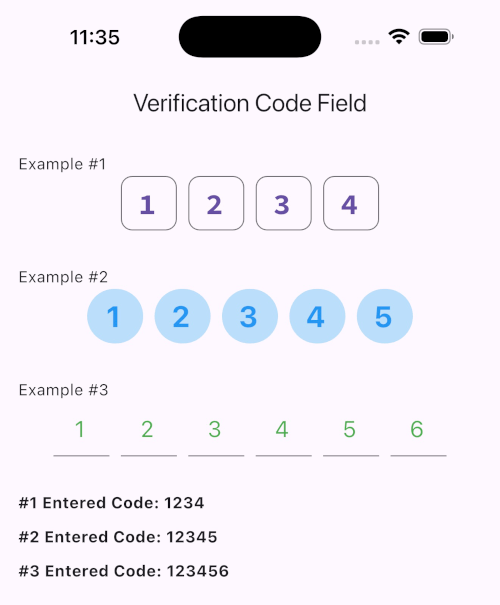
This package provides an input field that allows you to enter a 4, 5 or 6 digit verification code in your applications.
verification_code_field
Features
Customizable Digit Count: Supports verification codes of 4, 5, or 6 digits with CodeDigit enumeration, making it flexible for different authentication requirements.
Cursor and Focus Management: Allows seamless focus navigation between fields, automatically moving to the next field on entry or previous field on deletion.
Styling Options: Provides customization for border, fill color, cursor color, text style, and font to fit seamlessly into your app's theme.
Event Listener: Includes onSubmit callback to easily retrieve the entered code once all fields are filled.
Built-in Input Formatting: Ensures only digits are entered by default, preventing unintended characters in the verification code.
and more...
Getting started
Run this command:
flutter pub add verification_code_field
Usage
WhatsApp Image 2024-11-10 at 19 49 36
Additional information
Focus Management: The widget automatically handles focus changes, allowing a smooth user experience as users enter or delete code digits. The focus will move forward as the user types and backward if the current field is empty and the user deletes.
Event Handling: With onSubmit, you can easily retrieve the entire code once all fields are filled, making it perfect for submission in forms.
Modular and Reusable: The VerificationCodeField is designed to be reusable and adaptable, making it a valuable addition to any authentication or verification form within your app.

 v1.2.5