
 v0.6.0
text_to_path_maker
一个 Flutter 包,可将任何字体的字符转换为路径并进行动画处理。
45喜欢 1880近 30 天下载150Pub 分数
AndroidiOSmacOSWindowsLinux
使用此 Flutter 包将文本转换为路径并对其进行动画处理

{"sdk":"flutter"}{"sdk":"flutter"}以下为英文项目原文快照,最新内容请访问 GitHub。
This is a pure Flutter and Dart package that allows you to convert text--both characters and icons--into paths. It can generate SVG path strings and Flutter Path objects too.
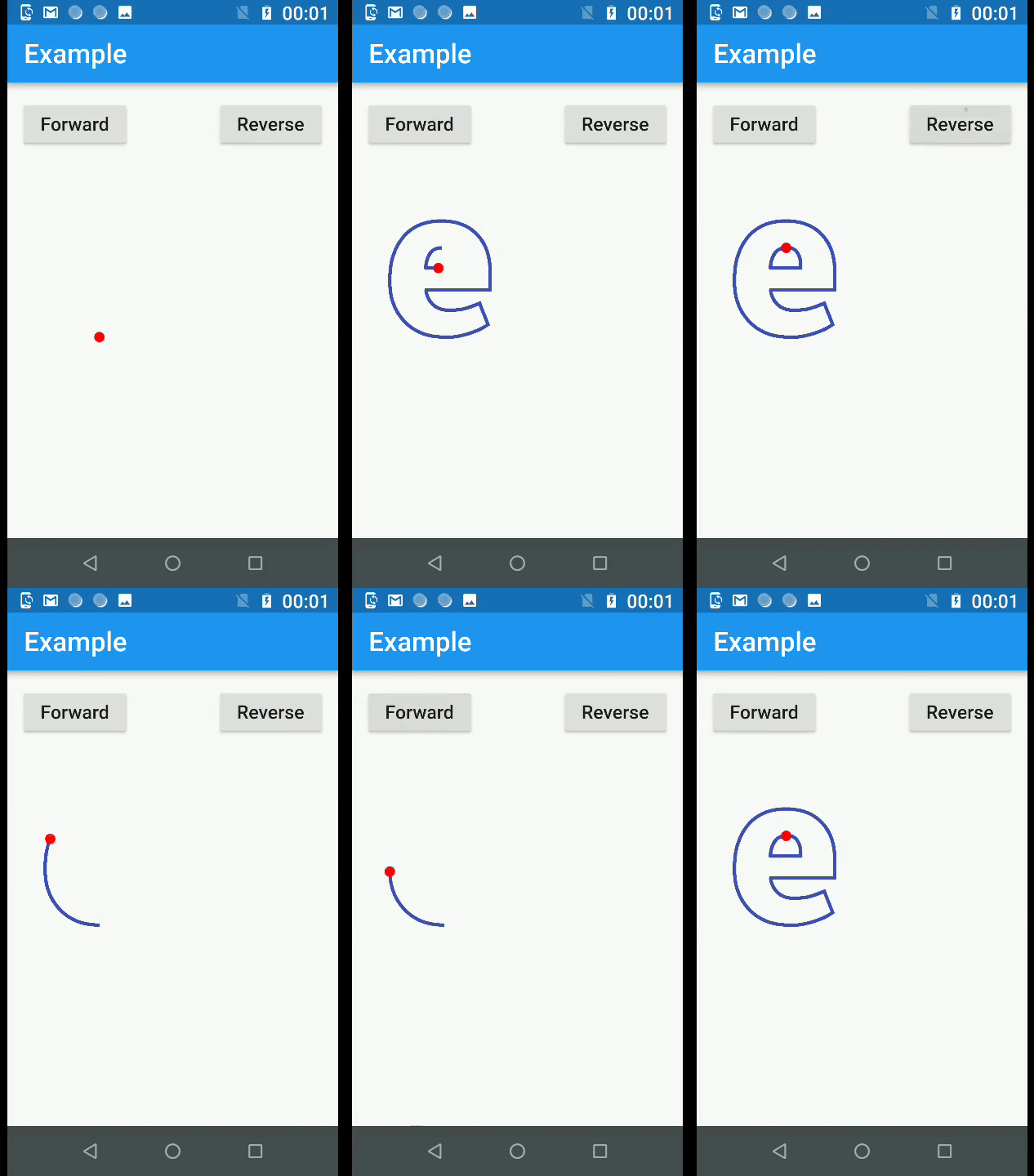
Additionally, this package offers a bunch of methods you can use to animate those paths.
At the core of this package is a .ttf file parser, written in pure Dart. You can, if you want to, use it to read the font tables present in your TrueType font file.
https://raw.githubusercontent.com/hathibelagal-dev/text-to-path-maker-for-flutter/master/example.gif
You must always start by calling the parseTTFAsset() method available in the PMFontReader class to parse your font asset. Currently, only .ttf files are supported.
Once the font has been parsed, you'll have access to a PMFont object. You can call its generatePathForCharacter() method to convert any character into a Path object. Note that this method expects you to pass the character code of the character.
Next, you'll want to use the PMTransform.moveAndScale() method to position and scale the path. This is usually necessary because, by default, the paths can be quite large.
At this point, you can render the Path object onto any Canvas object. If you want to animate the path, however, you must call the PMPieces.breakIntoPieces() method. This method splits the path into tiny paths, depending on the precision you specify. These tiny paths, when rendered sequentially, will create the illusion of the character being drawn.
There's also a utility PMPainter class, which extends the CustomPainter class. You can use this to quickly render your animation using a CustomPaint widget.
Refer to the example code to learn more.
This package is still a work in progress. It works reasonably well with most fonts, but there's no guarantee that it will handle every single font you have. It has been tested with Roboto, FontAwesome, and Material Icons. If you find a bug, you can raise an issue on this project's GitHub repository.