
 v1.4.0
flutter_admin_scaffold
一个带有侧边栏且与 appBar 配合工作的 scaffold 类。
208喜欢 710近 30 天下载140Pub 分数
AndroidiOSWebmacOSWindowsLinux
keyber-inc/flutter_admin_scaffold open-source repository details.

{"sdk":"flutter"}以下为英文项目原文快照,最新内容请访问 GitHub。
A scaffold class with a sideBar that works with a appBar.
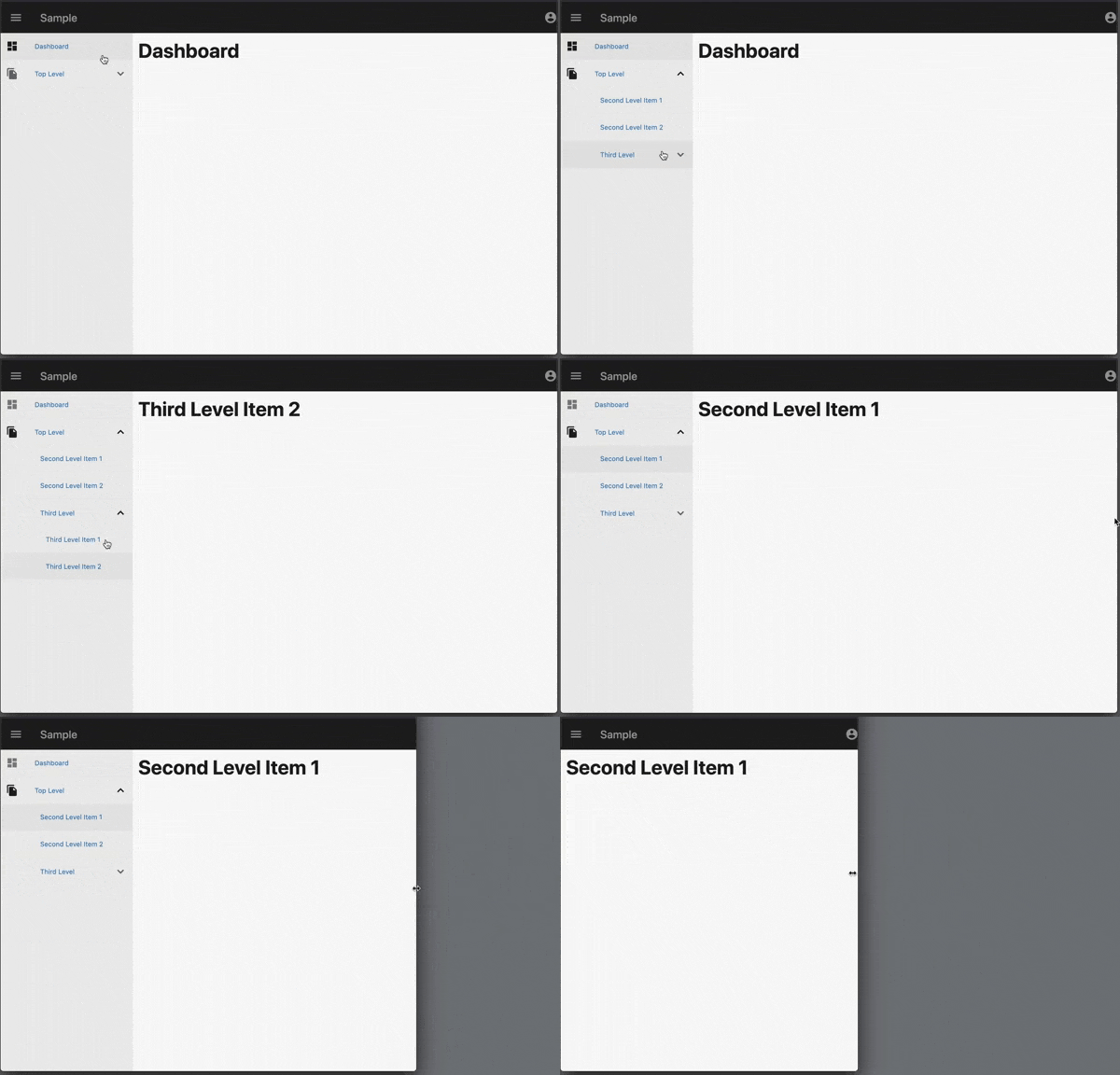
example.gifimport 'package:flutter_admin_scaffold/admin_scaffold.dart';
You can add a sideBar as shown below. See example for details.
import 'package:flutter/material.dart';
import 'package:flutter_admin_scaffold/admin_scaffold.dart';

class SamplePage extends StatelessWidget {
  @override
  Widget build(BuildContext context) {
    return AdminScaffold(
      backgroundColor: Colors.white,
      appBar: AppBar(
        title: const Text('Sample'),
      ),
      sideBar: SideBar(
        items: const [
          AdminMenuItem(
            title: 'Dashboard',
            route: '/',
            icon: Icons.dashboard,
          ),
          AdminMenuItem(
            title: 'Top Level',
            icon: Icons.file_copy,
            children: [
              AdminMenuItem(
                title: 'Second Level Item 1',
                route: '/secondLevelItem1',
              ),
              AdminMenuItem(
                title: 'Second Level Item 2',
                route: '/secondLevelItem2',
              ),
              AdminMenuItem(
                title: 'Third Level',
                children: [
                  AdminMenuItem(
                    title: 'Third Level Item 1',
                    route: '/thirdLevelItem1',
                  ),
                  AdminMenuItem(
                    title: 'Third Level Item 2',
                    route: '/thirdLevelItem2',
                  ),
                ],
              ),
            ],
          ),
        ],
        selectedRoute: '/',
        onSelected: (item) {
          if (item.route != null) {
            Navigator.of(context).pushNamed(item.route!);
          }
        },
        header: Container(
          height: 50,
          width: double.infinity,
          color: const Color(0xff444444),
          child: const Center(
            child: Text(
              'header',
              style: TextStyle(
                color: Colors.white,
              ),
            ),
          ),
        ),
        footer: Container(
          height: 50,
          width: double.infinity,
          color: const Color(0xff444444),
          child: const Center(
            child: Text(
              'footer',
              style: TextStyle(
                color: Colors.white,
              ),
            ),
          ),
        ),
      ),
      body: SingleChildScrollView(
        child: Container(
          alignment: Alignment.topLeft,
          padding: const EdgeInsets.all(10),
          child: const Text(
            'Dashboard',
            style: TextStyle(
              fontWeight: FontWeight.w700,
              fontSize: 36,
            ),
          ),
        ),
      ),
    );
  }
}