
 v2.0.0
bottomreveal
一个动画底部揭示小部件。
20喜欢 116近 30 天下载115Pub 分数
AndroidiOSWebmacOSWindowsLinux
一个动画底部揭示控件

{"sdk":"flutter"}以下为英文项目原文快照,最新内容请访问 GitHub。
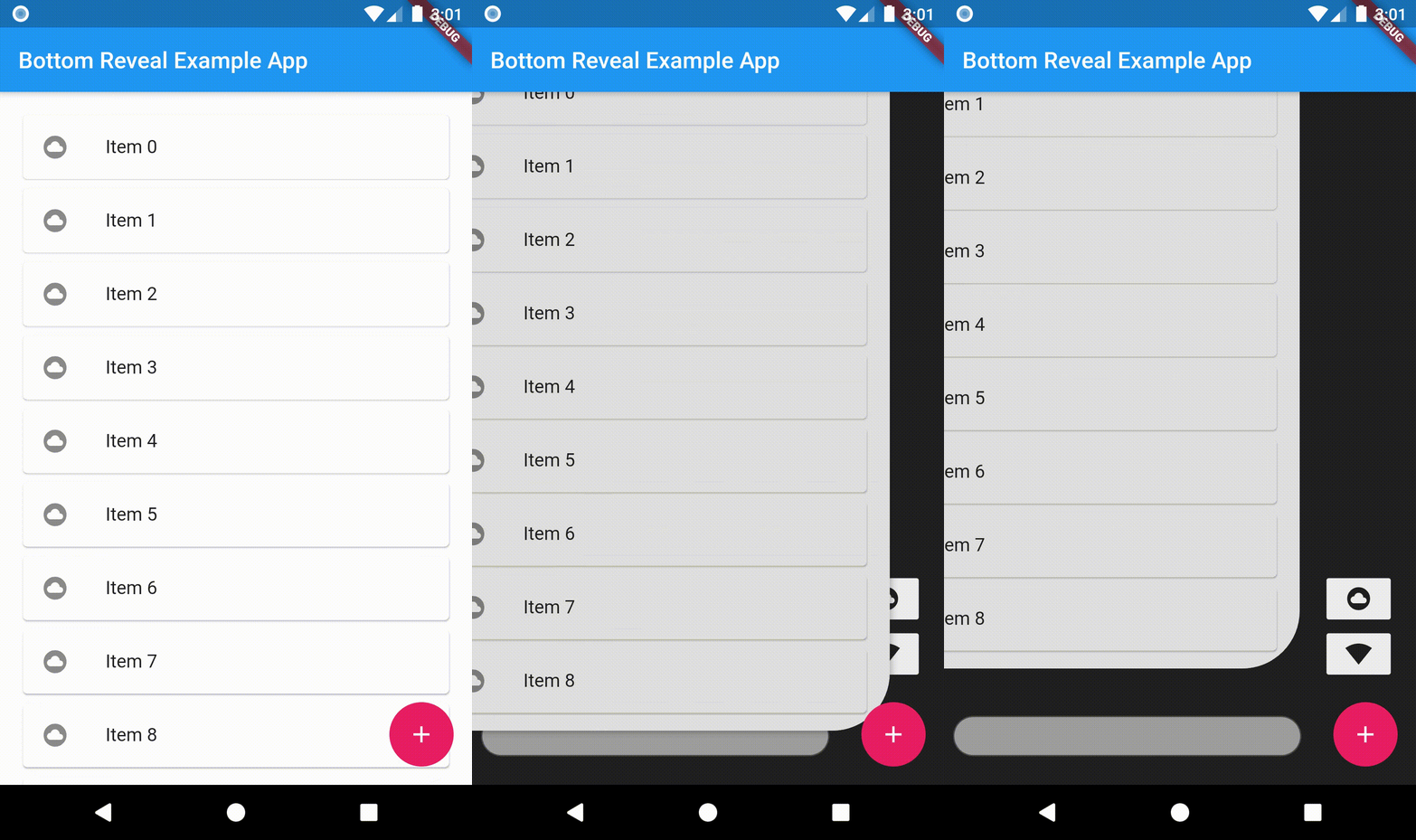
An animated Bottom reveal widget, that reveals widgets placed in its back view.
https://raw.githubusercontent.com/lohanidamodar/flutter_bottom_reveal/master/screenshot/bottomreveal.gifTo use this plugin, add bottomreveal as dependency in your pubspec.yaml file
import 'package:flutter/material.dart';
import 'package:bottomreveal/bottomreveal.dart';

void main() => runApp(MyApp());

class MyApp extends StatelessWidget{
  @override
  Widget build(BuildContext context) {
    return MaterialApp(
      home:  HomePage(),
    );
  }
}


class HomePage extends StatefulWidget {
  @override
  _HomePageState createState() => _HomePageState();
}

class _HomePageState extends State<HomePage> {
  final BottomRevealController _menuController = BottomRevealController();
  @override
  Widget build(BuildContext context){
    return Scaffold(
      appBar: AppBar(
        title: Text('Bottom Reveal Example App'),
      ),
      body: BottomReveal(
        openIcon: Icons.add,
        closeIcon: Icons.close,
        revealWidth: 100,
        revealHeight: 100,
        backColor: Colors.grey.shade900,
        rightContent: Column(
          mainAxisSize: MainAxisSize.min,
          children: <Widget>[
            MaterialButton(
              minWidth: 0,
              child: Icon(Icons.cloud_circle),
              color: Colors.grey.shade200,
              elevation: 0,
              onPressed:() {},
            ),
            MaterialButton(
              minWidth: 0,
              child: Icon(Icons.network_wifi),
              color: Colors.grey.shade200,
              elevation: 0,
              onPressed:() {},
            ),
          ],
        ),
        bottomContent: TextField(
          decoration: InputDecoration(
            filled: true,
            fillColor: Colors.grey,
            contentPadding: const EdgeInsets.all(8.0),
            border: OutlineInputBorder(
              gapPadding: 8.0,
              borderSide: BorderSide(color: Colors.grey),
              borderRadius: BorderRadius.circular(30.0)
            )
          ),
        ),
        controller: _menuController,
        body: ListView.builder(
          padding: const EdgeInsets.all(16.0),
          itemBuilder: (_,index)=>Card(
            child: ListTile(
              title: Text("Item $index"),
              leading: Icon(Icons.cloud_circle),
            ),
          ),
        ),
      ),
    );
  }
}