
 v1.1.0
lindi_sticker_widget
Lindi Sticker Widget 是一个 Flutter 插件,可用于翻转、旋转、调整大小、移动、删除和编辑任何小部件。
54喜欢 1760近 30 天下载150Pub 分数
AndroidiOSWebmacOSWindowsLinux
Lindi Sticker Widget 是一个 Flutter 插件,可用于翻转、旋转、调整大小、移动、删除和编辑任何小部件。

{"sdk":"flutter"}^2.1.0{"sdk":"flutter"}^2.0.0以下为英文项目原文快照,最新内容请访问 GitHub。
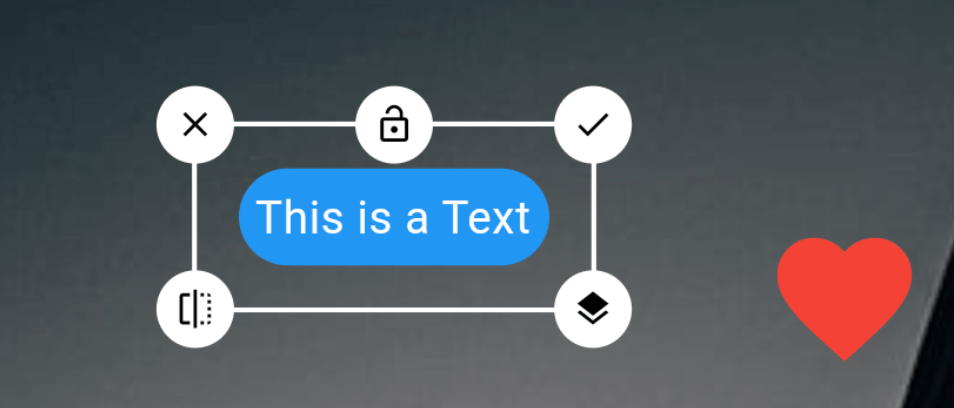
Rotate
Resize
Move
Layer Update (Change Stack position)
Edit
Delete
Flip
Lock
Add this to dependencies in your app's pubspec.yaml
lindi_sticker_widget : latest_version
Sample code to integrate can be found in example/lib/main.dart.
Customize the controller as you like!
LindiController controller = LindiController(
  borderColor: Colors.white,
  icons: [
    LindiStickerIcon(
        icon: Icons.done,
        alignment: Alignment.topRight,
        onTap: () {
          controller.selectedWidget!.done();
        }),
    LindiStickerIcon(
        icon: Icons.lock_open,
        lockedIcon: Icons.lock,
        alignment: Alignment.topCenter,
        type: IconType.lock,
        onTap: () {
          controller.selectedWidget!.lock();
        }),
    LindiStickerIcon(
        icon: Icons.close,
        alignment: Alignment.topLeft,
        onTap: () {
          controller.selectedWidget!.delete();
        }),
    LindiStickerIcon(
        icon: Icons.edit,
        alignment: Alignment.centerLeft,
        onTap: () {
          controller.selectedWidget!
              .edit(const Icon(Icons.star, size: 50, color: Colors.yellow));
        }),
    LindiStickerIcon(
        icon: Icons.layers,
        alignment: Alignment.centerRight,
        onTap: () {
          controller.selectedWidget!.stack();
        }),
    LindiStickerIcon(
        icon: Icons.flip,
        alignment: Alignment.bottomLeft,
        onTap: () {
          controller.selectedWidget!.flip();
        }),
    LindiStickerIcon(
        icon: Icons.crop_free,
        alignment: Alignment.bottomRight,
        type: IconType.resize
    ),
  ],
);
LindiStickerWidget(
    controller: controller,
    child: SizedBox(
        width: double.infinity,
        height: double.infinity,
        child: Image.network('https://picsum.photos/200/300', fit: BoxFit.cover)
    ),
)
controller.add(
    Text('Hello World')
);
controller.onPositionChange((index) {
  print("widgets size: ${controller.widgets.length}, current index: $index");
});
Uint8List? image = await controller.saveAsUint8List();
| Image | Image |
|---|
If you found this project useful, then please consider giving it a :star: on Github and sharing it with your friends via social media.