
键盘避免
一种轻量级替代 Scaffold 小部件的方法,用于避免屏幕上的软件键盘。在获得焦点时自动将被遮挡的 TextField 子小部件滚动到可视区域。

- 星标
- 124
- 复刻
- 41
- 最近推送(UTC)
- 2024年5月15日
- 项目状态
- 未归档
原始 README
以下为英文项目原文快照,最新内容请访问 GitHub。
keyboard_avoider
A lightweight alternative to the Scaffold widget for avoiding the on-screen software keyboard. Automatically scrolls obscured TextField child widgets into view on focus.
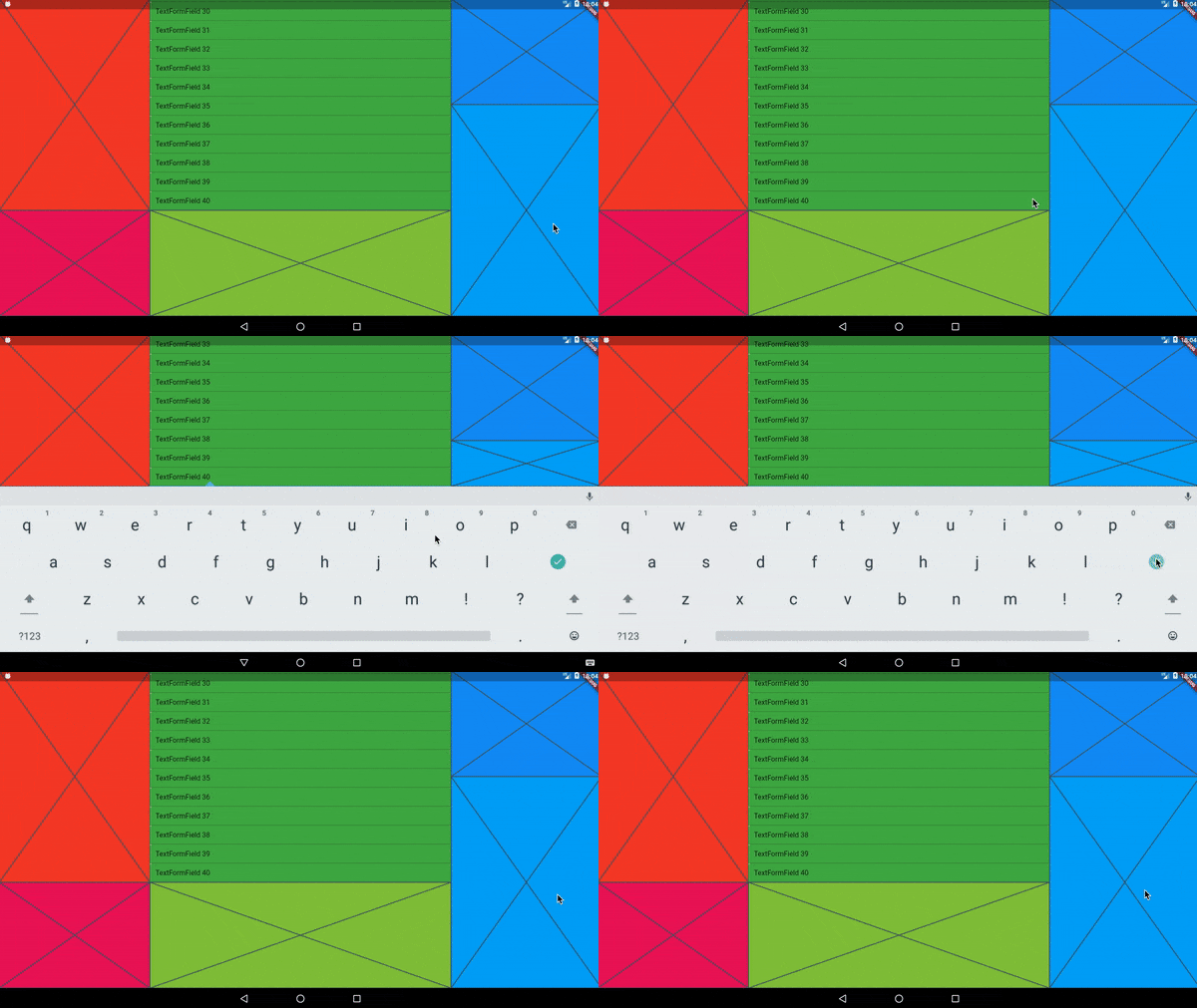
In the video above, every colored area is wrapped in its own KeyboardAvoider.
Examples
A basic Placeholder:
import 'package:keyboard_avoider/keyboard_avoider.dart';

class MyWidget extends StatelessWidget {
  @override
  Widget build(BuildContext context) {
    return KeyboardAvoider(
      child: Placeholder(),
    );
  }
}
A ListView containing multiple TextFields, with auto-scroll enabled:
import 'package:keyboard_avoider/keyboard_avoider.dart';

class MyWidget extends StatelessWidget {
  final ScrollController _scrollController = ScrollController();

  @override
  Widget build(BuildContext context) {
    return KeyboardAvoider(
      autoScroll: true,
      child: ListView.builder(
        controller: _scrollController,
        itemCount: 40,
        itemBuilder: (context, index) {
          return TextFormField(
            initialValue: 'TextFormField ${index + 1}',
          );
        },
      ),
    );
  }
}
Why not use a Scaffold?
Flutter comes with a built-in Scaffold widget that automatically adjusts the bottom padding of its body widget to accomodate the on-screen keyboard. However, it comes with 2 major caveats:
- It pushes all content up, which you may not want.
- It assumes that it fills the whole screen, which it may not.
In contrast, you can apply the KeyboardAvoider selectively to only certain widgets, and it only insets its bottom padding by the actual amount obscured by the keyboard.
Auto Scroll
To auto-scroll to a focused widget such as a TextField, set the autoScroll property to true. If child is not a ScrollView, it is automatically embedded in a SingleChildScrollView to make it scrollable.

Martin Rybak ↗
使用的依赖
依赖清单 3 项
- flutter
{"sdk":"flutter"} - flutter_test开发依赖
{"sdk":"flutter"} - flutter_lints开发依赖
^4.0.0
如何选择适合项目的代码仓?
先按使用场景筛选,再比较项目活跃情况,最后到原始仓库核对使用要求。
- 通过仓库名、作者或描述搜索,再按技术分类缩小范围。
- 结合星标、复刻与最近推送比较项目;星标反映社区关注,不代表质量保证。
- 使用前在 GitHub 核对 README、许可证与 Issues。
来源与维护
“A repository is the most basic element of GitHub.”
GitHub Docs — About repositories ↗