

 v1.0.1
o_popup
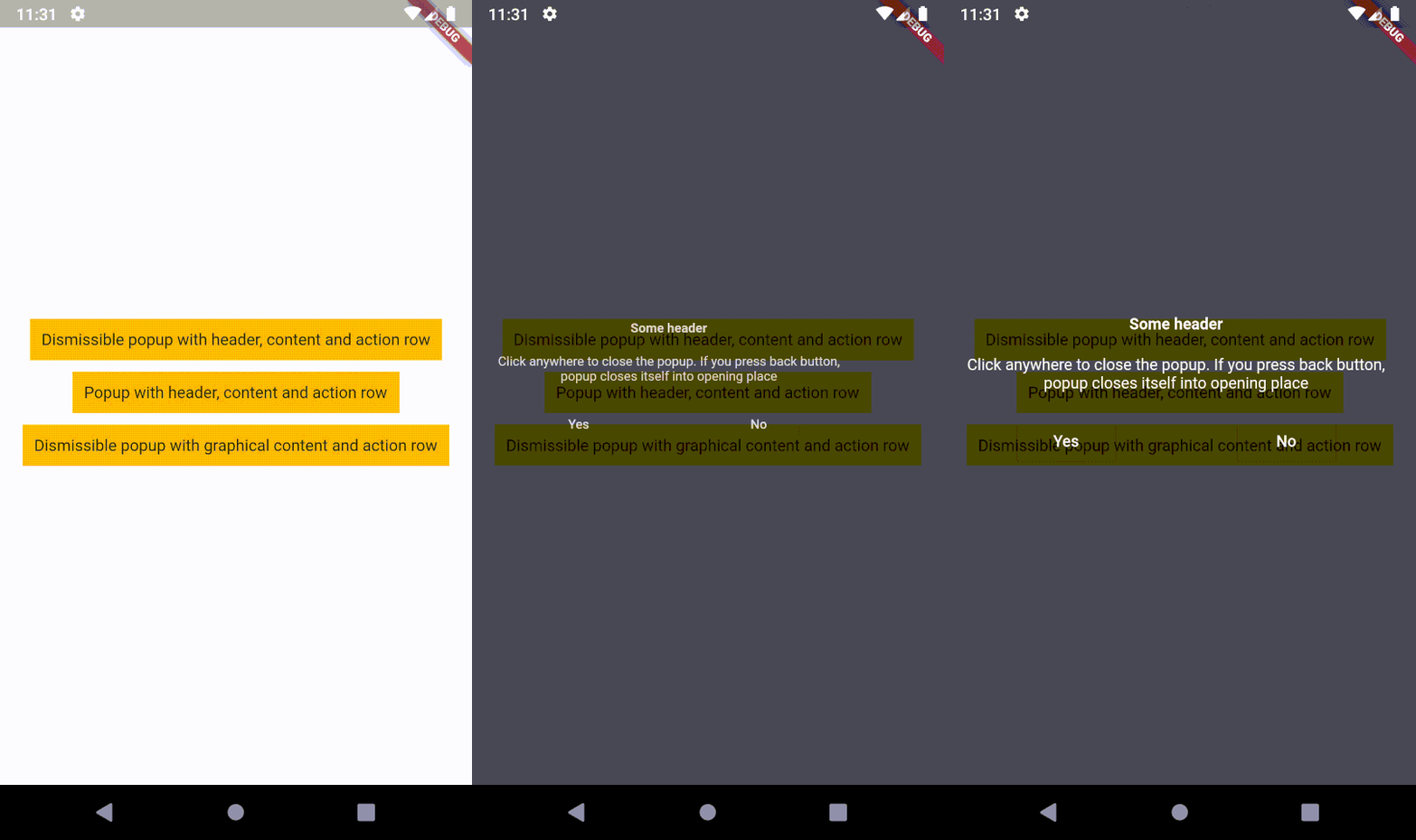
覆盖在内容上的弹出层,点击返回按钮时会关闭并回到打开位置,或回到指针接触屏幕的位置。这意味着弹出层支持点击手势。
26喜欢 41近 30 天下载140Pub 分数
AndroidiOSWebmacOSWindowsLinux
叠加的内容,点击返回按钮时会关闭并回到打开位置,或回到指针接触屏幕的位置。这意味着,弹出窗口支持点击手势!

以下为英文项目原文快照,最新内容请访问 GitHub。



An overlaid content, which closes itself into opening place (on back button) or into the position where the pointer contacted the screen. It means, popup supports tap gesture!

First of all, you need to install the package.
The second step is to create a popup.
I recommend to use OPopupTrigger class
in order to simply create the popup as in the example.
It pushes OPopupOverlay widget
into Navigation stack, thus a user can dismiss the popup by back button
or by tapping anywhere on a screen.
In the OPopupTrigger class you can also set barrierDismissible
to false (to prevent dismissing popup by taping anywhere)
and for example create a button,
which pops the popup from Navigator stack (Navigator.of(context).pop())
in order to close the popup - like buttons in the example.
If you do not want to use OPopupContent class as a content of a popup triggered by OPopupTrigger
you should skip popupHeader and popupActionRow fields and set your own widget to
popupContent field. It gives you an ability to fully customize the content of the popup:
size, alignment etc.
You can also overwrite OPopupContent (create a class which extends OPopupContent),
customize it inside your own class and set your version of OPopupContent
to OPopupTrigger.popupContent
(also do not set popupHeader and popupActionRow in order to omit original OPopupContent).
Extended documentation is available on pub.dev.
If you use this code in commercial project, please donate me via GitHub Sponsors. I do the same for packages which I use, because it ensures stable development for all of us!
依赖清单 3 项
{"sdk":"flutter"}^1.3.2{"sdk":"flutter"}先按使用场景筛选,再比较项目活跃情况,最后到原始仓库核对使用要求。
“A repository is the most basic element of GitHub.”
GitHub Docs — About repositories ↗