
 v2.0.11
system_alert_window
一个 Flutter 插件,可在所有其他应用之上显示类似 Truecaller 的覆盖窗口,并支持回调事件。
253喜欢 4160近 30 天下载150Pub 分数
AndroidiOS
一个 Flutter 插件,用于显示类似 Truecaller 的覆盖窗口,覆盖所有其他应用,并支持回调事件。在 Android Go 或 Android 11 及以上版本中,该插件会显示通知气泡;在其他 Android 版本中,则显示覆盖窗口。

{"sdk":"flutter"}{"sdk":"flutter"}^4.0.0以下为英文项目原文快照,最新内容请访问 GitHub。
A flutter plugin to show Truecaller like overlay window, over all other apps along with callback events. Android Go or Android 11 & above, this plugin shows notification bubble, in other android versions, it shows an overlay window.
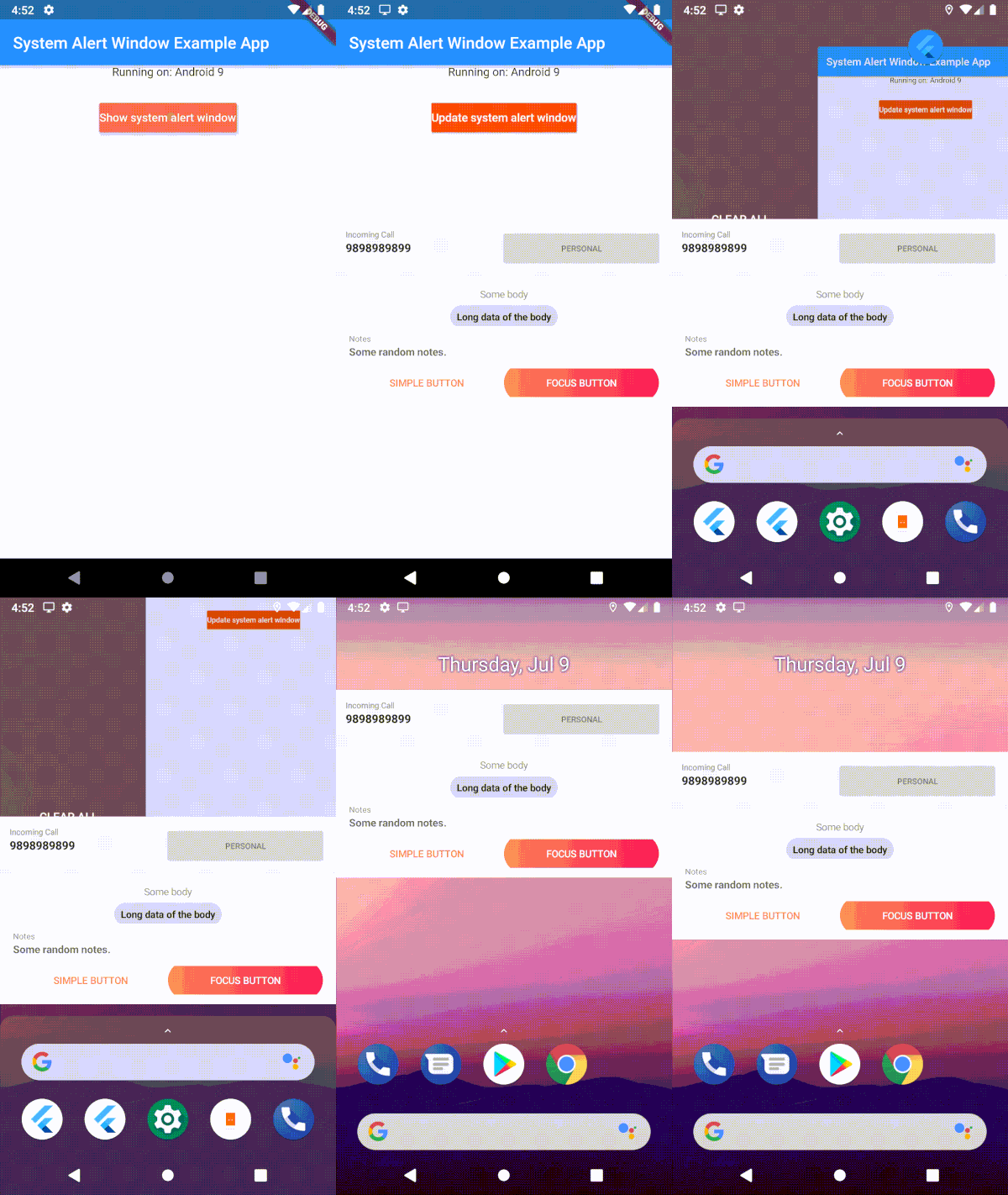
https://github.com/pvsvamsi/SystemAlertWindow/raw/master/assets/images/example%20demo.gif https://github.com/pvsvamsi/SystemAlertWindow/raw/master/assets/images/background%20button%20click.gif
  //Permissions
  <uses-permission android:name="android.permission.SYSTEM_ALERT_WINDOW" />
  <uses-permission android:name="android.permission.FOREGROUND_SERVICE " />
  <uses-permission android:name="android.permission.WAKE_LOCK" />


      <application
          //Linking the previously added application class
          android:name=".Application"
          android:label="system_alert_window_example"
          android:icon="@mipmap/ic_launcher">
Uses 'draw on top' permission and displays it as a overlay window
With SystemWindowPrefMode.OVERLAY, system alert windows uses 'overlay functionality' wherever it's supported. In that mode, it will show as bubbles if the 'display over other apps' is not supported. With SystemWindowPrefMode.DEFAULT/SystemWindowPrefMode.BUBBLE, User has to allow 'All conversations can bubble' in the notification settings of the app. Uses Android Bubble APIs to show the overlay window inside a notification bubble.
Edge-to-edge content and window insets are handled automatically inside the bubble container — wrap your overlay widget with SafeArea to avoid content being obscured by system bars.
User has to manually enable bubbles from the developer options. Uses Android Bubble APIs to show the overlay window inside a notification bubble.
Displays as a notification in the notification center [Help Needed]
await SystemAlertWindow.requestPermissions;
main.dart create an entry point for your Overlay widget;// overlay entry point
@pragma("vm:entry-point")
void overlayMain() {
runApp(const MaterialApp(
debugShowCheckedModeBanner: false,
home: Material(child: Text("My overlay"))
));
}
//Open overLay content
// - Optional arguments:
/// `gravity` Position of the window and default is [SystemWindowGravity.CENTER]
/// `width` Width of the window and default is [Constants.MATCH_PARENT]
/// `height` Height of the window and default is [Constants.WRAP_CONTENT]
/// `notificationTitle` Notification title, applicable in case of bubble
/// `notificationBody` Notification body, applicable in case of bubble
/// `prefMode` Preference for the system window. Default is [SystemWindowPrefMode.DEFAULT]
/// `layoutParamFlags` List of List of WindowManager.LayoutParams. This is not applicable for bubbles.
await SystemAlertWindow.showSystemWindow();
/// update the overlay flag while the overlay in action
/// - Optional arguments:
/// `gravity` Position of the window and default is [SystemWindowGravity.CENTER]
/// `width` Width of the window and default is [Constants.MATCH_PARENT]
/// `height` Height of the window and default is [Constants.WRAP_CONTENT]
/// `notificationTitle` Notification title, applicable in case of bubble
/// `notificationBody` Notification body, applicable in case of bubble
/// `prefMode` Preference for the system window. Default is [SystemWindowPrefMode.DEFAULT]
/// `layoutParamFlags` List of List of WindowManager.LayoutParams. This is not applicable for bubbles.
await FlutterOverlayWindow.updateSystemWindow();
// closes overlay if open
await SystemAlertWindow.closeSystemWindow();
// broadcast data to overlay app from main app
await SystemAlertWindow.sendMessageToOverlay("Hello from the other side");
//streams message from main app to overlay.
SystemAlertWindow.overlayListener.listen((event) {
log("Current Event: $event");
});
import 'dart:isolate';

import 'dart:ui';

class IsolateManager{

  static const FOREGROUND_PORT_NAME = "foreground_port";

  static SendPort lookupPortByName() {
    return IsolateNameServer.lookupPortByName(FOREGROUND_PORT_NAME);
  }

  static bool registerPortWithName(SendPort port) {
    assert(port != null, "'port' cannot be null.");
    removePortNameMapping(FOREGROUND_PORT_NAME);
    return IsolateNameServer.registerPortWithName(port, FOREGROUND_PORT_NAME);
  }

  static bool removePortNameMapping(String name) {
    assert(name != null, "'name' cannot be null.");
    return IsolateNameServer.removePortNameMapping(name);
  }

}
    await SystemAlertWindow.checkPermissions;
    ReceivePort _port = ReceivePort();
    IsolateManager.registerPortWithName(_port.sendPort);
    _port.listen((message) {
          log("message from OVERLAY: $message");
          print("Do what ever you want here. This is inside your application scope");
    });
void callBackFunction(String tag) {
  print("Got tag " + tag);
  SendPort port = IsolateManager.lookupPortByName();
  port.send(tag);
}