
 v1.2.0
ensure_visible_when_focused
一个方便的 Flutter 小部件,每次此小部件获得焦点时,都会滚动到某个特定的小部件。
53喜欢 1万近 30 天下载160Pub 分数
AndroidiOSWebmacOSWindowsLinux
rodrigobastosv/ensure_visible_when_focused open-source repository details.

{"sdk":"flutter"}{"sdk":"flutter"}以下为英文项目原文快照,最新内容请访问 GitHub。
I was having a hard time scrolling to a specific wdget in a scenario where I had a very large form, with lots of form fields.
I found an issue with no concrete answer https://github.com/flutter/flutter/issues/58877
After digging a litlle deeper I found a solution to this problem https://www.didierboelens.com/2018/04/hint-4 -ensure-a-textfield-or-textformfield-is-visible-in-the-viewport-when-has-the-focus/. Hence the idea of creating and making this widget available.
This widget solves this problem in a very elegant way. You just have to give the same FocusNode of the widget you want to scroll to.
The widget is very simple to use. You need to Wrap your widget on a EnsureVisibleWhenFocused widget. You have to pass the FocusNode of the widget you want to scroll to when it's given focus.
EnsureVisibleWhenFocused(
    focusNode: _focusNode,
    child: TextFormField(
        focusNode: _focusNode,
    ),
)
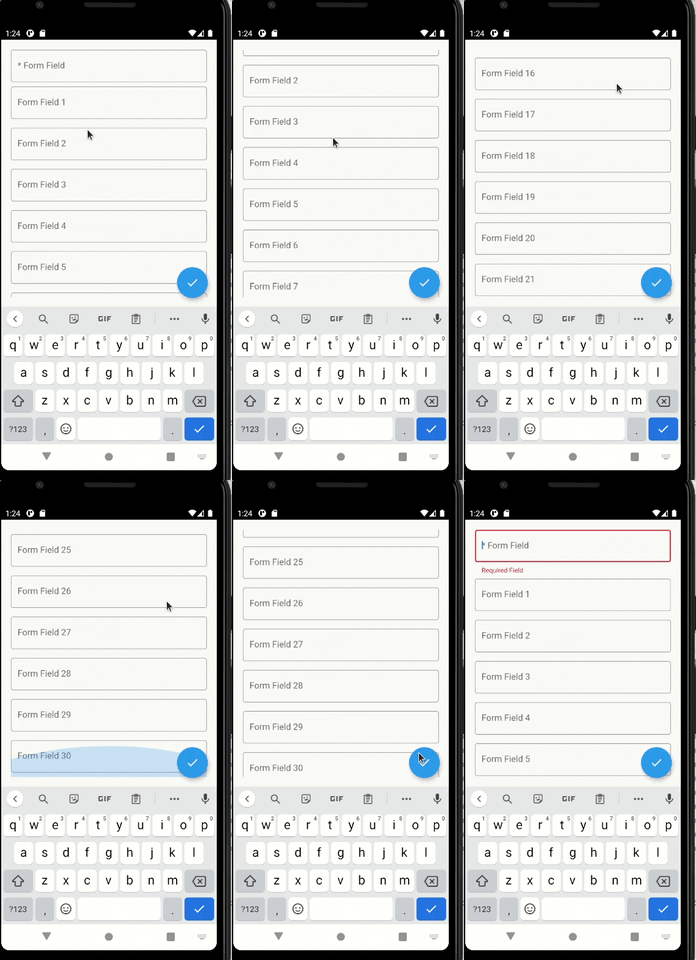
With the setup above, every time the TextFormField gains focus, a scroll will be made to it.
You can give focus to a field just doing:
_focusNode.requestFocus();
You can configure more things, such as the scroll duration and it's curve.
enter image description here
For any suggestions or bug report please head to issue tracker.