

 v0.0.6
overflow_text_animated
一个处理文本溢出动画的 Flutter 包项目。
51喜欢 211近 30 天下载155Pub 分数
AndroidiOSWebmacOSWindowsLinux
sil-main-coo/overflow_text_animated open-source repository details.

以下为英文项目原文快照,最新内容请访问 GitHub。
A plugin that displays overflowed text in a different way:
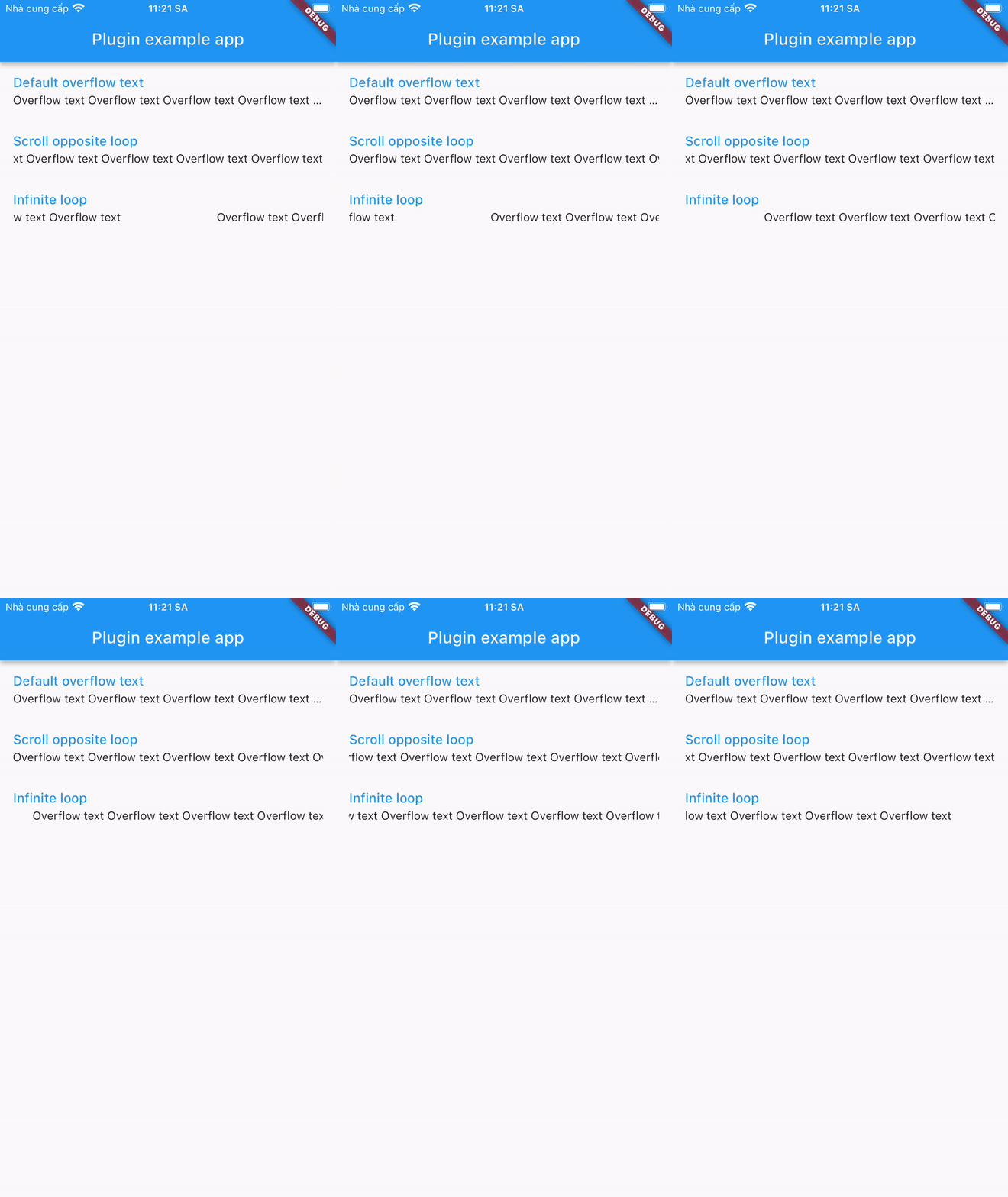
Add this to your package's pubspec.yaml file:
dependencies:
  overflow_text_animated: ^0.0.6
You can install packages from the command line:
with pub:
$ pub get
with Flutter:
$ flutter pub get
Now in your Dart code, you can use:
import 'package:overflow_text_animated/overflow_text_animated.dart';
OverflowTextAnimated is a Stateful Widget.
Include it in your build method like:
OverflowTextAnimated(
  text: overflowText,
  style: descriptionStyle,
  curve: Curves.fastEaseInToSlowEaseOut,
  animation: OverFlowTextAnimations.scrollOpposite,
  animateDuration: Duration(milliseconds: 1500),
  delay: Duration(milliseconds: 500),
)
OverflowTextAnimated is used as default text widget. It has many configurable properties, including:
text - required propertiesstyle – style of textcurve – motion curves of animation effectsanimation - animation typeanimateDuration – is the duration of the animationdelay – is the break time between 2 animationsNote: Widget is only available when its parent has a specified width.
依赖清单 3 项
{"sdk":"flutter"}{"sdk":"flutter"}^2.0.0先按使用场景筛选,再比较项目活跃情况,最后到原始仓库核对使用要求。
“A repository is the most basic element of GitHub.”
GitHub Docs — About repositories ↗