
flutter_nearby_connections
Flutter 插件支持 Android 和 iOS 的点对点连接以及附近设备的发现
- 星标
- 133
- 复刻
- 100
- 最近推送(UTC)
- 2024年6月15日
- 项目状态
- 未归档
原始 README
以下为英文项目原文快照,最新内容请访问 GitHub。
flutter_nearby_connections
flutter nearby connections
Plugin: https://pub.dev/packages/flutter_nearby_connections
Flutter plugin supports peer-to-peer connectivity and discovers nearby devices for Android and IOS
The flutter_nearby_connections plugin supports the discovery of services provided by nearby devices. Moreover, the flutter_nearby_connections plugin also supports communicating with those services through message-based data, streaming data, and resources (such as files). The framework uses infrastructure Wi-Fi networks, peer-to-peer Wi-Fi and Bluetooth Personal Area Networks (PAN) for the underlying transport over UDP. The project is based on
Android
Nearby Connections API (Bluetooth & hotspot) Support Strategy: Strategy.P2P_CLUSTER, Strategy.P2P_STAR, Strategy.P2P_POINT_TO_POINT
Wi-Fi P2P (only wifi hotspot no internet) Support Strategy: Strategy.Wi_Fi_P2P
IOS
We use the NearbyConnections API, but Flutter methods are based on the concept of Multipeer Connectivity IOS.
Methods provided:
startAdvertisingPeer, startBrowsingForPeers, stopAdvertisingPeer
We separate the dependencies of the MCNearbyServiceAdvertiser, MCNearbyServiceBrowser and MCSession classes. All of the methods will be implemented in the NearbyService class.
Noted
-
Android doesn't support emulator only support real devices
-
On iOS 14, need to define in Info.plist
    <key>NSBonjourServices</key>
    <array>
        <string>_{YOUR_SERVICE_TYPE}._tcp</string>
    </array>
    <key>UIRequiresPersistentWiFi</key>
    <true/>
    <key>NSBluetoothAlwaysUsageDescription</key>
    <string>{YOUR_DESCRIPTION}</string>
in this case, YOUR_SERVICE_TYPE is 'mp-connection' (you can define it)
nearbyService.init(
        serviceType: 'mp-connection',
        strategy: Strategy.P2P_CLUSTER,
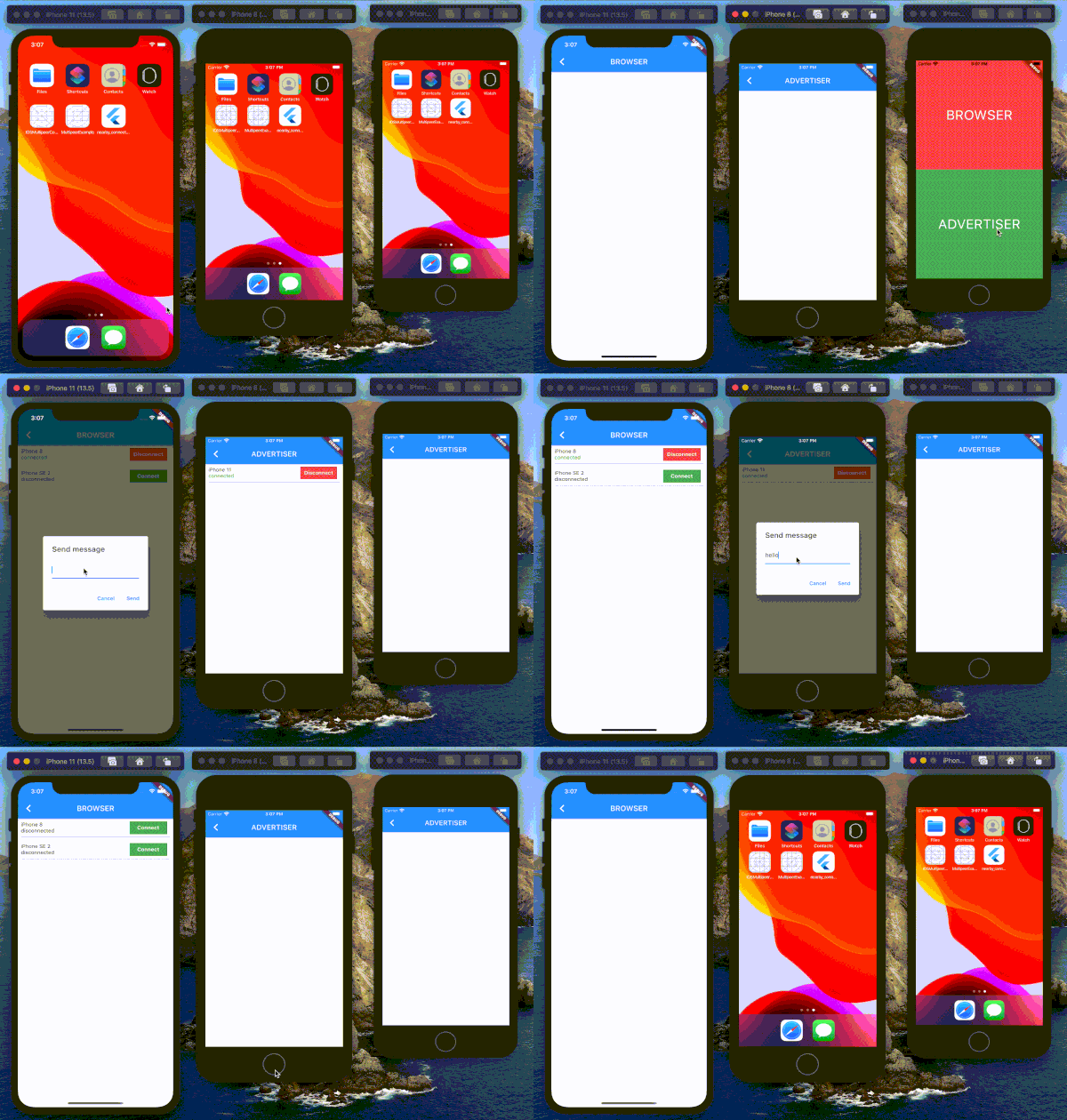
Test on IOS device
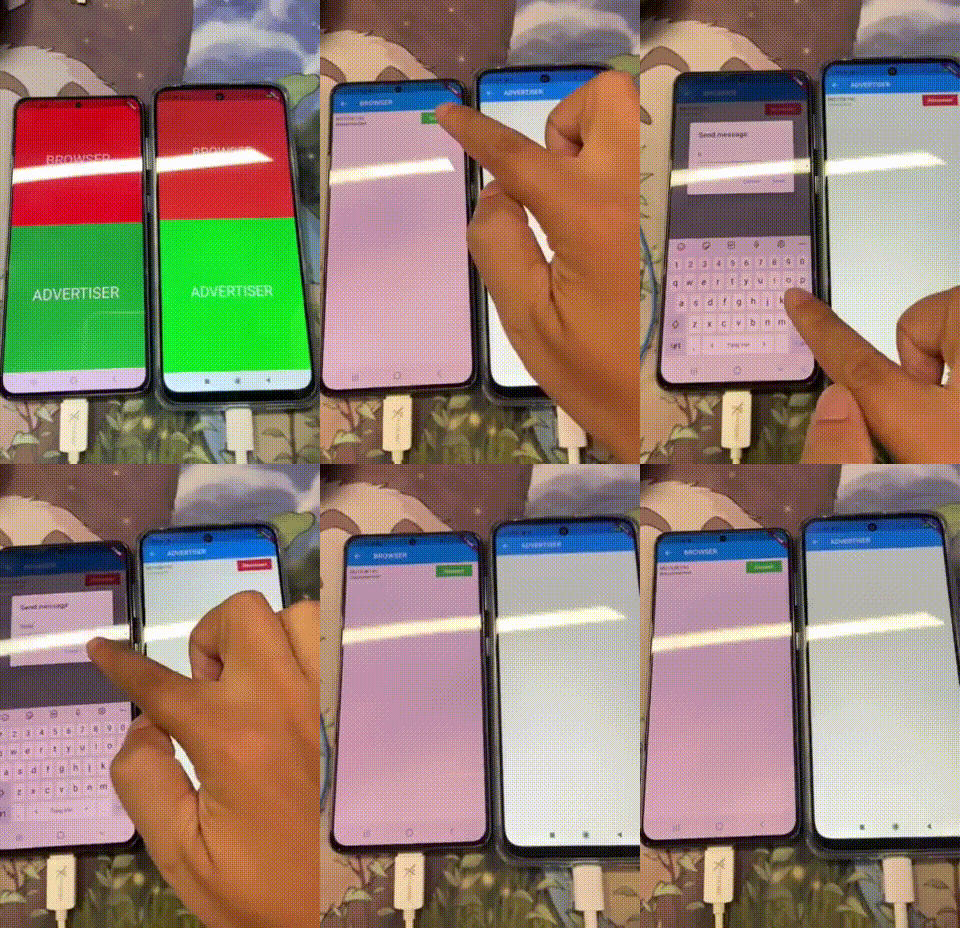
Test on Android device
Visitors Count


SMEW ↗
分类
使用的依赖
依赖清单 2 项
- flutter
{"sdk":"flutter"} - flutter_test开发依赖
{"sdk":"flutter"}
如何选择适合项目的代码仓?
先按使用场景筛选,再比较项目活跃情况,最后到原始仓库核对使用要求。
- 通过仓库名、作者或描述搜索,再按技术分类缩小范围。
- 结合星标、复刻与最近推送比较项目;星标反映社区关注,不代表质量保证。
- 使用前在 GitHub 核对 README、许可证与 Issues。
来源与维护
“A repository is the most basic element of GitHub.”
GitHub Docs — About repositories ↗