
activsy
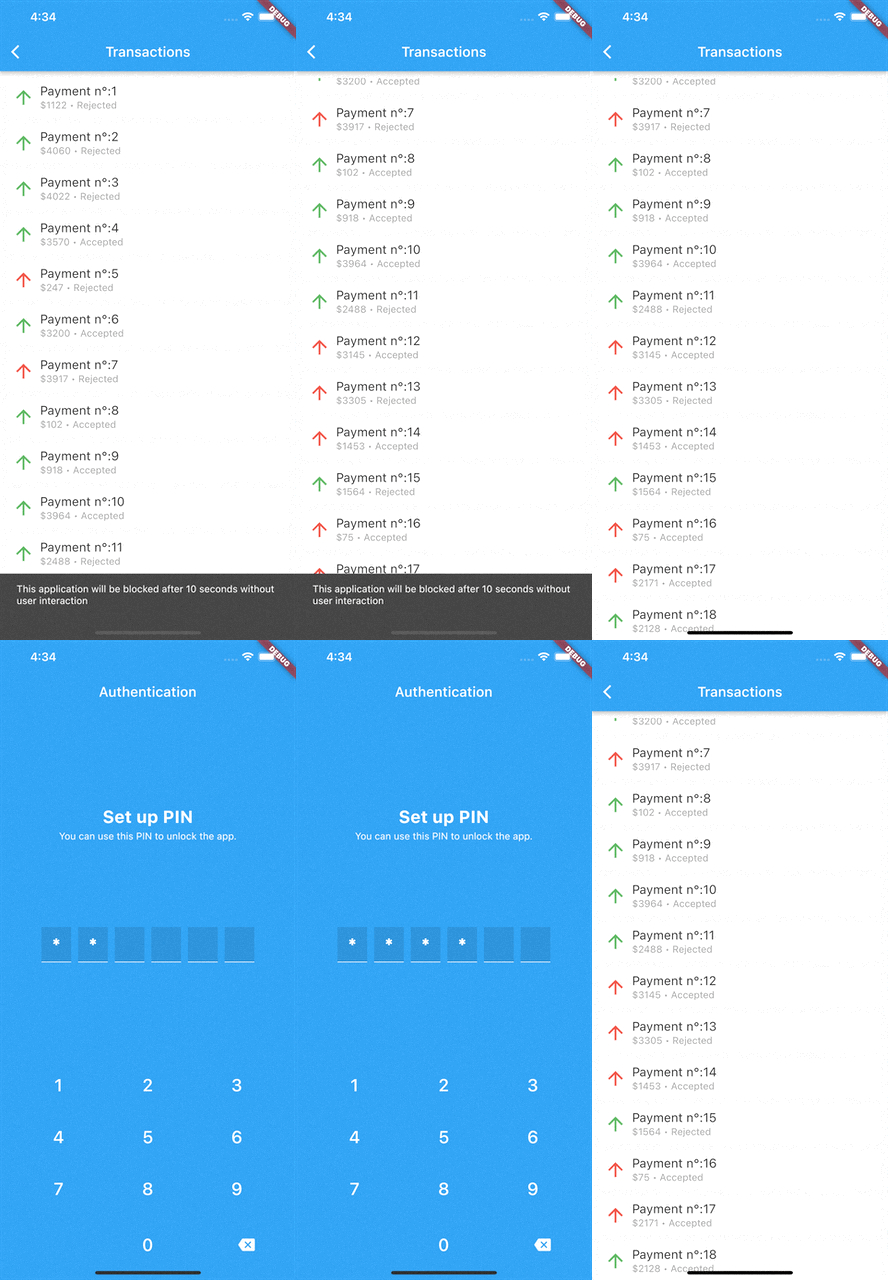
当您的应用程序中没有用户活动时,会做出反应
- 星标
- 7
- 复刻
- 0
- 最近推送(UTC)
- 2026年4月27日
- 项目状态
- 未归档
原始 README
以下为英文项目原文快照,最新内容请访问 GitHub。
activsy
reacts when there are no user activities in your application
Installation
dependencies:
  activsy: ^1.0.3
Usage
void main() {
  Activsy.initialize(waiTime: 10, onTimeOut: () {
    /// perform operation
    /// call the start to continue monitoring
  });
  runApp(const MyApp());
}
ActivsyWidget(
    detectedMouseAction: false,
    builder: (context) {
        return MaterialApp(
             title: 'Flutter Demo',
             theme: ThemeData(primarySwatch: Colors.blue,),
             home: const MyHomePage(title: 'Flutter Demo Home Page'),
        );
    },
)
can also intercept interaction events, just implement the onEvent(PointerEvent) method
ActivsyWidget(
    onEvent: (_){},
    builder: (context) {...},
)
After the onTimeOut method call the monitoring is terminated
| Functions And Attributes | Description |
|---|---|
| start | To monitor user interaction with the application just call Activsy.start(). Can be called multiple times but if monitoring is already active nothing happens |
| stop | Ends monitoring Activsy.reset(). Can be called multiple times |
| reset | Restart monitoring Activsy.reset(), he calls start() and then stop(). This method also to modify the waiting time: Activsy.updateTime(waiTime: 60) |
| forceTimeOut | Triggers the onTimeOut method at any point in the application Activsy.forceTimeOut(). There are several reasons to trigger the noActivity method before the stipulated timer |
| isInitialized | true returns if the setup was made |
| isActive | true returns if monitoring this active |
Note: call the functions after the config method otherwise you will throw an exception
Support
You liked this package? then give it a star. If you want to help then:
- Start this repository
- Send a Pull Request with new features
- Share this package
- Create issues if you find a Bug or want to suggest something

GitHub 作者
Edvaldo Martins ↗
语言DartSwiftKotlinObjective-C
分类
使用的依赖
依赖清单 3 项
- flutter
{"sdk":"flutter"} - flutter_test开发依赖
{"sdk":"flutter"} - flutter_lints开发依赖
^1.0.0
如何选择适合项目的代码仓?
先按使用场景筛选,再比较项目活跃情况,最后到原始仓库核对使用要求。
- 通过仓库名、作者或描述搜索,再按技术分类缩小范围。
- 结合星标、复刻与最近推送比较项目;星标反映社区关注,不代表质量保证。
- 使用前在 GitHub 核对 README、许可证与 Issues。
来源与维护
“A repository is the most basic element of GitHub.”
GitHub Docs — About repositories ↗