
 v0.1.1
insta_like_button
专为 Flutter 设计的 Instagram 帖子风格可自定义卡片小部件
43喜欢 28近 30 天下载160Pub 分数
AndroidiOSWebmacOSWindowsLinux
Instagram 帖子风格的可自定义卡片小部件,带有默认点赞功能
以下为英文项目原文快照,最新内容请访问 GitHub。


Add this to your package's pubspec.yaml file:
dependencies:
  insta_like_button: ^0.1.1
You can install packages from the command line:
$ flutter pub get
...
Now in your Dart code, you can use:
import 'package:insta_like_button/insta_like_button.dart';
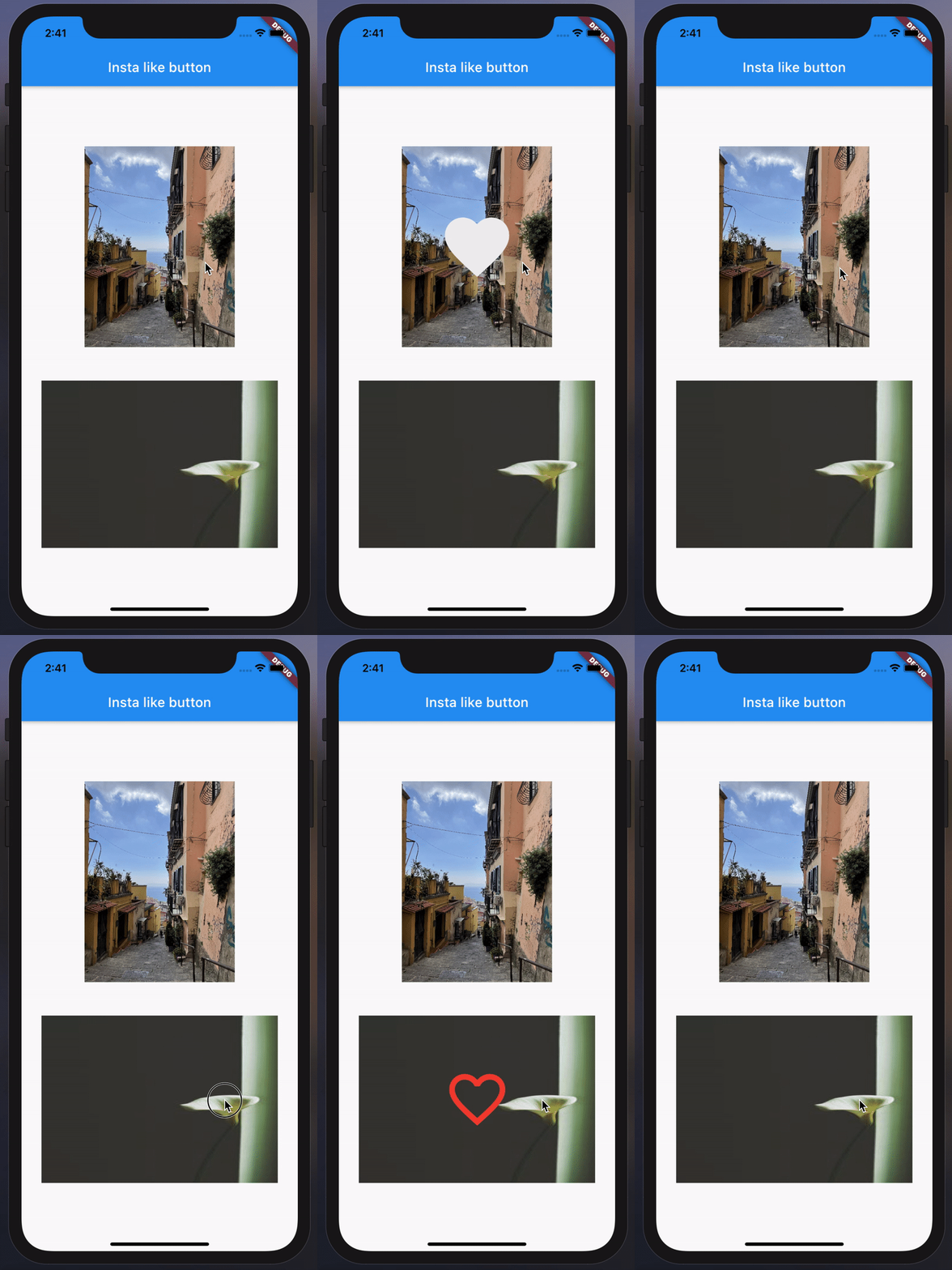
InstaLikeButton(
  image: AssetImage("example/overview/img.jpg"),
  onChanged: () {
    // Do something...
  },
),
InstaLikeButton(
  image: NetworkImage("https://picsum.photos/200/300"),
  onChanged: () {
    // Do something...
  },
  icon: Icons.favorite_border,
  iconSize: 80,
  iconColor: Colors.red,
  curve: Curves.fastLinearToSlowEaseIn,
  height: 200,
  width: MediaQuery.of(context).size.width - 20,
  duration: const Duration(seconds: 1),
  onImageError: (e, _) {
    // Do something...
  },
  imageAlignment: Alignment.topLeft,
  imageBoxfit: BoxFit.fill,
  imageScale: 2.0,
  imageColorFilter: ColorFilter.mode(
    Colors.black.withOpacity(0.5),
    BlendMode.dstATop,
  ),
),

依赖清单 2 项
{"sdk":"flutter"}{"sdk":"flutter"}先按使用场景筛选,再比较项目活跃情况,最后到原始仓库核对使用要求。
“A repository is the most basic element of GitHub.”
GitHub Docs — About repositories ↗