
paginate_firestore
一个用于简化 Firestore 数据分页的 Flutter 包 🗃

- 星标
- 109
- 复刻
- 135
- 最近推送(UTC)
- 2024年8月19日
- 项目状态
- 未归档
原始 README
以下为英文项目原文快照,最新内容请访问 GitHub。
Pagination in Firestore


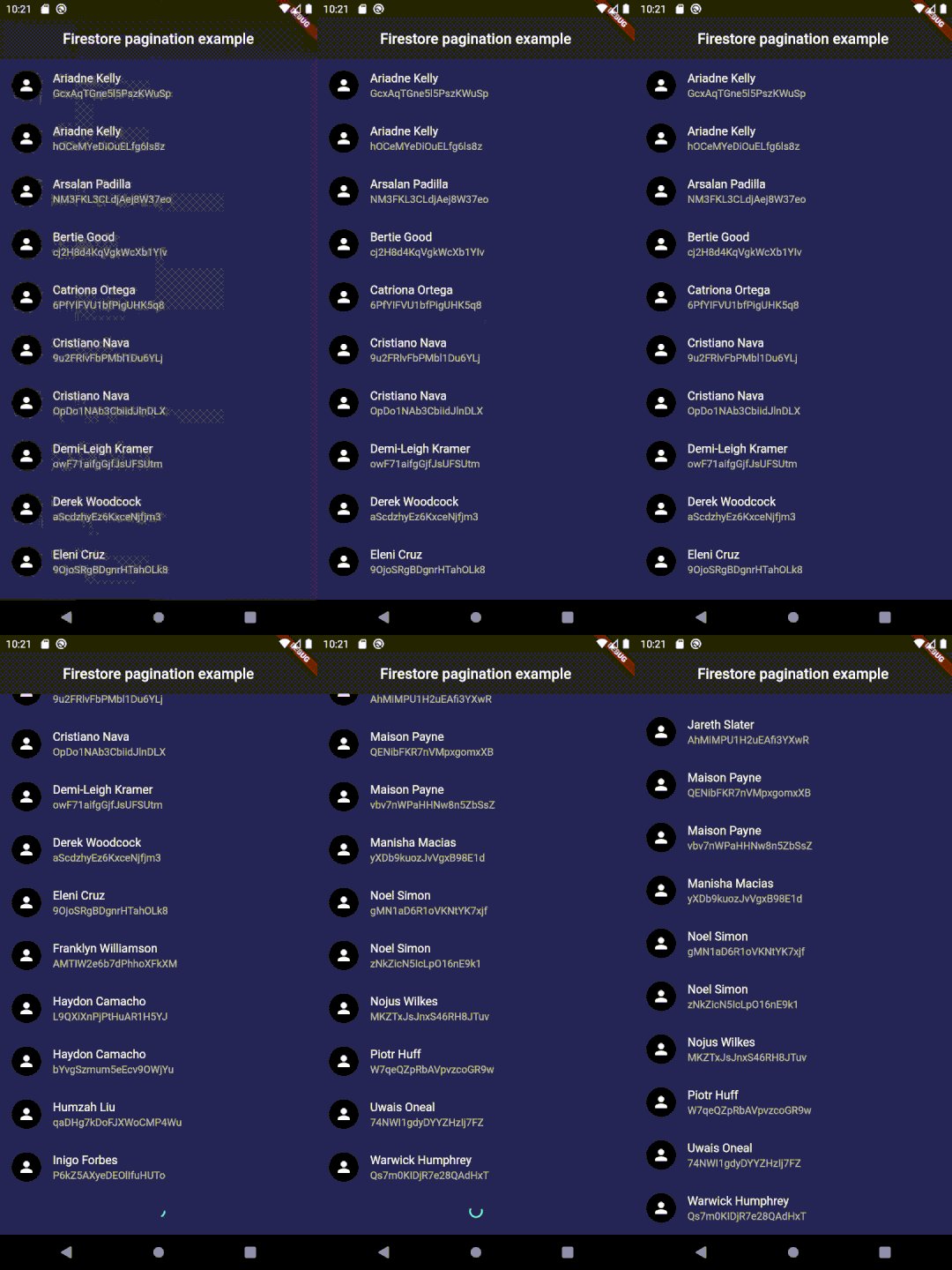
Setup
Use the same setup used for cloud_firestore package (or follow this).
Usage
In your pubspec.yaml
dependencies:
  paginate_firestore: # latest version
Import it
import 'package:paginate_firestore/paginate_firestore.dart';
Implement it
      PaginateFirestore(
        //item builder type is compulsory.
        itemBuilder: (context, documentSnapshots, index) {
          final data = documentSnapshots[index].data() as Map?;
          return ListTile(
            leading: CircleAvatar(child: Icon(Icons.person)),
            title: data == null ? Text('Error in data') : Text(data['name']),
            subtitle: Text(documentSnapshots[index].id),
          );
        },
        // orderBy is compulsory to enable pagination
        query: FirebaseFirestore.instance.collection('users').orderBy('name'),
        //Change types accordingly
        itemBuilderType: PaginateBuilderType.listView,
        // to fetch real-time data
        isLive: true,
      ),
To use with listeners:
      PaginateRefreshedChangeListener refreshChangeListener = PaginateRefreshedChangeListener();

      RefreshIndicator(
        child: PaginateFirestore(
          itemBuilder: (context, documentSnapshots, index) => ListTile(
            leading: CircleAvatar(child: Icon(Icons.person)),
            title: Text(documentSnapshots[index].data()['name']),
            subtitle: Text(documentSnapshots[index].id),
          ),
          // orderBy is compulsary to enable pagination
          query: Firestore.instance.collection('users').orderBy('name'),
          listeners: [
            refreshChangeListener,
          ],
        ),
        onRefresh: () async {
          refreshChangeListener.refreshed = true;
        },
      )
Contributions
Feel free to contribute to this project.
If you find a bug or want a feature, but don't know how to fix/implement it, please fill an issue. If you fixed a bug or implemented a feature, please send a pull request.
Getting Started
This project is a starting point for a Dart package, a library module containing code that can be shared easily across multiple Flutter or Dart projects.
For help getting started with Flutter, view our online documentation, which offers tutorials, samples, guidance on mobile development, and a full API reference.
Contributors ✨
Thanks goes to these wonderful people:
 Adam Dupuis 💻 |
 Gautham 💻 |
 Hafeez Ahmed 💻 |
 Claudemir Casa 💻 |
 Nikhil27bYt 📖 |
 Ferri Sutanto 💻 |
 jslattery26 💻 |
 garrettApproachableGeek 💻 |
 Sua Música 💻 |
 Austin Nelson 💻 |
This project follows the all-contributors specification. Contributions of any kind welcome!

Venkat Vedartham ↗
分类
使用的依赖
依赖清单 7 项
- flutter
{"sdk":"flutter"} - bloc
^8.0.3 - flutter_bloc
^8.0.1 - cloud_firestore
^3.1.11 - provider
^6.0.2 - flutter_lints开发依赖
^1.0.4 - flutter_test开发依赖
{"sdk":"flutter"}
如何选择适合项目的代码仓?
先按使用场景筛选,再比较项目活跃情况,最后到原始仓库核对使用要求。
- 通过仓库名、作者或描述搜索,再按技术分类缩小范围。
- 结合星标、复刻与最近推送比较项目;星标反映社区关注,不代表质量保证。
- 使用前在 GitHub 核对 README、许可证与 Issues。
来源与维护
“A repository is the most basic element of GitHub.”
GitHub Docs — About repositories ↗