
v1.0.0
imagebutton
ImageButton 是一个简单的插件,允许您使用图像作为具有两种不同状态(按下/未按下)的按钮。
13喜欢 124近 30 天下载140Pub 分数
AndroidiOS
用于 Flutter 的图像按钮
以下为英文项目原文快照,最新内容请访问 GitHub。
A customizable button widget composed of two images.
ImageButton is a simple plugin that allows you to create buttons using images with two states: pressed and unpressed. It is designed for use cases where you want a button that visually responds to user interaction with images.
Widget build(BuildContext context) {
  return ImageButton(
    child: Row(
      children: [
        Icon(Icons.star, color: Colors.white),
        Text("Click Me", style: TextStyle(color: Colors.white))
      ],
    ),
    width: 100,
    height: 50,
    pressedImage: Image.asset("assets/pressed.png"),
    unpressedImage: Image.asset("assets/unpressed.png"),
    onTap: () {
      print('Button pressed!');
    },
  );
}
| Property | Type | Description |
|---|---|---|
child |
Widget? |
Custom widget to display inside the button. Preferred over children. |
children |
List<Widget> |
Widgets to be displayed inside the button (deprecated, use child instead). |
unpressedImage |
Image |
The image displayed when the button is not pressed. |
pressedImage |
Image |
The image displayed when the button is pressed. |
label |
Widget? |
An optional label widget displayed below the button. |
onTap |
VoidCallback? |
Callback function triggered when the button is tapped. |
width |
double? |
Width of the button. |
height |
double? |
Height of the button. |
mainAxisAlignment |
MainAxisAlignment |
How the children are aligned horizontally. Default is MainAxisAlignment.center. |
crossAxisAlignment |
CrossAxisAlignment |
How the children are aligned vertically. Default is CrossAxisAlignment.center. |
isEnabled |
bool |
Determines if the button is interactable. Default is true. |
isLoading |
bool |
Shows a loading indicator if set to true. Default is false. |
loadingIndicator |
Widget? |
Custom widget to show as the loading indicator. Defaults to CircularProgressIndicator(). |
loadingColor |
Color? |
Color of the loading indicator if isLoading is set to true. Defaults to null. |
Here is an example showcasing how to use ImageButton in a practical scenario:
import 'package:flutter/material.dart';
import 'package:imagebutton/imagebutton.dart';

void main() => runApp(MyApp());

class MyApp extends StatelessWidget {
  @override
  Widget build(BuildContext context) {
    return MaterialApp(
      home: Scaffold(
        appBar: AppBar(title: Text("ImageButton Example")),
        body: Center(
          child: ImageButton(
            child: Row(
              children: [
                Icon(Icons.thumb_up, color: Colors.white),
                SizedBox(width: 5),
                Text("Like", style: TextStyle(color: Colors.white))
              ],
            ),
            width: 120,
            height: 50,
            pressedImage: Image.asset("assets/button_pressed.png"),
            unpressedImage: Image.asset("assets/button_unpressed.png"),
            isLoading: false,
            onTap: () {
              print("Button Pressed");
            },
          ),
        ),
      ),
    );
  }
}
Below is an example animation of the ImageButton in action:
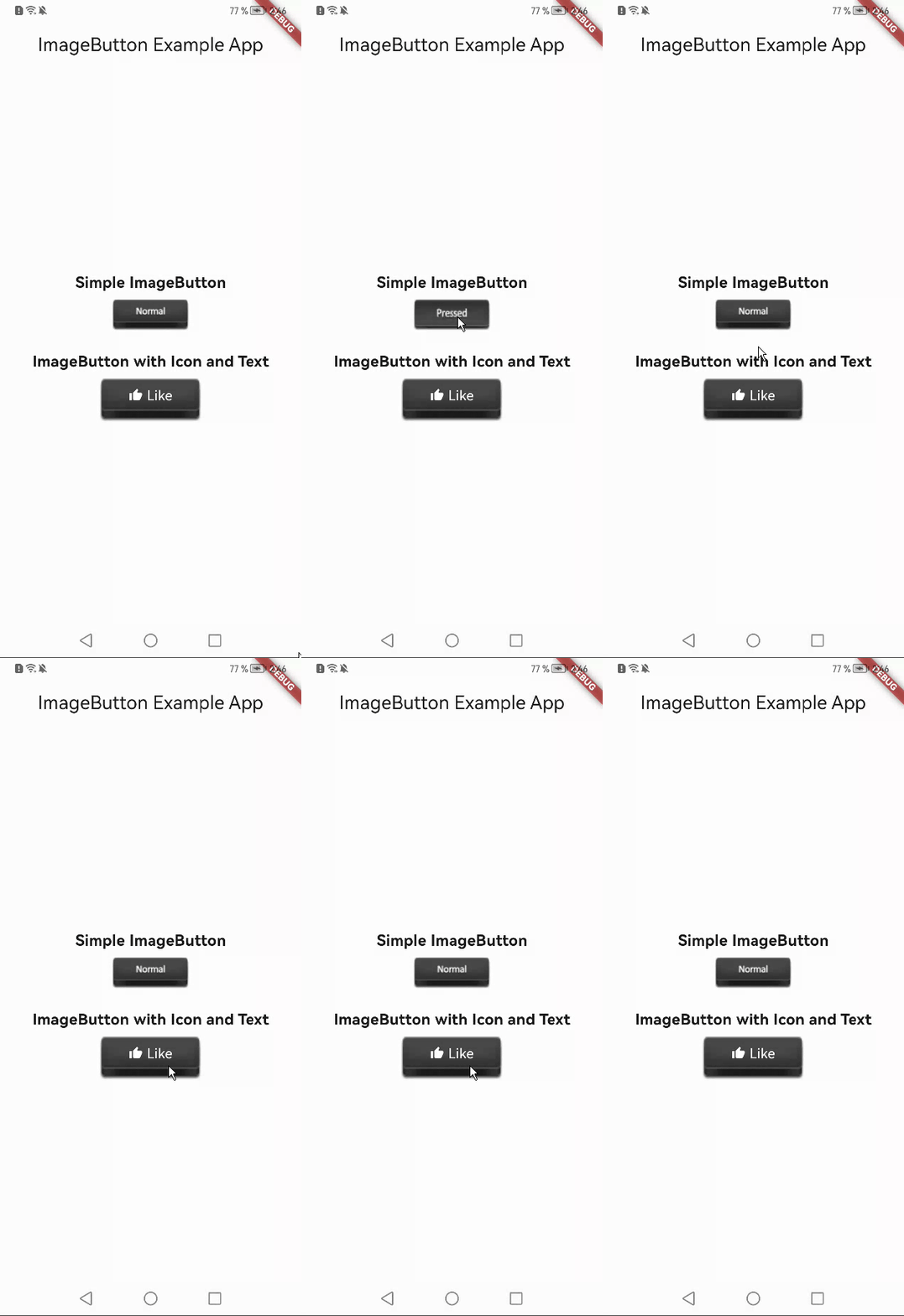
Contributions are welcome! Feel free to fork the repository and submit a pull request for any enhancements or bug fixes.
This project is licensed under the MIT License. See the LICENSE file for details.

依赖清单 3 项
{"sdk":"flutter"}{"sdk":"flutter"}^2.0.0先按使用场景筛选,再比较项目活跃情况,最后到原始仓库核对使用要求。
“A repository is the most basic element of GitHub.”
GitHub Docs — About repositories ↗