
 v2.0.0
web_color_picker
此包允许您在 Flutter Web 应用中使用原生网页浏览器颜色选择器。
9喜欢 667近 30 天下载150Pub 分数
Web
一个 Flutter 小部件,可在 Flutter Web 应用中提供浏览器原生颜色选择器

{"sdk":"flutter"}^1.0.4^4.5.1^1.1.0{"sdk":"flutter"}{"sdk":"flutter"}^5.0.0^1.25.7以下为英文项目原文快照,最新内容请访问 GitHub。
A Flutter widget that displays the native web color picker for browsers for use in Flutter Web apps.
[!NOTE] This package supports only Flutter web.
To use the web_color_picker package in your Flutter Web application, follow these steps:
First, make sure to add web_color_picker to your pubspec.yaml dependencies. Then, import it in your Dart code:
import 'package:web_color_picker/web_color_picker.dart';
WebColorPicker WidgetTo Display A Custom Color Picker Selector:
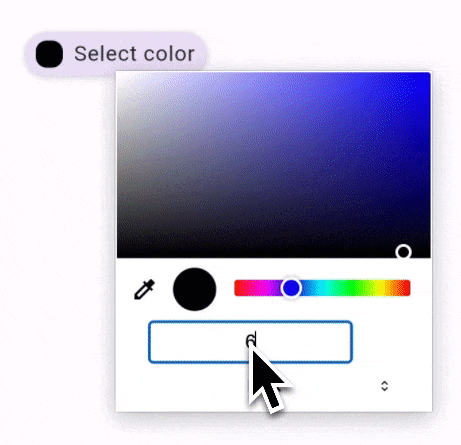
Use the WebColorPicker.builder constructor to display a custom color picker selector provided by the builder parameter.
Tapping on the custom color picker will open the browser's color picker.
Here's an example showing how to use an ElevatedButton as the custom color picker selector:
WebColorPicker.builder(
  initialColor: textColor,
  builder: (context, selectedColor) {
    return ElevatedButton(
      onPressed: () {
        print('ElevatedButton pressed');
      },
      style: ElevatedButton.styleFrom(
        padding: const EdgeInsets.symmetric(
          horizontal: 8,
          vertical: 12,
        ),
      ),
      child: Row(
        mainAxisSize: MainAxisSize.min,
        children: [
          Container(
            width: 20,
            height: 20,
            decoration: BoxDecoration(
              borderRadius: BorderRadius.circular(8),
              color: selectedColor,
            ),
          ),
          const SizedBox(
            width: 8,
          ),
          Text(
            'Select color',
          ),
        ],
      ),
    );
  },
)
To Display The Default Color Picker Selector:
Use the WebColorPicker constructor to display the browser's default color picker selector.
Here's an example showing how to use the default color picker selector:
A gif showing how to use the default color picker selectorWebColorPicker(
initialColor: Colors.red,
width: 60.0,
height: 30.0,
)
There are two main callbacks you can handle:
Each of these callbacks provides the selected Color and the corresponding HTML event:
An example demonstrating the color picker events using the default color picker selector and a custom color picker selector:
A gif demonstrating the color picker events using the default color picker selector and a custom color picker selectorWebColorPicker(
initialColor: textColor,
onInput: (color, event) {
setState(() {
previewTextColor = color;
});
},
onChange: (color, event) {
setState(() {
textColor = color;
});
},
// ... other properties
),
See the example directory for a complete example.
Watch the tutorial to learn how to use the Web Color Picker package in your Flutter web apps.
Easily Integrate The Browser’s Color Picker In Flutter Web | web_color_picker
For more understanding on how the HTML color input (which this package uses) works, check out the following:
MDN Documentation: <input type="color">: An in-depth overview of the HTML color input element.
Using Color Inputs on MDN: A guide that explains the user interactions and behavior of the color input.
Color Inputs: A Deep Dive into Cross-Browser Differences | CSS-Tricks: An article that delves into the cross-browser differences of color inputs.