
number_slide_animation
使用流畅的滑动动画显示数字

- 星标
- 24
- 复刻
- 11
- 最近推送(UTC)
- 2024年8月19日
- 项目状态
- 未归档
原始 README
以下为英文项目原文快照,最新内容请访问 GitHub。
number_slide_animation
With this package you can display a number using a neat sliding animation.
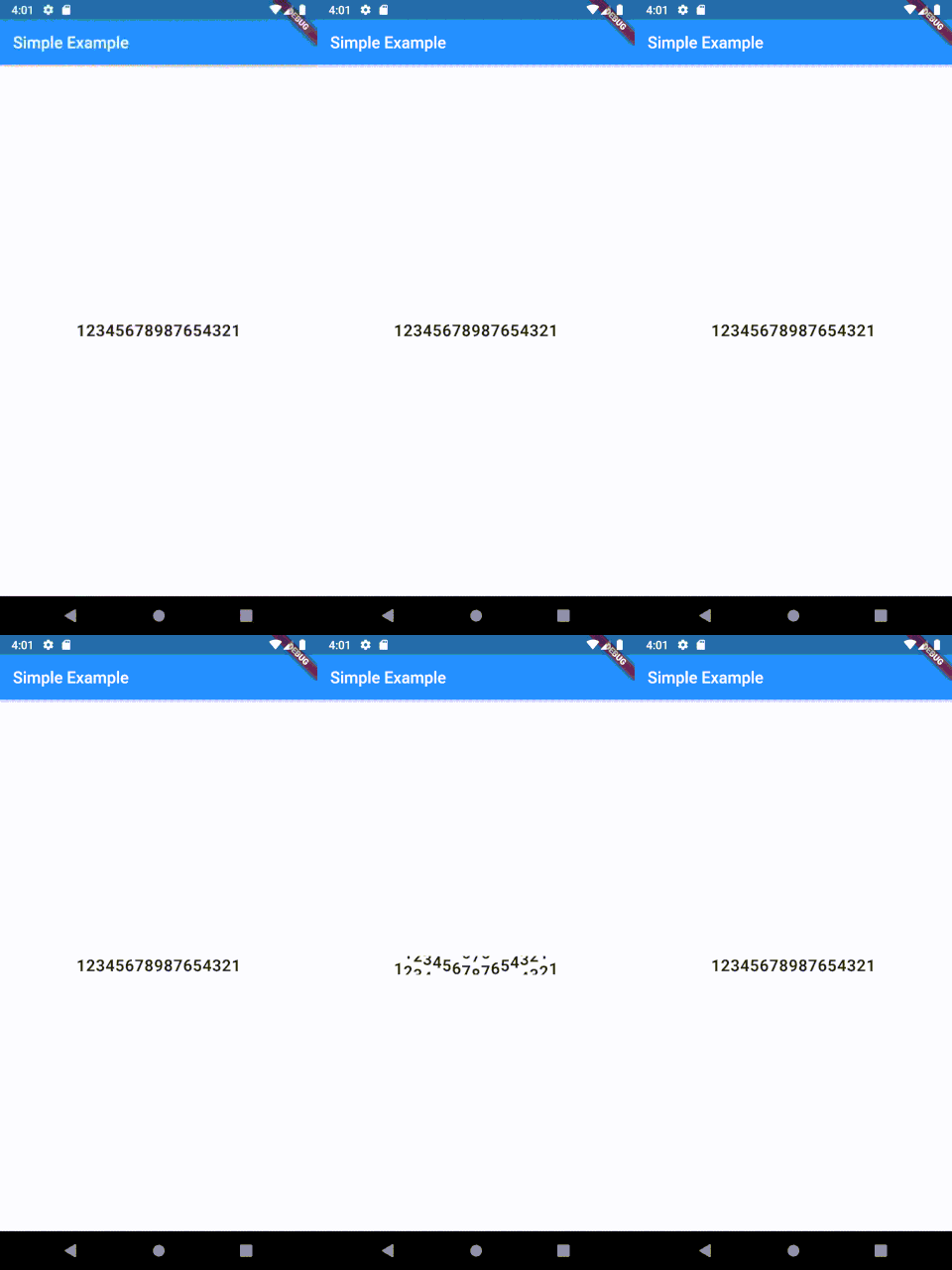
class Example extends StatelessWidget {
  @override
  Widget build(BuildContext context) {
    return Scaffold(
      appBar: AppBar(
        title: Text("Simple Example"),
      ),
      body: Container(
        child: Center(
          child: NumberSlideAnimation(
            number: "12345678987654321",
            duration: const Duration(seconds: 2),
            curve: Curves.bounceIn,
            textStyle: TextStyle(
              fontSize: 20.0,
              fontWeight: FontWeight.bold
            ),
          ),
        ),
      ),
    );
  }
}
I wanted this kind of Animation in my application and thought some of you may want to use it too. It is very easy to set up and can be used for example as a neat intro animation.
Todo
- [ ] Add functionality to set a custom delay for each number
- [ ] Add functionality to set a delayed start
License
MIT License

Copyright (c) 2019 Justin Vietz

Permission is hereby granted, free of charge, to any person obtaining a copy
of this software and associated documentation files (the "Software"), to deal
in the Software without restriction, including without limitation the rights
to use, copy, modify, merge, publish, distribute, sublicense, and/or sell
copies of the Software, and to permit persons to whom the Software is
furnished to do so, subject to the following conditions:

The above copyright notice and this permission notice shall be included in all
copies or substantial portions of the Software.

THE SOFTWARE IS PROVIDED "AS IS", WITHOUT WARRANTY OF ANY KIND, EXPRESS OR
IMPLIED, INCLUDING BUT NOT LIMITED TO THE WARRANTIES OF MERCHANTABILITY,
FITNESS FOR A PARTICULAR PURPOSE AND NONINFRINGEMENT. IN NO EVENT SHALL THE
AUTHORS OR COPYRIGHT HOLDERS BE LIABLE FOR ANY CLAIM, DAMAGES OR OTHER
LIABILITY, WHETHER IN AN ACTION OF CONTRACT, TORT OR OTHERWISE, ARISING FROM,
OUT OF OR IN CONNECTION WITH THE SOFTWARE OR THE USE OR OTHER DEALINGS IN THE
SOFTWARE.

GitHub 作者
Justin Vietz ↗
语言DartObjective-CShellJava
使用的依赖
依赖清单 2 项
- flutter
{"sdk":"flutter"} - flutter_test开发依赖
{"sdk":"flutter"}
如何选择适合项目的代码仓?
先按使用场景筛选,再比较项目活跃情况,最后到原始仓库核对使用要求。
- 通过仓库名、作者或描述搜索,再按技术分类缩小范围。
- 结合星标、复刻与最近推送比较项目;星标反映社区关注,不代表质量保证。
- 使用前在 GitHub 核对 README、许可证与 Issues。
来源与维护
“A repository is the most basic element of GitHub.”
GitHub Docs — About repositories ↗