


 v1.3.5
app_badge_plus
一个用于在应用图标上添加徽章的 Flutter 插件。支持 iOS、Android 和 macOS。
171喜欢 35.1万近 30 天下载160Pub 分数
AndroidiOSmacOS
一个用于在应用图标上添加徽章的 Flutter 插件。

以下为英文项目原文快照,最新内容请访问 GitHub。


A Flutter plugin for adding badges to your app icon. Supports iOS, Android, and macOS.


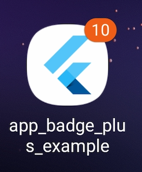
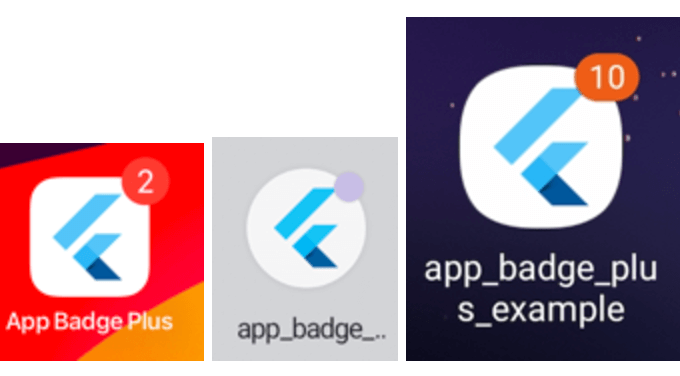
Starting with Android 8.0 (API level 26), notification badges—also known as notification dots—appear on a launcher icon when the associated app has an active notification. Users can touch & hold the app icon to reveal the notifications, along with any app shortcuts.
https://developer.android.com/develop/ui/views/notifications/badges
Starting With Android13 (API level 33), notification runtime permission should be requested before setting the app badge.
On POCO / Xiaomi HyperOS, numeric badges are driven by active notifications (the old
extraNotification API is unavailable). Grant notification permission and enable the numeric
badge style in system settings.
Add the following permissions to AndroidManifest.xml according to the system you need to support:
<!-- Samsung -->
<uses-permission android:name="com.sec.android.provider.badge.permission.READ"/>
<uses-permission android:name="com.sec.android.provider.badge.permission.WRITE"/>

<!-- HTC -->
<uses-permission android:name="com.htc.launcher.permission.READ_SETTINGS"/>
<uses-permission android:name="com.htc.launcher.permission.UPDATE_SHORTCUT"/>

<!-- Sony -->
<uses-permission android:name="com.sonyericsson.home.permission.BROADCAST_BADGE"/>
<uses-permission android:name="com.sonymobile.home.permission.PROVIDER_INSERT_BADGE"/>

<!-- Apex -->
<uses-permission android:name="com.anddoes.launcher.permission.UPDATE_COUNT"/>

<!-- Solid -->
<uses-permission android:name="com.majeur.launcher.permission.UPDATE_BADGE"/>

<!-- Huawei -->
<uses-permission android:name="com.huawei.android.launcher.permission.CHANGE_BADGE" />
<uses-permission android:name="com.huawei.android.launcher.permission.READ_SETTINGS" />
<uses-permission android:name="com.huawei.android.launcher.permission.WRITE_SETTINGS" />
On iOS, when using with notification message, notification permission is required.
On macOS, when using with notification message, notification permission is required.
Using permission_handler package to manage permission on Android and iOS.
https://pub.dev/packages/permission_handler
To use this plugin, add app_badge_plus as a dependency in your pubspec.yaml file.
dependencies:
  app_badge_plus: ^1.1.2
import 'package:app_badge_plus/app_badge_plus.dart';

// Set badge
AppBadgePlus.updateBadge(5);

// Remove badge
AppBadgePlus.updateBadge(0);

// Whether the launcher supports badges. It always returns true on iOS and it will return false on Android if the launcher doesn't support badges.
AppBadgePlus.isSupported();
https://pub.dev/packages/flutter_app_badger
FlutterAppBadger.updateBadgeCount(1);
replace to
AppBadgePlus.updateBadge(1);
FlutterAppBadger.removeBadge();
replace to
AppBadgePlus.updateBadge(0);
FlutterAppBadger.isAppBadgeSupported();
using dart API:
import 'dart:io';

Platform.isAndroid || Platform.isIOS
依赖清单 4 项
{"sdk":"flutter"}^2.1.8{"sdk":"flutter"}^5.0.0先按使用场景筛选,再比较项目活跃情况,最后到原始仓库核对使用要求。
“A repository is the most basic element of GitHub.”
GitHub Docs — About repositories ↗