搜索插件、代码仓与 APP 分类

GitHub 代码仓yosemiteyss/flutter_volume_controller

flutter_volume_controller

一个 Flutter 插件,用于在不同平台上控制系统音量并监听音量变化。

flutter_volume_controller 项目封面
星标
19
复刻
26
最近推送(UTC)
2026年8月17日
项目状态
未归档

原始 README

以下为英文项目原文快照,最新内容请访问 GitHub。

Flutter Volume Controller

A Flutter plugin to control system volume and listen for volume changes on different platforms.

pub package

Features

  • Control system and media volumes.
  • Listen for volume changes.

Platform Support

  • ✅ Android
  • ✅ iOS
  • ✅ macOS
  • ✅ Windows
  • ✅ Linux
  • ✅ ohos

Swift Package Manager Support

This plugin supports Swift Package Manager (SPM) on Apple platforms:
  • ✅ iOS
  • ✅ macOS

Example

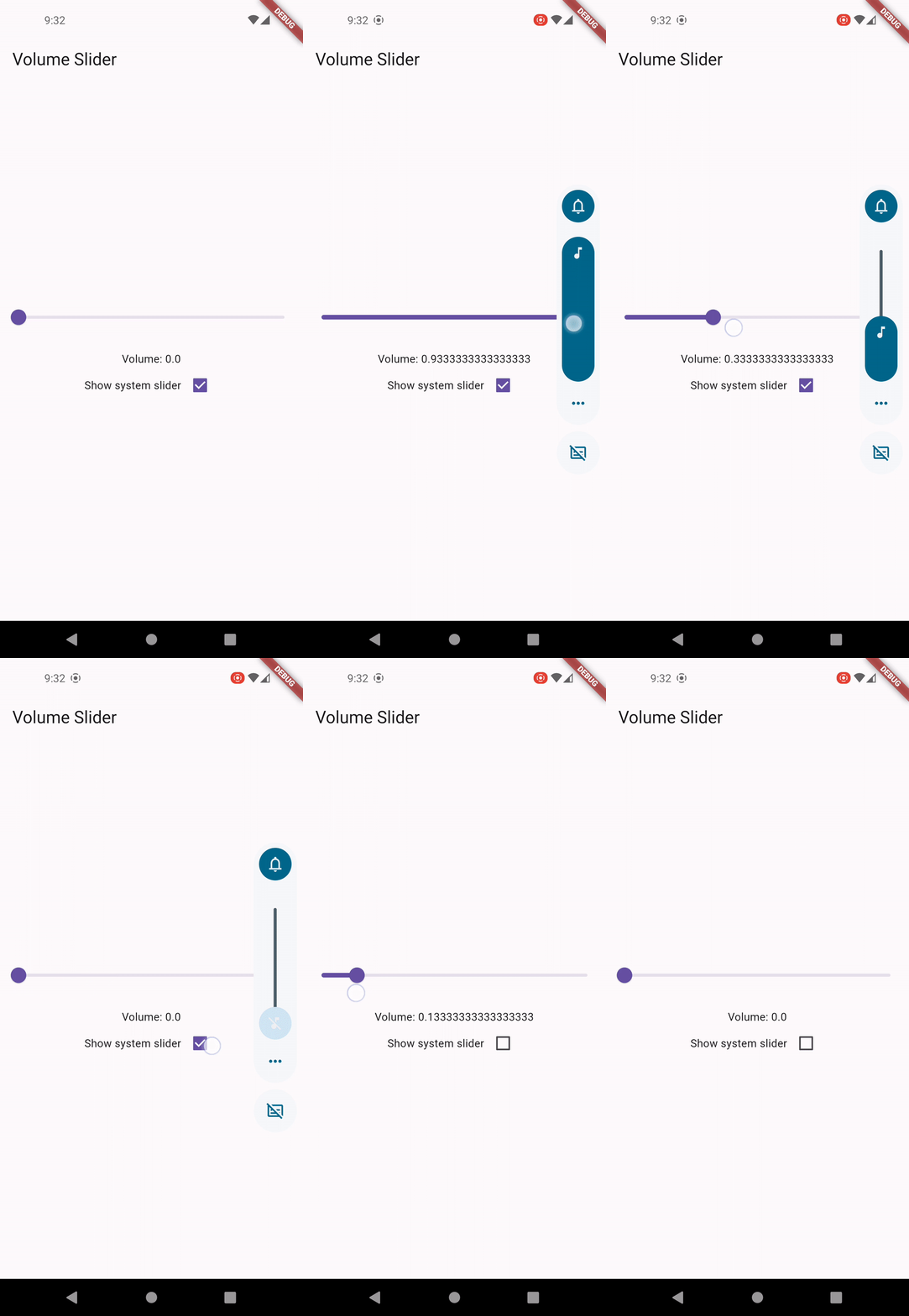
Custom Volume Slider

Usage

Control System UI Visibility
  • Set to true to display system volume slider when changing volume.
  • This setting only works on Android, iOS and ohos.
  • Note: this setting doesn't control the volume slider invoked by physical buttons on Android.
await FlutterVolumeController.updateShowSystemUI(true);
Get Volume
final volume = await FlutterVolumeController.getVolume();
Set Volume
await FlutterVolumeController.setVolume(0.5);
Increase Volume
  • On Android, Windows and ohos, when step is set to null, it will use the default system stepping value.
  • On iOS, macOS, Linux, if step is undefined, the default stepping value is set to 0.15.
await FlutterVolumeController.raiseVolume(0.2);
await FlutterVolumeController.raiseVolume(null);
Decrease Volume
  • On Android, Windows and ohos, when step is set to null, it will use the default system stepping value.
  • On iOS, macOS, Linux, if step is undefined, the default stepping value is set to 0.15.
await FlutterVolumeController.lowerVolume(0.2);
await FlutterVolumeController.lowerVolume(null);
Check Mute
  • On Android, iOS and ohos, we check if the current volume level is already dropped to zero.
  • On macOS, Windows, Linux, we check if the mute switch is turned on.
final isMuted = await FlutterVolumeController.getMute();
Set Mute
  • On Android, iOS and ohos, we either set the volume to zero or revert to the previous level.
  • On macOS, Windows, Linux, we control the mute switch. Volume will be restored once it's unmuted.
await FlutterVolumeController.setMute(true);
await FlutterVolumeController.setMute(false);
Toggle Mute
await FlutterVolumeController.toggleMute();
Set Audio Stream on Android
  • Adjusts to the audio stream whose volume should be changed by the hardware volume controls.
  • Supported streams: AudioStream.voiceCall, AudioStream.system, AudioStream.ring , AudioStream.music, AudioStream.alarm, AudioStream.notification.
  • For more details, visit AudioManager
await FlutterVolumeController.setAndroidAudioStream(stream: AudioStream.system);
Get Audio Stream on Android
  • Get the current audio stream on Android.
final stream = await FlutterVolumeController.getAndroidAudioStream();
Set Audio Session Category on iOS
  • Adjusts to a different set of audio behaviors.
  • Supported categories: AudioSessionCategory.ambient, AudioSessionCategory.multiRoute , AudioSessionCategory.playAndRecord, AudioSessionCategory.playback , AudioSessionCategory.record, AudioSessionCategory.soleAmbient
  • For more details, visit AVAudioSession.Category
await FlutterVolumeController.setIOSAudioSessionCategory(category: AudioSessionCategory.playback);
Get Audio Session Category on iOS
  • Get the current audio session category on iOS.
final category = await FlutterVolumeController.getIOSAudioSessionCategory();
Listen for Volume Changes
  • Use emitOnStart to control whether volume level should be emitted immediately right after the listener is attached.
@override
void initState() {
  super.initState();
  FlutterVolumeController.addListener(
    (volume) {
      debugPrint('Volume changed: $volume');
    },
  );
}

@override
void dispose() {
  FlutterVolumeController.removeListener();
  super.dispose();
}

Notes

Volume controls doesn't work on iOS simulator
  • On iOS, volume control uses MPVolumeView internally which does not works on simulator. Please uses physical device for testing.
Fine-grained volume control
  • Due to platform and device difference, it's normal that volume level could not be controlled precisely. For example, Android supports only 15 volume steps by default, the volume after being set would be a rounded off value.
Audio devices without volume control
  • On desktop platforms like Windows and Linux, you may encounter PlatformException if the default audio device doesn't support volume control, like an external monitor.
Controlling Android volume slider UI
  • Currently there is no trivial way to control the volume slider invoked by physical buttons on Android in plugin level. You may override FlutterActivity::onKeyDown to customize the buttons action.
HarmonyOS compatible SDK version

Having Bugs?

  • This package is under active development. If you find any bug, please create an issue on GitHub.

Support

"Buy Me A Coffee"

yosemiteyss GitHub avatar
GitHub 作者

yosemiteyss ↗

语言C++SwiftDartCMakeKotlinCRubyTypeScriptObjective-C

分类

此仓库发布的插件

使用的依赖

依赖清单 4 项

如何选择适合项目的代码仓?

先按使用场景筛选,再比较项目活跃情况,最后到原始仓库核对使用要求。

  1. 通过仓库名、作者或描述搜索,再按技术分类缩小范围。
  2. 结合星标、复刻与最近推送比较项目;星标反映社区关注,不代表质量保证。
  3. 使用前在 GitHub 核对 README、许可证与 Issues。

来源与维护

“A repository is the most basic element of GitHub.”

GitHub Docs — About repositories ↗