

v2.0.0
bart
टैब बदलने के लिए नेविगेटर 2 का उपयोग करते हुए एक बॉटम नेविगेशन बार
52लाइक 1.3 हज़ार30-दिन डाउनलोड130Pub अंक
AndroidiOSmacOSWindowsLinux
navigator 2 का उपयोग करके Flutter बॉटम नेविगेशन प्लगइन

यह अंग्रेज़ी मूल स्नैपशॉट है। नवीनतम सामग्री GitHub पर देखें।



This plugin is also available as a template in ApparenceKit.
Bart is very simple solution to implement tabulation system layout with Navigator into your application.
flutter pub add bart material_ui
Since 2.0.0, bart builds on the material_ui
and cupertino_ui packages rather than
package:flutter/material.dart, following the Flutter 3.44+ split of Material out
of the framework. Requires Dart 3.12 / Flutter 3.44 or newer.
Upgrading from 1.x? Your app must import
package:material_ui/material_ui.dartinstead ofpackage:flutter/material.dart. The SDK still ships its own Material library, and the twoMaterialtypes are not interchangeable — mixing them yields a confusingNo Material widget found.on widgets that plainly sit under aScaffold. See the CHANGELOG for the full rationale.enum Themeis also renamed toenum BartBottomBarStyle.
import 'package:bart/bart.dart';
import 'package:material_ui/material_ui.dart';
List<BartMenuRoute> subRoutes() {
  return [
    BartMenuRoute.bottomBar(
      label: "Home",
      icon: Icons.home,
      path: '/home',
      pageBuilder: (context) => PageFake(
        key: PageStorageKey<String>("home"), // this is required to enable state caching
        Colors.red,
      ),
    ),
    BartMenuRoute.bottomBar(
      label: "Library",
      icon: Icons.video_library_rounded,
      path: '/library',
      pageBuilder: (context) => PageFake(Colors.blueGrey),
    ),
    BartMenuRoute.bottomBar(
      label: "Profile",
      icon: Icons.person,
      path: '/profile',
      pageBuilder: (context) => PageFake(Colors.yellow),
    ),
    BartMenuRoute.innerRoute( // add an inner route, no item will be added in bottom bar
      path: '/subpage',
      pageBuilder: (context) =>
          PageFake(Colors.greenAccent, child: Text("Sub Route page")),
    ),
  ];
}
This creates a route with a bottom menu item:
BartMenuRoute.bottomBar(...)
This creates a route that you can push within your scaffold body (no extra item will be added in bottom bar)
BartMenuRoute.innerRoute(...)
class MainPageMenu extends StatelessWidget {
  const MainPageMenu({Key? key}) : super(key: key);

  @override
  Widget build(BuildContext context) {
    return BartScaffold(
      routesBuilder: subRoutes, // add a reference to the subRoutes list you created before
      bottomBar: BartBottomBar.adaptive(), // add the bottom bar (see below for other options)
    );
  }
}
Bart include 4 ways to display a bottom bar:
BartBottomBar.cupertino() // iOS look.
BartBottomBar.material3() // Android look.
BartBottomBar.adaptive() // automatically select between cupertino & material depending on the device.
BartBottomBar.custom() // your own design
To custom the bottom bar, simply extends BartBottomBarCustom and create your own bottom bar like SimpleBottomBar(in example project).
If you want to custom your material 3 bottom bar, you can use the BottomNavigationBarThemeData class in your theme.
ThemeData(
  navigationBarTheme: NavigationBarThemeData(
    backgroundColor: Colors.orange.shade100,
    indicatorColor: Colors.orange.shade700,
  ),
)
You can add a notification badge on your bottom bar icon.
To do that, you need to use the BartMenuRoute.bottomBarBuilder method instead of BartMenuRoute.bottomBar in your route definitions:
BartMenuRoute.bottomBarBuilder(
    label: "Library",
    builder: (context) => BottomBarIcon.builder(
        icon: const Icon(Icons.video_library_outlined),
        notificationBuilder: (context) => Container(
            decoration: const BoxDecoration(
                color: Colors.red,
                shape: BoxShape.circle,
            ),
            padding: const EdgeInsets.all(4),
                child: const Text(
                "1",
                style: TextStyle(color: Colors.white, fontSize: 10),
                ),
            ),
        ),
    path: '/library',
    pageBuilder: (parentContext, tabContext, settings) => const FakeListPage(
    key: PageStorageKey<String>("library"),
    ),
    transitionDuration: bottomBarTransitionDuration,
    transitionsBuilder: bottomBarTransition,
),
You can choose to use the material sidebar NavigationRail
Like this
return BartScaffold(
    routesBuilder: subRoutes,
    showBottomBarOnStart: true,
    bottomBar: BartBottomBar.material3(),
    sideBarOptions: RailSideBarOptions(
        extended: true,
        gravity: Gravity.left,
    ),
)
(To change the theme you can do it like all regular material theme in the ThemeData).
Or you can make your own
return BartScaffold(
    routesBuilder: subRoutes,
    showBottomBarOnStart: true,
    bottomBar: BartBottomBar.material3(),
    sideBarOptions: CustomSideBarOptions(
        gravity: Gravity.left,
        sideBarBuilder: ((onTapItem, currentItem) => ...)
    ),
)
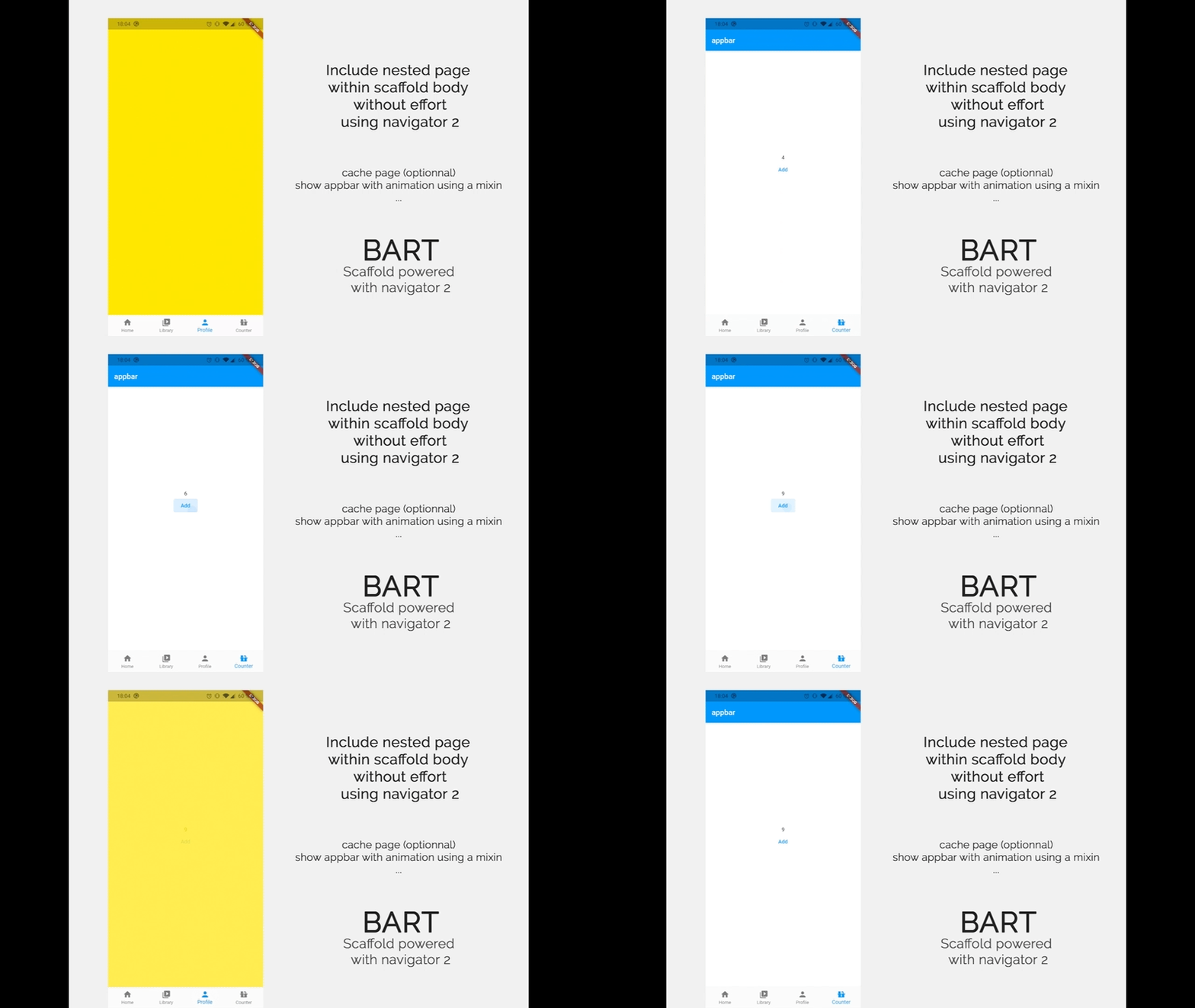
Imagine you got a page with a counter. You increment this counter and change tab. You want this tab to come back with the incremented counter?.
Bart include a caching system to implement this feature.
By default state caching is enabled. But you can override it:
BartMenuRoute.bottomBar(cache: false)
Your tab pages you want to be cached must use a PageStorageKey property:
BartMenuRoute.bottomBar(
  label: "Library",
  icon: Icons.video_library_rounded,
  path: '/library',
  pageBuilder: (context, settings) => PageFake(
    key: PageStorageKey<String>("library"), // add this property
    child: Text('Cached page !'),
  ),
You can show an animated AppBar or hide it whenever you want inside all your Bart sub pages.
AppBar will automatically shows or hide with a smooth animation
Simply add the AppBarNotifier mixin like this:
class MyPage extends StatelessWidget with AppBarNotifier {
  const MyPage({ Key? key }) : super(key: key);

  @override
  Widget build(BuildContext context) {
    // use the update app bar method to dynamically change app bar
    updateAppBar(context, AppBar(title: Text("test")));
    // now call you can call show method that will start animation
    showAppBar(context);
    return Container();
  }
}
To hide app bar, just execute this code inside your widget with AppBarNotifier
hideAppBar(context);
You can also use Actions to performs AppBar related actions
Actions.invoke(context, AppBarBuildIntent(AppBar(title: Text("title text"))));
Actions.invoke(context,AppBarAnimationIntent.show());
Actions.invoke(context,AppBarAnimationIntent.hide());
Sometimes you wants to hide the bottom menu bar. As this is possible for the appbar you can use a mixin for that. It just require to be called from a sub context of the BartScaffold.
Actions.invoke(context, BottomBarIntent.show());
Actions.invoke(context, BottomBarIntent.hide());
Or use the mixin
class MyPage extends StatelessWidget with BartNotifier {
  const MyPage({ Key? key }) : super(key: key);

  @override
  Widget build(BuildContext context) {
    // directly show the bottom bar
    showBottomBar(context);
    // directly hide the bottom bar
    hideBottomBar(context);
    return Container();
  }
}
You can use the official animation plugin to create better transition or create your owns.
Example:
BartMenuRoute.bottomBar(
  label: "Library",
  icon: Icons.video_library_rounded,
  path: '/library',
  pageBuilder: (context, settings) => PageFake(Colors.blueGrey),
  transitionDuration: Duration(milliseconds: 500),
  transitionsBuilder: (context, anim1, anim2, widget) => FadeThroughTransition(
    animation: anim1,
    secondaryAnimation: anim2,
    child: widget,
  ),
),

Initiated and sponsored by Apparence.io.
Contributions are welcome. Contribute by creating a PR or create an issue 🎉.
निर्भरता सूची 7 आइटम
{"sdk":"flutter"}^1.0.0^1.0.0^2.3.0^2.3.1^3.0.0{"sdk":"flutter"}उपयोग के अनुसार छाँटें, गतिविधि की तुलना करें और अपनाने से पहले मूल प्रोजेक्ट की आवश्यकताएँ जाँचें।
“A repository is the most basic element of GitHub.”
GitHub Docs — About repositories ↗