
VidBee_Flutter
एंड्रॉइड के लिए एक आधुनिक, खुला स्रोत वीडियो डाउनलोडर, yt-dlp और फ्लटर द्वारा संचालित, 1000+ वेबसाइटों का समर्थन करता है।
- स्टार
- 105
- फ़ोर्क
- 6
- अंतिम पुश (UTC)
- 18 सित॰ 2026
- प्रोजेक्ट स्थिति
- सक्रिय
मूल README
यह अंग्रेज़ी मूल स्नैपशॉट है। नवीनतम सामग्री GitHub पर देखें।
VidBee_Flutter 🐝




VidBee_Flutter is a modern, cross-platform video downloader for Android built with Flutter. Powered by the legendary yt-dlp engine, it provides a seamless and intuitive experience for downloading videos and audios from 1000+ websites worldwide.
What's New in v2026.08.11.1
- Corrected premature completion events when no usable output file is produced.
- Prevented concurrent downloads from associating another task's newest file.
- Released completed queue slots immediately instead of waiting for path metadata.
- Rejected truncated in-app update APKs and removed partial downloads safely.
- Hardened WebView login and settings initialization against disposed-page callbacks.
- Expanded regression coverage for download lifecycle and update integrity.
📸 Screenshots
| Link Parsing | Settings (1) |
|---|---|
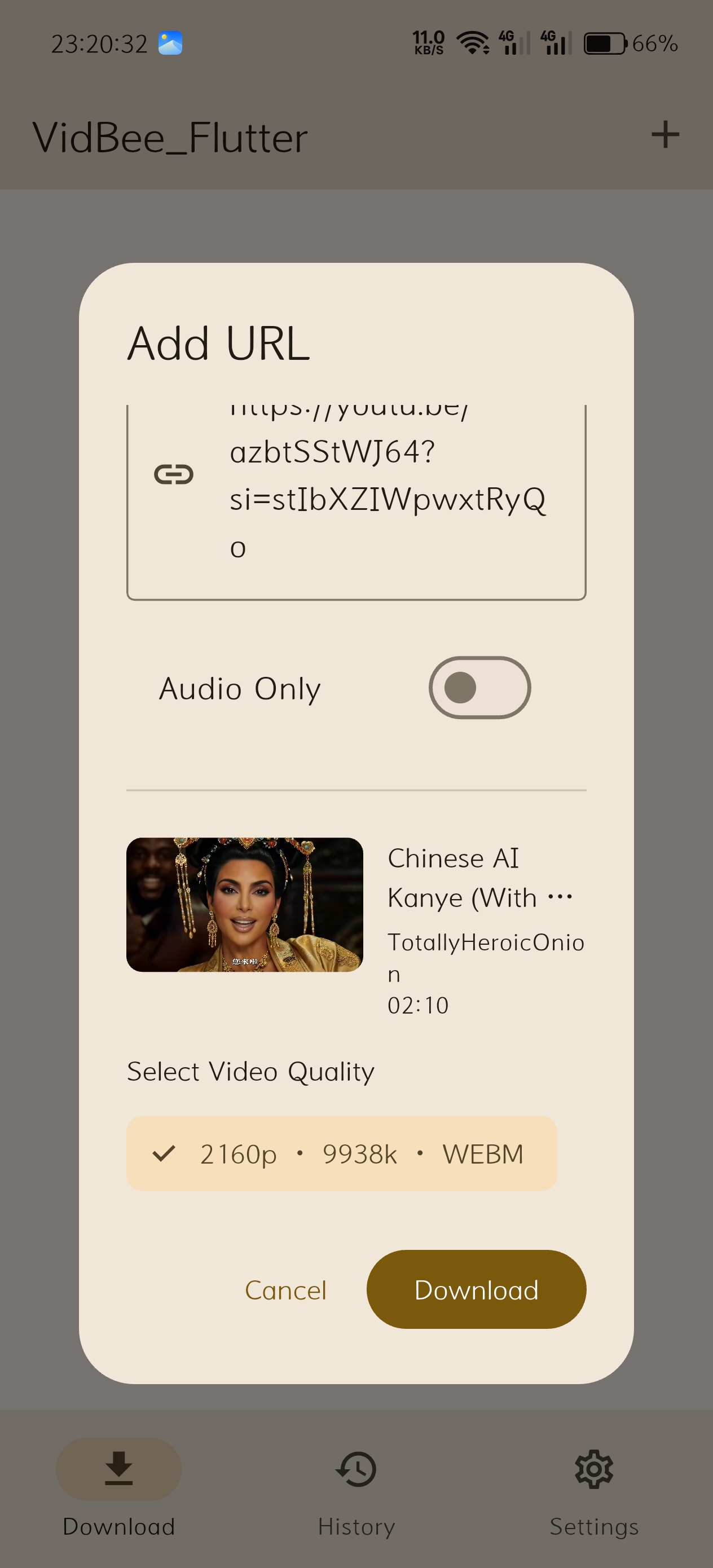 |
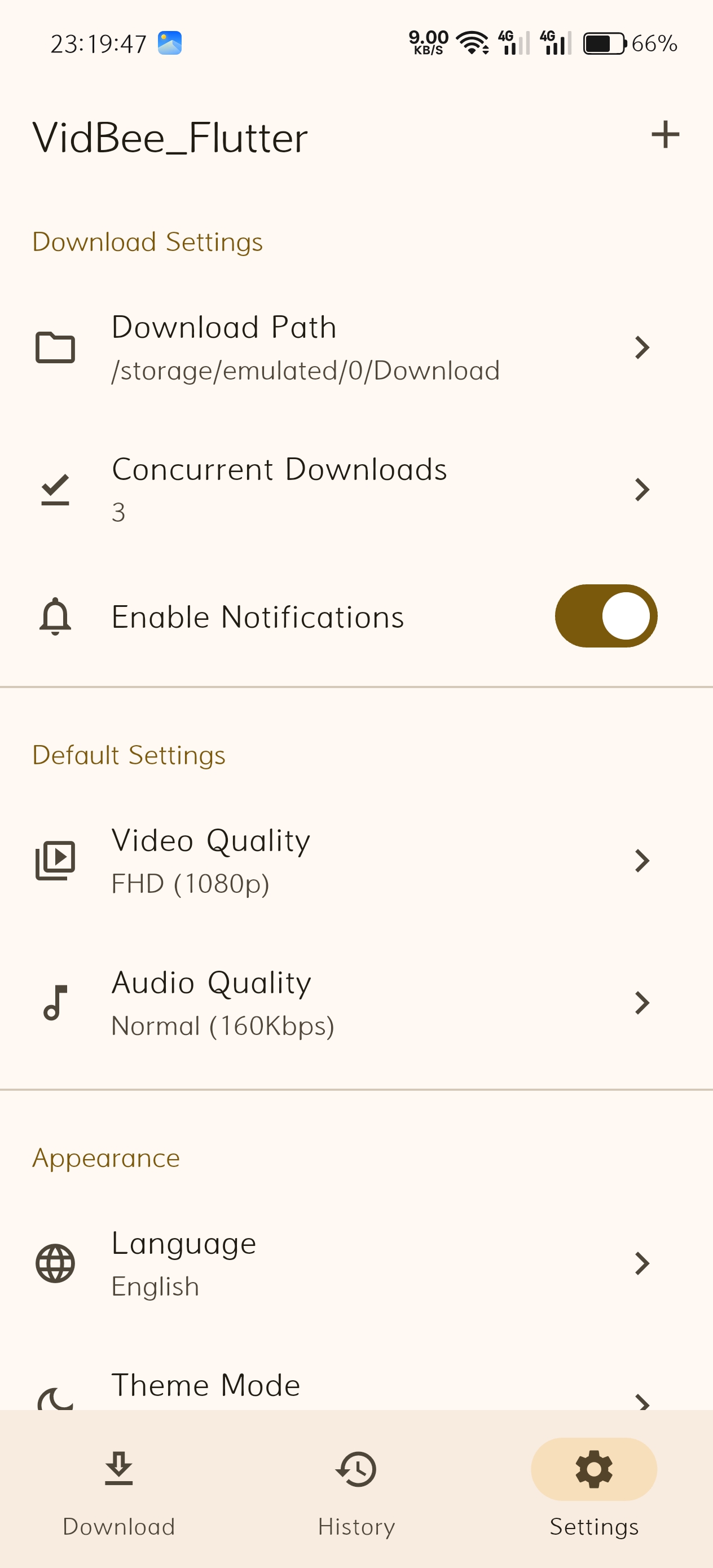 |
| Settings (2) | Settings (3) |
|---|---|
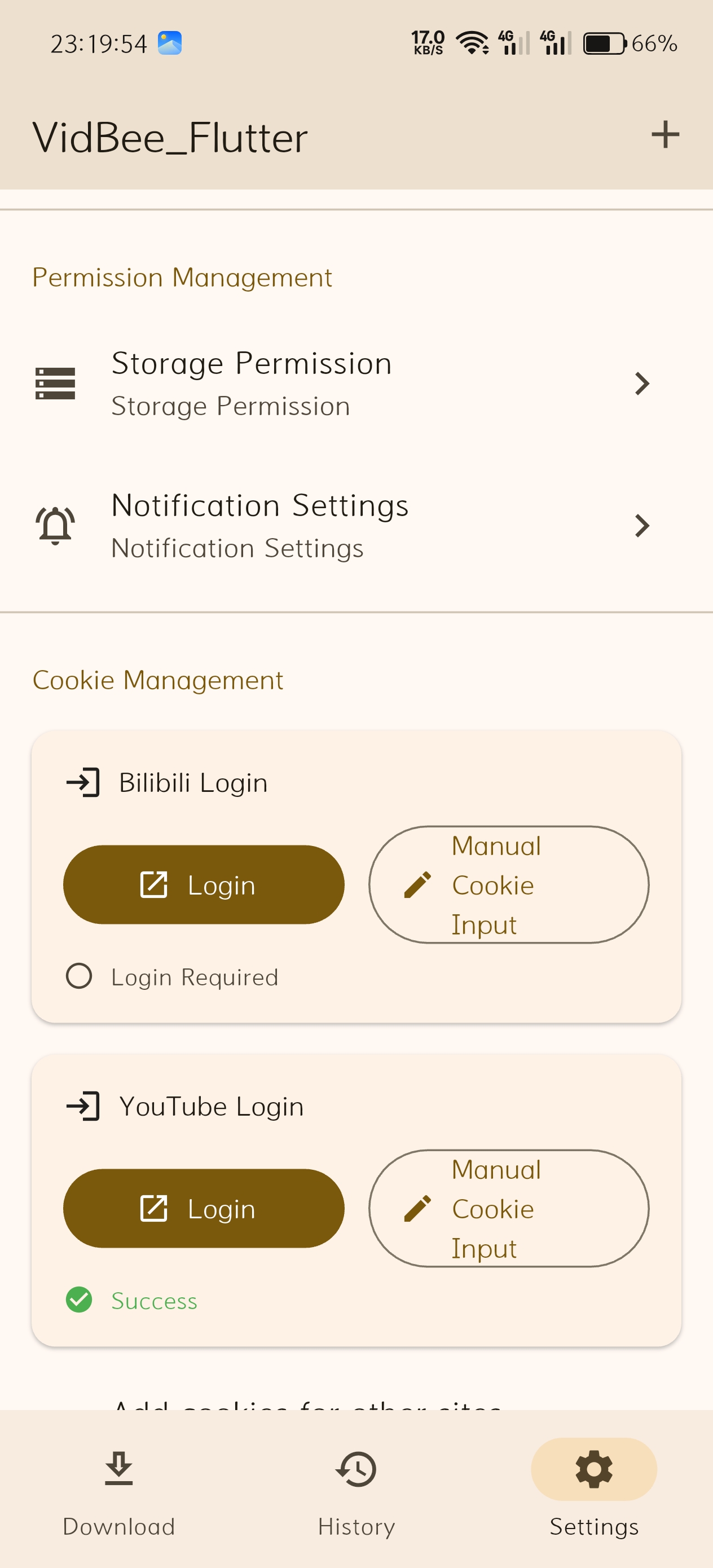 |
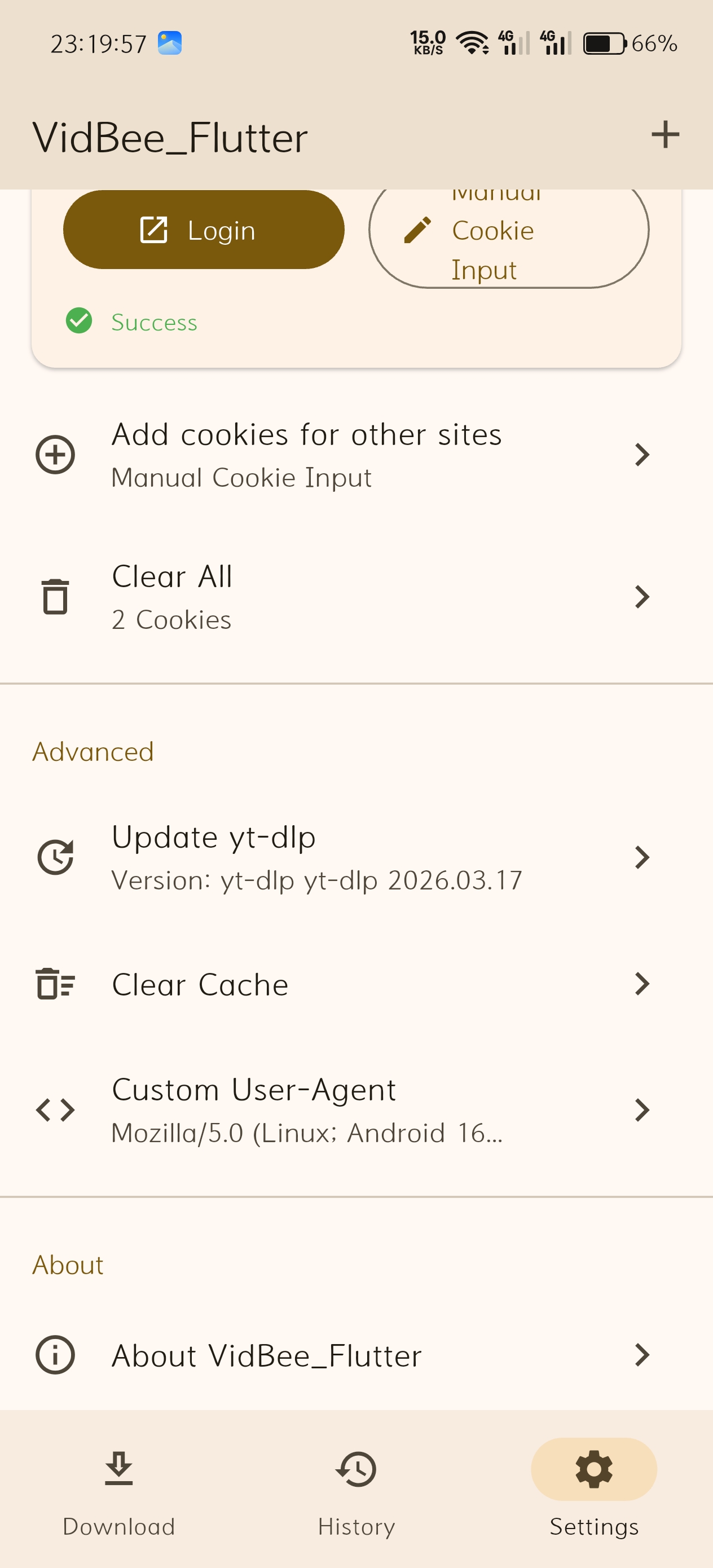 |
✨ Key Features
- 🌍 Global Support: Powered by
yt-dlp, supports 1000+ sites including YouTube, TikTok, Instagram, Twitter, and Bilibili. - 🎨 Modern UI: Clean interface following Material Design 3 guidelines with real-time progress tracking.
- 📚 Persistent History: Download history is saved locally and remains available after restarting the app.
- 🔐 One-Click Login: Built-in WebView login for platforms like Bilibili and YouTube to access restricted or high-quality content.
- ⚙️ Full Customization:
- Custom download paths and multiple quality options for video/audio.
- Adaptive Themes: Support for Dark, Light, and System modes.
- Multi-language: Available in English, Chinese, Japanese, and Korean.
- Advanced Tools: Professional Cookie import and Custom User-Agent configuration.
📥 Quick Start
- Download: Get the latest APK from Latest Release and install it on your Android device.
- Copy Link: Copy a video URL from your favorite app.
- Download: Open VidBee_Flutter. The app will automatically detect the link—just click "Parse" and choose your quality to start.
📖 Advanced Guides
🍪 How to Import Cookies
Some restricted videos or high-quality streams require cookies. VidBee_Flutter supports importing cookies in Netscape format.
- Install Extension: Install Get cookies.txt LOCALLY on your desktop browser (Chrome/Edge).
- Login: Log in to the target website (e.g., YouTube) in your browser.
- Export: Click the extension icon, ensure Netscape format is selected, and click Export to download
cookies.txt. - Import: Send the file to your phone and select it in VidBee_Flutter -> Settings -> Cookie Management.
[!CAUTION] Cookies contain sensitive login information. Never share your cookies.txt file with others.
⚠️ Custom User-Agent Tip
For sites like YouTube, the default UA might cause parsing failures. We recommend setting a real User-Agent from your current device (Search "My User Agent" in your browser) in the settings.
🛠️ Tech Stack
- Framework: Flutter (Channel Stable)
- Engine: yt-dlp via extractor
- State Management: Riverpod
- Database: Drift (SQLite)
- UI: Material Design 3
🤝 Contributing
We welcome any contributions! If you find a bug or have a feature proposal, please submit an Issue.
📄 License
This project is licensed under the MIT License.
🙏 Acknowledgements
- yt-dlp - The powerful download engine
- FFmpeg - The multimedia framework for processing
- VidBee (Desktop) - The project that inspired the original prototype

Autsunset ↗
उपयोग की गई निर्भरताएँ
निर्भरता सूची 32 आइटम
- flutter
{"sdk":"flutter"} - flutter_localizations
{"sdk":"flutter"} - cupertino_icons
^1.0.8 - material_color_utilities
^0.13.0 - riverpod
^2.6.1 - flutter_riverpod
^2.6.1 - drift
^2.25.0 - sqlite3_flutter_libs
^0.5.29 - path_provider
^2.1.5 - path
^1.9.1 - http
^1.3.0 - cached_network_image
^3.4.1 - permission_handler
^11.3.1 - intl
^0.20.2 - uuid
^4.5.1 - file_picker
^9.0.0 - share_plus
^10.1.4 - url_launcher
^6.3.1 - package_info_plus
^8.3.0 - device_info_plus
^11.3.3 - xml
^6.5.0 - shared_preferences
^2.3.5 - event_bus
^2.0.1 - extractor
^1.0.0 - webview_flutter
^4.10.0 - flutter_local_notifications
^17.2.3 - flutter_testडेवलपमेंट
{"sdk":"flutter"} - flutter_lintsडेवलपमेंट
^6.0.0 - drift_devडेवलपमेंट
^2.25.0 - build_runnerडेवलपमेंट
^2.4.15 - flutter_launcher_iconsडेवलपमेंट
^0.14.1 - path_provider_platform_interfaceडेवलपमेंट
^2.1.2
रैंकिंग
अपने प्रोजेक्ट के लिए रिपॉज़िटरी कैसे चुनें?
उपयोग के अनुसार छाँटें, गतिविधि की तुलना करें और अपनाने से पहले मूल प्रोजेक्ट की आवश्यकताएँ जाँचें।
- नाम, लेखक या विवरण से खोजें और तकनीकी विषय से परिणाम सीमित करें।
- स्टार, फ़ोर्क और हाल के पुश की तुलना करें। स्टार रुचि दर्शाते हैं, गुणवत्ता की गारंटी नहीं।
- उपयोग से पहले GitHub पर README, लाइसेंस और Issues जाँचें।
स्रोत और रखरखाव
“A repository is the most basic element of GitHub.”
GitHub Docs — About repositories ↗