
एक्सपैंडेबल कार्ड
फ्लटर के लिए एक स्लाइडिंग कार्ड विजेट

- स्टार
- 110
- फ़ोर्क
- 15
- अंतिम पुश (UTC)
- 27 नव॰ 2019
- प्रोजेक्ट स्थिति
- सक्रिय
मूल README
यह अंग्रेज़ी मूल स्नैपशॉट है। नवीनतम सामग्री GitHub पर देखें।
Expandable Card
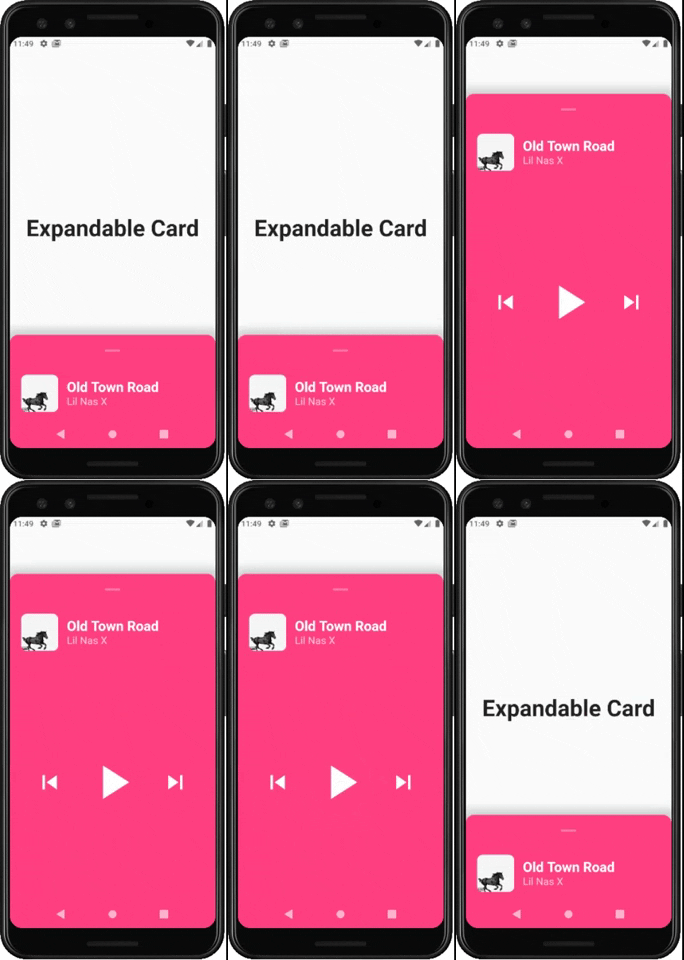
This is a Flutter Widget that makes it easy to build a page with a bottom Card that can be expanded on user drag.
How to use it
Use ExpandableCardPage for the body of your Scaffold. This widget will take two attributes:
Widget page: which is the default page in the backgroundExpandableCard expandableCard: which is the bottom card itself. You can call theExpandableCardconstructor to build one.
ExpandableCard constructor has a few attributes:
EdgeInsetsGeometry padding: padding inside the card. Default value isEdgeInsets.all(15)double minHeight: default height of the card when it's not expanded. Default value is200double maxHeight: height of the card when it's fully expanded. Default value is500bool hasShadow: determines whether the card has box shadow or not. Default istrueColor backgroundColor: background color of the card. Default isColors.blueGreybool hasRoundedCorners: determines whether the card has rounded corners or not. Default isfalsebool hasHandle: will add a little handle icon. Default istrueList<Widget> Children: Widgets that make the actual content of the card
Future Implementations:
AnimatedExpandableCard: will allow animation between closed state and expanded state.- Add suport for scrolling card when its fully expanded

GitHub लेखक
Lucas Bernardi ↗
भाषाएँDartObjective-CJava
उपयोग की गई निर्भरताएँ
निर्भरता सूची 3 आइटम
- flutter
{"sdk":"flutter"} - cupertino_icons
^0.1.2 - flutter_testडेवलपमेंट
{"sdk":"flutter"}
अपने प्रोजेक्ट के लिए रिपॉज़िटरी कैसे चुनें?
उपयोग के अनुसार छाँटें, गतिविधि की तुलना करें और अपनाने से पहले मूल प्रोजेक्ट की आवश्यकताएँ जाँचें।
- नाम, लेखक या विवरण से खोजें और तकनीकी विषय से परिणाम सीमित करें।
- स्टार, फ़ोर्क और हाल के पुश की तुलना करें। स्टार रुचि दर्शाते हैं, गुणवत्ता की गारंटी नहीं।
- उपयोग से पहले GitHub पर README, लाइसेंस और Issues जाँचें।
स्रोत और रखरखाव
“A repository is the most basic element of GitHub.”
GitHub Docs — About repositories ↗